How Digital Asset Management Software Transforms Business Operations
Written by Matthew Hale
- What Is Digital Asset Management (DAM)?
- Core Digital Asset Management Features That Drive Operational Transformation
- Why Digital Asset Management Software Transforms Operations
- How to Choose a Digital Asset Management System
- Digital Asset Management Tools to Consider
- Continuing to Improve Your Asset Management Maturity
- Conclusion
Companies make lots of digital stuff like videos, photos, slides, logos, and office files. More content means harder to keep track. Files end up in random folders. Teams can't find the right ones. Time gets wasted just looking for what they need. Seems like everyone's chasing the same file.
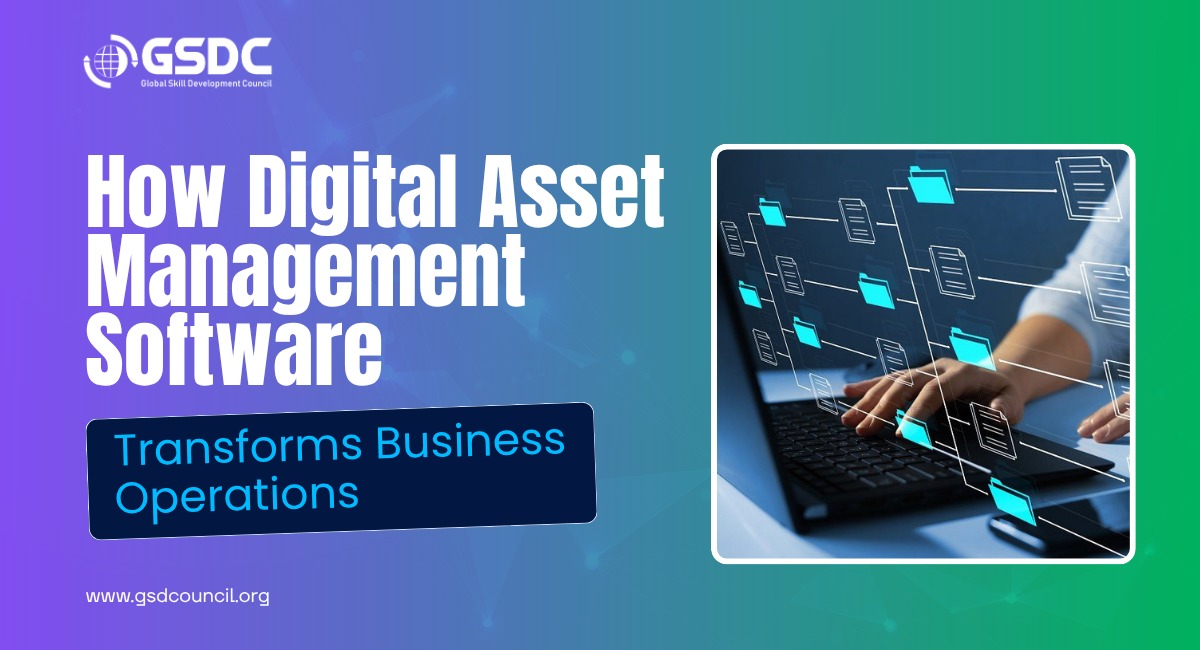
This is where understanding what digital asset management is becomes important. Digital asset management software provides a centralized system where organizations can store, organize, and manage their digital content more effectively. Instead of dealing with scattered files and version confusion, teams can quickly find, share, and reuse assets whenever they need them.
In this blog, we’ll explore what digital asset management software is, the key digital asset management features that make it valuable, some digital asset management tools to consider, and how to choose the right DAM solution for your organization.
What Is Digital Asset Management (DAM)?
Digital Asset Management, or DAM, is a technology that enables companies to store, organize, and share their digital assets-such as images, recordings of audio files, videos, and documents-through one central system. In addition to giving teams quick and easy access to the assets they need, DAM systems also allow for control over these assets through versioning, permissioning, and rights management.
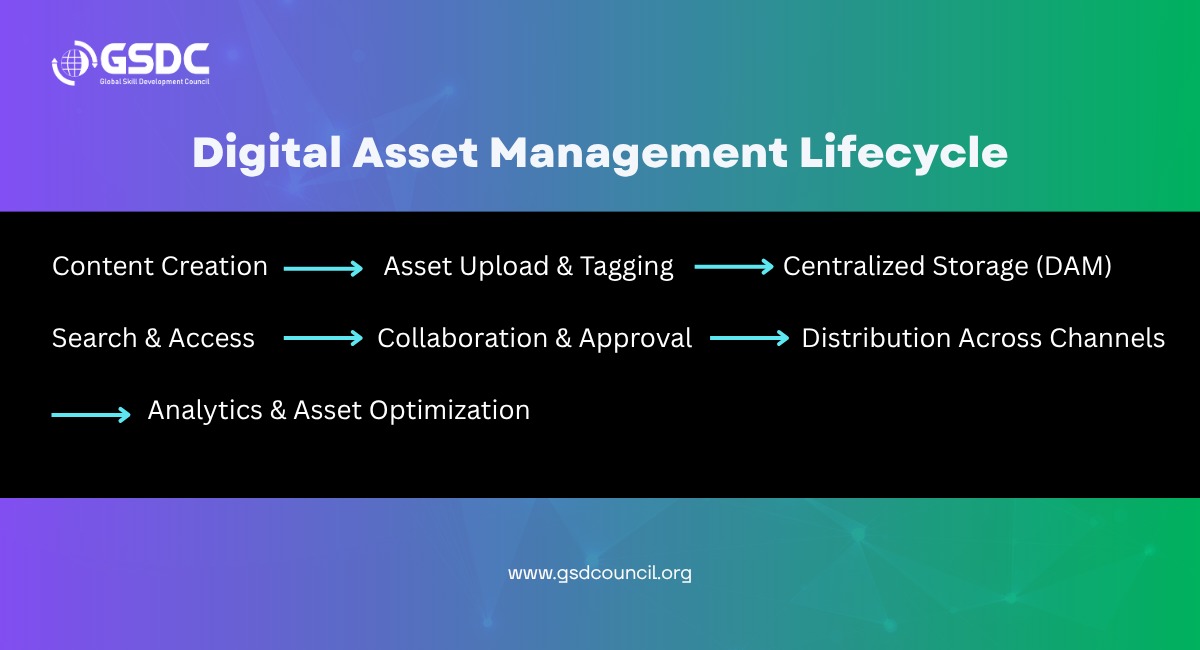
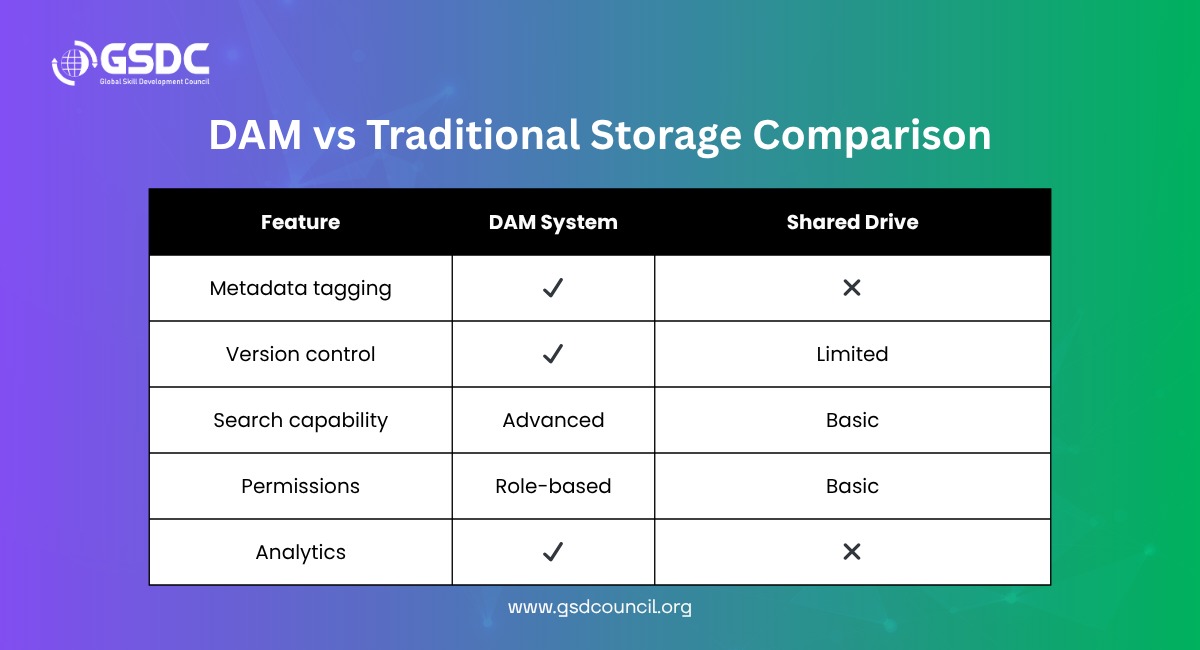
While some organizations rely solely on basic cloud storage solutions (for example, a shared drive) to manage their files, a DAM system can manage the lifecycle of your digital assets from creation and tagging to distribution, reuse, and performance measurement in one scalable solution.
Core Digital Asset Management Features That Drive Operational Transformation
Modern digital asset management tools provide features that enable organizations to leverage their content more efficiently, improve collaborative relationships, and maintain brand consistency. These capabilities facilitate the organization, location, and use of digital assets within and across business units.
Centralized Location to Store Digital Assets
All digital assets, regardless of type (high-resolution photographic images, design files, etc.), are stored in one location, making it simple to locate, use, and track them.
Advanced Search with Metadata
By utilizing AI-powered search technology and metadata tagging capabilities, you will be able to find files quickly and accurately, thus saving both time and effort in doing a manual search for these same results.
Version Control and Workflow Automation
Version control and automation enable organizations to track the evolution of a specific asset from the time it is created to when it is sent to its intended audience while ensuring that only authorized personnel have access to the asset.
Role-Based Permissions
Role-based permissions restrict who can access, edit, download, or distribute assets. These features help to secure sensitive content.
Interconnectivity with Other Solutions
The ability to connect digital asset management systems with other enabling technologies (i.e., marketing automation platforms, content management systems (CMS), creative technology tools, collaboration tools, etc.) allows organizations to create more efficient workflows.
Analytical Tools and Asset Metric Data
Analytical tools provide organizations with data regarding how assets are being used to benchmark asset usage and to make data driven decisions regarding the performance of assets or to evaluate opportunities for improvement.
These features add great value to the implementation of Digital Asset Management solutions for teams responsible for the management of large volumes of digital assets.
Professionals can further strengthen asset governance skills through certifications like the Certified Software Asset Manager (CSAM) by GSDC.
Why Digital Asset Management Software Transforms Operations
Using the appropriate digital asset management software can help improve more than the organization of files. The proper DAM software will enhance the way teams work through improved efficiency, increased consistency, and reduced costs.
1. Increased Productivity
Using a DAM system, teams spend less time trying to locate files, and therefore have more time available for critical projects. Users of a DAM system report finding assets between 20% and 60% faster, resulting in faster project turnaround times and fewer delays.
2. Brand Image Consistency
By having approved assets in one location, teams have better access to the correct versions of the assets to use across multiple campaigns and media channels, which allows companies to consistently represent their brand image along with their brand message.
3. Teamwork Collaboration
Through a DAM system, teams such as design, marketing, and sales can all access and share assets from one source. This provides teams with a collaborative environment that also reduces duplicate efforts.
4. Cost Reduction
Reusing existing assets to create new content and streamlining processes through automation helps companies avoid duplicating the creation of the same content, thus saving time and money.
5. Enhances Compliance and Security
DAM systems track licenses, usage rights, and access permissions, helping organizations reduce risks and manage digital assets more securely.
Collectively, these benefits allow organizations to become more efficient in their operations and campaigns and have better control over their digital content. Individuals have the opportunity to further their knowledge in asset governance with certifications such as the Certified Software Asset Manager (CSAM) from GSDC.
How to Choose a Digital Asset Management System
When selecting the best digital asset management system for your organization, there are several important aspects to consider.
Understand what you need
Begin by determining the types and number of digital files you are managing, what teams will utilize the new DAM, and what workflows you intend to support.
Assess the core features of the system
Confirm that the digital asset management solution you choose has essential features, such as metadata tagging, strong search capabilities, version management, permission-based controls, data analytics, and any integration needs with other software programs.
Evaluate the user-friendly aspect of the system
The system must be sufficiently simple and user-friendly so that team members can start utilizing the platform shortly after its implementation with limited training.
Evaluate scalability options
When selecting a digital asset management system, you should select a solution that can grow with your organization and fulfill the content management and team needs as it continues to grow.
5. Improves Compliance and Security
Selecting a digital asset management system that provides acceptable performance and can rely on a cloud or hybrid deployment option is just as important as selecting a vendor that will provide reliable and timely support.
By concentrating on these factors, you will be able to select a digital asset management system that meets your present usage requirements while providing the functionality that will allow for use in the future.
Digital Asset Management Tools to Consider
Choosing the right digital asset management tool comes down to what your company does, the types of assets you handle, and the tools you currently use. Since each of these systems has unique features that fit various types and sizes of businesses, it is essential to evaluate how each digital asset management platform will fit into your company's needs.
For example, many businesses require a platform that provides advanced automation with multiple integrations for large organizations. Examples of such platforms include CELUM, which offers a robust feature set, as well as DBGallery, which includes features like searchable media libraries, an artificial intelligence-based tagging system, and different workflow management capabilities.
Ultimately, choosing the right digital asset management tool depends on the volume of assets your company manages, how teams share and collaborate on projects, and how scalable the tool will be as your company continues to grow.
Continuing to Improve Your Asset Management Maturity
With the scaling of digital asset management software, the need for good governance of all digital assets (including digital applications/software assets) is critical. By creating an ability to manage your software assets (SAM - Software Asset Management), you’ll do the following:
• Control your software spend
• Adequately license the software you use
• Decrease the risk of being audited
Professionals can strengthen this expertise through the Certified Software Asset Manager (CSAM) program by GSDC, which equips teams with practical skills in software lifecycle management, compliance, and cost optimization. Pairing DAM with SAM maturity creates a stronger foundation for enterprise-wide asset governance.

Conclusion
If you understand the concept of digital asset management and use the right digital asset management software, your business will be able to simplify its operations, maintain a consistent brand, and discover large-scale collaboration opportunities.
DAM can be seen as a crucial element of new-day companies, because not only does it provide advanced digital asset management functionalities, but also equally important features like metadata search, permissions, and workflow automation. Sticking to the guidelines of choosing a digital asset management system, companies can make well- informed decisions that lead to business growth, cost-cutting, and productivity improvement.
Subscribe to Our Newsletter
Stay up-to-date with the latest news, trends, and resources in GSDC

Related Certifications
Frequently Asked Questions
Stay up-to-date with the latest news, trends, and resources in GSDC
If you like this read then make sure to check out our previous blogs: Cracking Onboarding Challenges: Fresher Success Unveiled
Not sure which certification to pursue? Our advisors will help you decide!