How Claude.ai Centralizes Knowledge and Powers Smarter Decisions
Written by Matthew Hale
Picture this: a key team member leaves unexpectedly, taking with them crucial knowledge of client details, processes, and shortcuts. Tasks pile up, questions flood in, and leadership ends up firefighting just to keep operations running.
This is where Claude.ai steps in. It captures and organizes your team’s knowledge processes, policies, client info, and project notes into a centralized, accessible system. Teams can find answers on their own, workflows stay uninterrupted, and leaders can focus on strategy rather than day-to-day crises.
Through the GSDC 100-Day AI Tool Challenge, professionals learn how to leverage Claude.ai to automate workflows, secure sensitive data, and create AI-first processes. By adopting these practices, businesses can reduce bottlenecks, improve team efficiency, and maintain continuity even during unexpected changes.
What is Claude.ai?
Claude.ai by Anthropic acts as an organizational brain for businesses. Like ChatGPT, it understands natural language and can summarize information, but it goes further by converting meeting notes into actionable tasks and guiding teams through workflows. Instead of relying on manual tracking or individual expertise, Claude.ai centralizes knowledge, making it accessible to everyone on the team.
With Claude.ai, teams can retrieve answers in real-time, follow standardized procedures, and stay aligned with company policies, all while minimizing operational bottlenecks providing a business-focused alternative to general-purpose AI like ChatGPT.
Key Features of Claude.ai
Claude.ai simplifies business operations with:
- Knowledge Capture and Organisations: Stores process, client preferences, and policies in one searchable system.
- Project-Based Management: Segments information by team on function for easy access.
- Self-Service Support: Allows team members to find answers without constantly interrupting leaders.
- Decisions Guidance: Offers step-by-step instructions for complex tasks or expectations.
Meeting Automation: Converts meeting transcripts into clear complex tasks or expectations. - Meeting Automation: Converts meeting transcript into clear actionable item, owner, and deadlines.
- Custom Context: Leverage company-specific instructions, SOPs and charts for precise outputs.
These features reduce operational chaos, empower teams and allow leaders to focus on strategy rather than day-to-day firefighting.
Practical Use Cases
Claude.ai can be applied across multiple business functions, making operations smarter and more efficient:
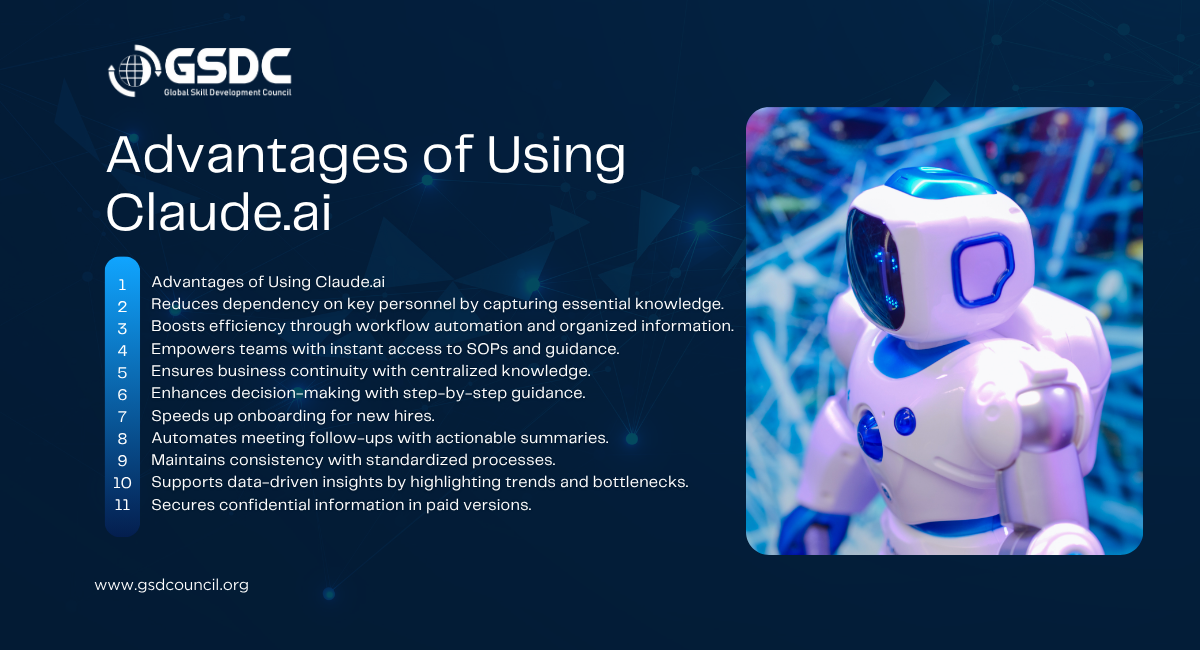
- Operations Management: Streamline client processes, dispatch, contract handling, and other day-to-day workflows. Claude.ai helps reduce bottlenecks by providing step-by-step guidance and ensuring important information is not lost.
- Knowledge Sharing: Centralize training materials, SOPs, FAQs, and policies, making them easily searchable and accessible to the entire team. This prevents tribal knowledge from staying with just a few employees.
- Decision-Making: Guide employees through complex or unfamiliar tasks with context-aware workflows. Claude.ai can suggest next steps, flag risks, and ensure compliance with company policies.
- Training & Onboarding: Accelerate new hire learning by providing instant access to company processes, project-specific knowledge, and operational procedures without constant supervision.
- Project Coordination: Automate meeting notes, summarize key decisions, assign action items, and track deadlines to ensure projects stay on schedule.
- Customer Support: Equip customer-facing teams with quick, accurate answers drawn from centralized company knowledge, improving response times and service quality.
Security & Best Practices
It's very important to keep sensitive business information safe, when employing AI tools like Claude.ai:
- Project Locking: In case of paid versions, there is an option to lock projects so that only authorized team members have access to company data.
- Personalized Instructions: Implement Claude.ai with company-specific protocols, SOPs, and organizational knowledge to be confidential.
- Ethical AI Use: Teams should adopt AI responsibly, using tools to assist decision-making rather than replace human judgment.
- Upskilling & Training: Such programs as the GSDC 100 Days AI Tool Challenge offer employees a path for learning and understanding how AI tools can be securely and effectively integrated in their work.
- Controlled Data Sharing: AI outputs and insights should be kept as a resource only for the company to lower the risk of disclosing information unintentionally.
- Regular Audits: Checking periodically AI projects and workflows to ensure their correctness, pertinence, and compliance with company regulations.
Brand Positioning & Upskilling
Getting the most out of AI tools like Claude.ai isn't just about the technology, it's also about the people using it. That's where GSDC (Global Skills Development Council) comes in. By earning credentials like Certified AI Tools Expert, professionals can gain practical know-how to use Claude.ai effectively, streamline workflows, and make smarter decisions.With the right expertise, teams become more confident, productive and independent.
Combining Claude.ai with certified skills from GSDC helps businesses stay ahead, work smarter and be ready for whatever challenges come next.
Conclusion
Claude.ai streamlines knowledge management, automates workflow and empower teams to work independently. By centralizing knowledge and providing AI-guided workflows, businesses can reduce dependency on individuals, ensure continuity and allow leaders to focus on growth and strategic priorities. Coupled with professional skills, organisations can maximise productivity, operational efficiency and strategic impact, staying ahead on an increasingly AI-driven business landscape.
Frequently Asked Questions
1. How do I train Claude AI for my work or business?
- You can train Claude by:
- Going to Settings → Instructions
- Adding details about who you are, your role, and how you want Claude to behave
- Uploading relevant documents such as policies, procedures, workflows, or project files
This allows Claude to understand your context and support you as an “organizational assistant.”
2. Is it safe to upload company documents to Claude?
Yes if you use private mode and proper settings.
Claude allows you to:
- Lock your workspace or project
- Control data-sharing behavior
- Ensure your files are accessible only to you
Free AI tools typically don’t offer strong privacy controls, so for sensitive data, paid or enterprise versions are recommended.
3. Can Claude expose or learn patterns about how my company operates?
Not if your privacy settings are configured correctly.
You should:
- Personalize Claude’s privacy settings
- Enable “Only Me” or private project mode
- Avoid uploading confidential data in free versions
With proper setup, your company’s information stays protected.
4. Can Claude be used to create courses or training material?
Yes. Claude can assist with:
- Writing course scripts
- Drafting lesson content
- Creating outlines and module structures
- Suggesting course titles
- Building visual concepts or storyboards
You can generate content in Claude and then upload it to your preferred learning platform.
5. Is Claude better than other AI tools like ChatGPT or Grok?
Each AI tool has its own strengths and style.
A good practice is to:
- Test the same prompt in multiple tools
- Compare the outputs
- Choose the one that fits your needs best
Claude is strong at long-context processing and organizational knowledge, but the “best” tool depends on the task.
6. Does Claude integrate with third-party platforms?
Yes, but integrations may require:
- API keys
- A paid plan
- Configuration within the platform you’re connecting to
Some platforms only support specific AI models, so check compatibility before setting up the integration.
7. Do I need API credits or a paid plan to use Claude with other tools?
In most cases, yes.
If you want to:
- Connect Claude to external systems
- Use automations
- Enable API-based workflows
You’ll need API tokens or a paid plan.
8. Can Claude help gather knowledge from employees to create SOPs?
Yes. Claude can:
- Generate structured interview questions
- Help you extract undocumented knowledge
- Turn responses into fully formatted SOPs or policies
- Identify gaps in workflows or documentation
It’s a powerful tool for knowledge capture.
9. What happens if Claude goes down or the internet stops working?
Claude requires internet access.
However, once Claude generates content:
- You can save it
- Export it
- Print it
Your business retains all documents even if the AI temporarily becomes unavailable.
10. How can Claude improve knowledge management and workflow efficiency?
Claude can:
- Organize scattered notes, transcripts, and documents
- Summarize meetings
- Create structured workflows
- Automate repetitive tasks
- Turn raw data into actionable insights
This helps teams work more efficiently and consistently.

Related Certifications
Stay up-to-date with the latest news, trends, and resources in GSDC
If you like this read then make sure to check out our previous blogs: Cracking Onboarding Challenges: Fresher Success Unveiled
Not sure which certification to pursue? Our advisors will help you decide!