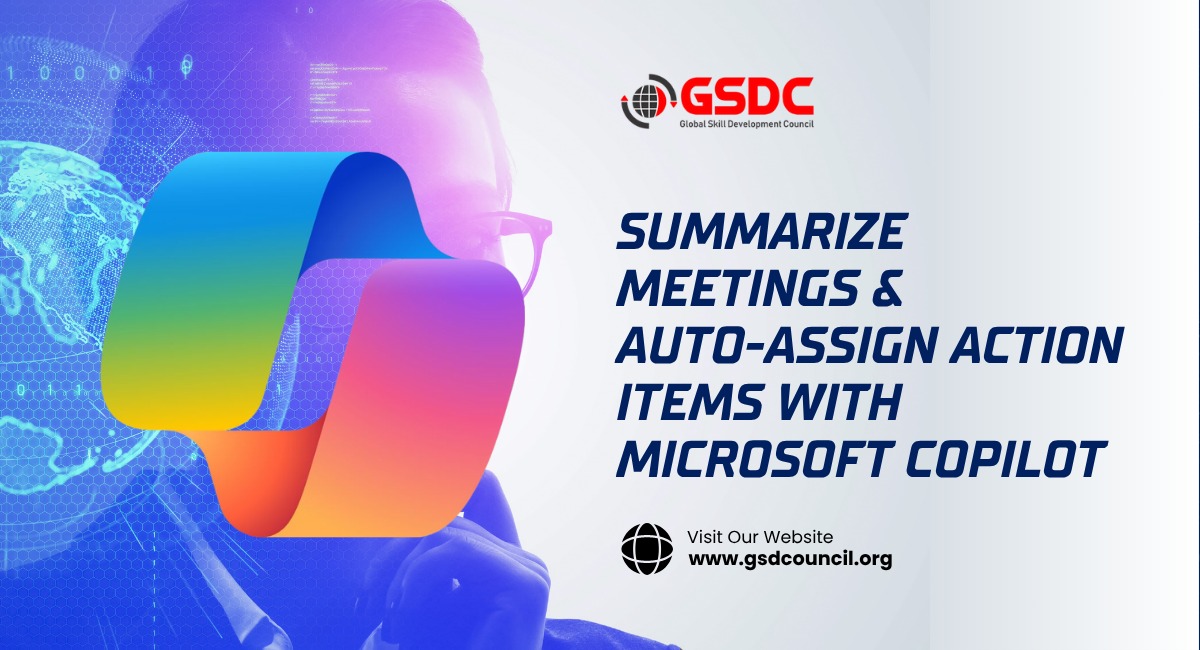
Summarize Meetings & Auto-Assign Action Items with Microsoft Copilot
Written by Matthew Hale
This article is based on one of our GSDC AI Tools Challenge Webinar 2025 sessions, where the speaker highlighted the practical ways Microsoft Copilot enhances productivity by automating meeting summaries and action item assignments.
Staying on top of meetings, action items, and follow-ups can feel overwhelming. Microsoft Copilot offers a solution by automating key processes, allowing users to focus on what matters most: strategy, decisions, and execution.
Below, we’ll explore how Microsoft Copilot streamlines meeting workflows, summarizes discussions, and auto-assigns action items.
What are action items in a meeting?
Before diving into the capabilities of Microsoft Copilot, it's essential to define what action items are in a meeting. Action items are specific tasks or follow-ups identified during a meeting, assigned to individuals, and tracked for completion.
These items are crucial for ensuring that decisions made during the meeting are acted upon and progress is made efficiently.
Action items typically include:
- Key tasks that need to be completed after a meeting.
- The person responsible for completing each task.
- A timeline for completing these tasks.
Simplifying the Process with Microsoft Teams and Microsoft Copilot
In a typical Teams meeting or Zoom meeting, discussions can often become too detailed, with important points lost in the shuffle. With Microsoft Copilot, these challenges are addressed automatically, making meetings more productive and easier to manage.
Microsoft Teams Join Meeting capabilities integrate with Microsoft Copilot, enabling seamless transcription, meeting summaries, and action item creation.
With Microsoft Copilot, meeting hosts and participants can easily review the main takeaways and track who is responsible for each action item.
Microsoft Copilot Features: Auto-Summarizing and Action Item Assignment
Microsoft Copilot features are designed to simplify daily workflows, and one of its most valuable aspects is meeting summarization. Here’s how it works:
- Auto-Summarizing Discussions:
Microsoft Copilot transcribes meeting discussions and condenses them into a concise summary. This helps participants quickly review key points without having to sift through hours of meeting footage.
- Auto-Assigning Action Items:
After summarizing the meeting, Copilot detects action items based on the conversation. It then automatically assigns these tasks to the relevant individuals, ensuring nothing is overlooked and everything is tracked.
- Tracking and Follow-ups:
Copilot integrates with Microsoft Teams and other Microsoft apps, ensuring that assigned action items are tracked and reminders are sent to keep teams accountable.
By automating the summarization and action assignment process, Microsoft Copilot reduces administrative overhead and makes it easier for teams to stay aligned and focused.
How to Use Microsoft Copilot for Seamless Meetings
How to use Microsoft Copilot effectively during meetings is simple:
- Join the meeting via Microsoft Teams or Zoom: Copilot is integrated into the meeting platform, so all you need to do is join the session.
- Automatic transcription and action item detection: During the meeting, Copilot listens and transcribes conversations in real-time. It automatically identifies tasks, responsibilities, and deadlines.
- Review summary and action items: After the meeting, Copilot generates a meeting summary and assigns the action items to the appropriate people. The summary is sent to all participants for quick reference.
With Microsoft Copilot, meeting participants can skip the manual note-taking process, focus on contributing to discussions, and leave the meeting knowing exactly what steps need to be taken next.
Microsoft Copilot Updates: Constantly Evolving Features
As Microsoft Copilot updates roll out, new features continue to enhance productivity:
- Integration with additional Microsoft tools: The latest updates allow Copilot to work seamlessly with other Microsoft applications like Outlook, Word, and Excel, making it even more useful across workflows.
- Enhanced AI capabilities: With each update, Microsoft Copilot’s AI improves, making it more accurate in detecting key points, action items, and team dynamics during meetings.
These updates ensure that Microsoft Copilot stays at the cutting edge of meeting productivity and task management.
Why Microsoft Copilot is a Game-Changer for Teams
Microsoft Copilot represents the future of meeting management, allowing teams to:
- Save time by automating meeting notes and action item assignment.
- Stay aligned on project tasks without missing follow-ups or deadlines.
- Increase overall productivity by reducing manual administrative tasks and focusing on decision-making.
For teams that rely heavily on meetings to drive projects forward, Microsoft Copilot is an essential tool for ensuring that every conversation turns into tangible action.
If you want to dive deeper into the AI tools that can elevate your team's productivity, consider earning the GSDC AI Tool Expert Certification. This certification will help you master the AI tools shaping the future of business collaboration, including Microsoft Copilot.
Closing Thoughts
As Microsoft Copilot continues to evolve, it will play a crucial role in shaping the future of team collaboration.
By automating the tedious parts of meetings, like summarizing and action item assignment, Copilot frees up valuable time for teams to focus on what matters: driving projects forward, making decisions, and achieving goals.
Whether you're hosting a Teams meeting or a Zoom meeting, Microsoft Copilot provides the AI-powered assistance needed to ensure that meetings are productive, actionable, and, most importantly, impactful.
Keep an eye on future Microsoft Copilot updates as it continues to make work smarter, not harder.
If you're looking to implement this tool in your organization or want to learn more about Microsoft Copilot features, let us know. We’re here to help you enhance productivity and streamline your workflows.

Related Certifications
Stay up-to-date with the latest news, trends, and resources in GSDC
If you like this read then make sure to check out our previous blogs: Cracking Onboarding Challenges: Fresher Success Unveiled
Not sure which certification to pursue? Our advisors will help you decide!