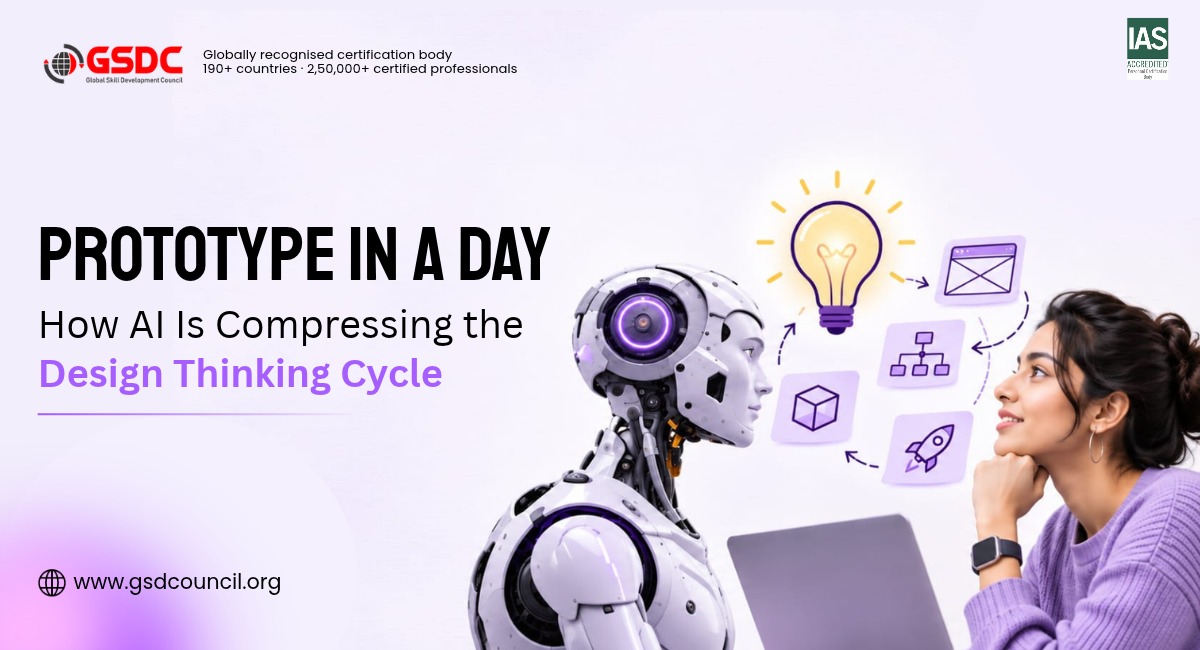
Prototype in a Day: How AI Is Compressing the Design Thinking Cycle
Written by Emily Hilton
Imagine having a product idea in the morning and a working prototype ready by the end of the day. Not long ago, this would have sounded unrealistic. Product teams typically spent days or even weeks understanding user needs, sketching ideas, creating wireframes, testing concepts, and making revisions before arriving at a prototype worth presenting.
Today, artificial intelligence is changing that process. With the help of AI-powered design platforms, teams can turn written descriptions into interface designs, generate user flows, create interactive mockups, and test different concepts much faster. What once required several rounds of manual work can now happen within a much shorter timeframe.
This does not mean that product development has become effortless or that human creativity is no longer important. Instead, AI is helping teams move through the Design Thinking Cycle more efficiently, giving designers and product professionals more time to focus on user needs, creative decisions, and problem-solving.
So, how exactly is AI compressing the design thinking process, and what does it take to build a meaningful prototype in a day?
Understanding the Traditional Design Thinking Cycle
Design thinking is a human-centred approach to solving problems. It focuses on understanding users, identifying their challenges, exploring possible solutions, and testing ideas before investing heavily in development.
The traditional Design Thinking Cycle generally includes five stages:
- Empathize: Understand users, their expectations, behaviours, and problems through interviews, observations, and research.
- Define: Analyse the information gathered and clearly identify the problem that needs to be solved.
- Ideate: Generate multiple possible solutions through brainstorming, collaboration, and creative exploration.
- Prototype: Convert selected ideas into tangible representations, such as wireframes, mockups, or interactive models.
- Test: Share prototypes with users, collect feedback, identify usability issues, and improve the proposed solution.
Although this approach encourages innovation, moving between these stages can take considerable time. Research needs to be organised, design concepts require manual development, and prototypes often go through several revisions.
This is where AI design thinking creates new opportunities. Rather than replacing the process, AI helps teams accelerate repetitive activities and explore more possibilities within the same timeframe.
How AI Is Compressing the Design Thinking Cycle
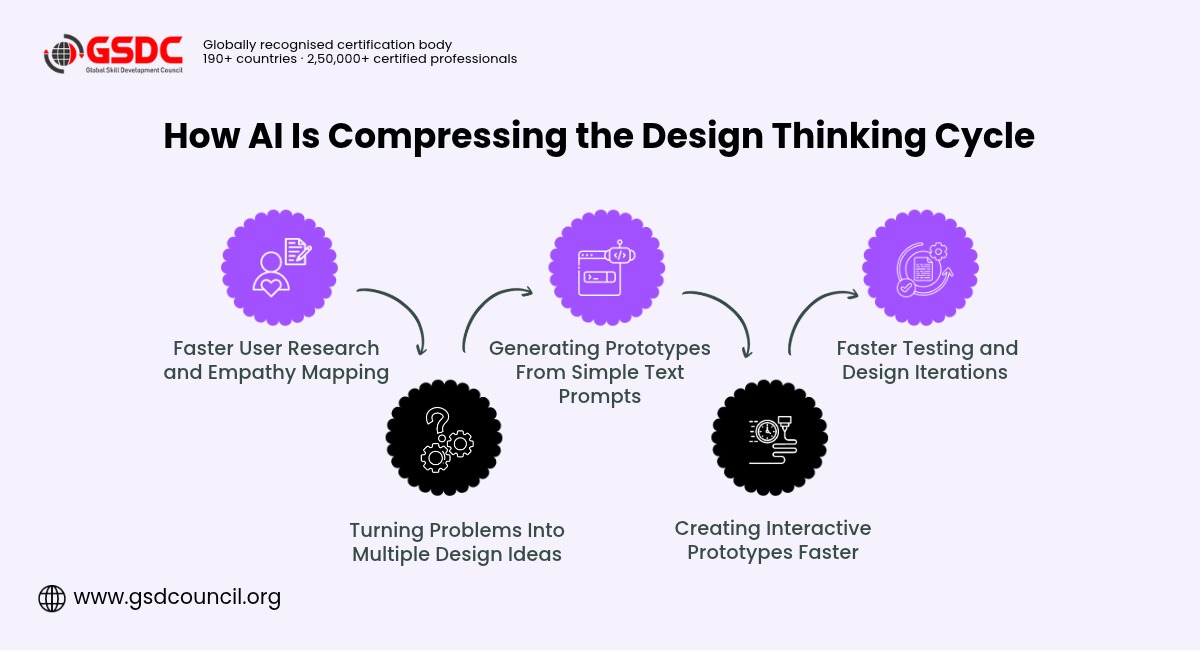
AI is changing how teams approach each stage of product design. Its biggest advantage is the ability to process information, generate alternatives, and support design activities that traditionally required significant manual effort.
1. Faster User Research and Empathy Mapping
Understanding users is the foundation of successful product design. However, collecting and analysing user feedback can be time-consuming, especially when teams work with multiple interviews, surveys, reviews, and support conversations.
AI tools can help analyse large volumes of qualitative feedback, identify recurring complaints, group similar responses, and highlight common user expectations.
For example, imagine a company developing a food delivery application. Its research team collects feedback from 200 customers. Instead of manually reviewing every response, AI can help identify common concerns such as delayed deliveries, confusing payment options, and difficulty tracking orders.
Designers can use these findings to create preliminary empathy maps and identify areas that require further investigation.
However, AI-generated insights should not replace direct conversations with users. Human validation remains important because automated analysis may overlook emotional context, cultural differences, or less common but important user experiences.
2. Turning Problems Into Multiple Design Ideas
Once the problem is defined, teams move into the ideation stage. Traditionally, this involves brainstorming sessions, sketches, discussions, and collaborative workshops.
AI can make this stage more exploratory by generating different approaches to the same problem.
For instance, if a team wants to improve the onboarding experience of a banking application, AI can suggest several possibilities:
- A simplified onboarding process with fewer steps.
- An interactive guide that explains each feature.
- Personalised onboarding based on user requirements.
- An AI-powered assistant that answers common questions.
- A progress tracker that helps users understand how much of the registration process remains.
These suggestions provide a starting point for discussion. Designers can evaluate each concept based on user expectations, technical feasibility, accessibility, and business objectives.
The real advantage of AI is not that it always produces the best idea. It allows teams to explore more directions before deciding which ideas deserve further development.
3. Generating Prototypes From Simple Text Prompts
One of the most significant developments in AI for product design is the ability to generate interface concepts from natural-language instructions.
Instead of creating every screen manually, designers can describe what they want to build and use an AI prototype generator to produce an initial layout.
For example, a prompt such as:
"Create a mobile fitness application with a user dashboard, daily activity tracker, workout recommendations, progress charts, and a simple navigation menu."
An AI-powered design platform may generate an initial interface containing these elements. Designers can then adjust colours, typography, layouts, buttons, and navigation according to the product's requirements.
This makes AI prototyping particularly useful during early product development, when teams need to visualise an idea before committing to detailed design work.
Several AI prototyping tools support different parts of this process:
- Figma AI: Supports design workflows and helps teams explore and refine interface concepts.
- Uizard: Helps transform text descriptions and visual references into UI designs and wireframes.
- Framer AI: Helps generate website layouts and initial web experiences from prompts.
- Galileo AI: Supports the generation of interface concepts from natural-language descriptions.
- Visily: Helps teams create wireframes and interface designs with AI-assisted capabilities.
The capabilities of these platforms vary, but they demonstrate how AI is reducing the time between describing an idea and visualising it.
4. Creating Interactive Prototypes Faster
A static design shows what a product might look like, but an interactive prototype demonstrates how users may experience it.
For example, a prototype of an online shopping application should allow users to navigate between product listings, view product details, add items to a cart, and explore the checkout process.
AI-assisted design platforms can help generate screens, suggest layouts, and speed up the creation of interface elements. Designers can then connect screens and define interactions to create a more realistic prototype.
This is particularly valuable for teams that need to present an idea to stakeholders or conduct early usability testing.
Instead of spending several days preparing a polished demonstration, teams can create an initial interactive experience much earlier and use it to collect feedback.
It is important to remember that an AI-generated prototype is not necessarily a production-ready application. It may still require manual interaction design, accessibility checks, functional validation, and technical development.
5. Faster Testing and Design Iterations
Testing is where teams discover whether their ideas actually address user problems.
Traditionally, designers create a prototype, share it with users, observe their interactions, collect feedback, and revise the design. This process may involve several rounds of changes.
AI can support this stage by helping organise user feedback, summarise usability observations, identify repeated friction points, and suggest possible improvements.
For example, suppose users testing an online banking prototype struggle to locate the transaction history section. AI can help categorise this feedback and suggest alternative navigation structures.
Designers can then generate revised layouts and test them again.
This creates a faster feedback loop between prototyping and testing. However, actual user testing remains essential. AI-generated usability suggestions cannot establish whether real users can successfully complete a task.
What Does a Prototype-in-a-Day Workflow Look Like?
Building a prototype in a day does not mean skipping important design stages. It means organising the work efficiently and using AI where it provides the greatest value.
Here is an example of how a product team could approach a one-day prototyping exercise.
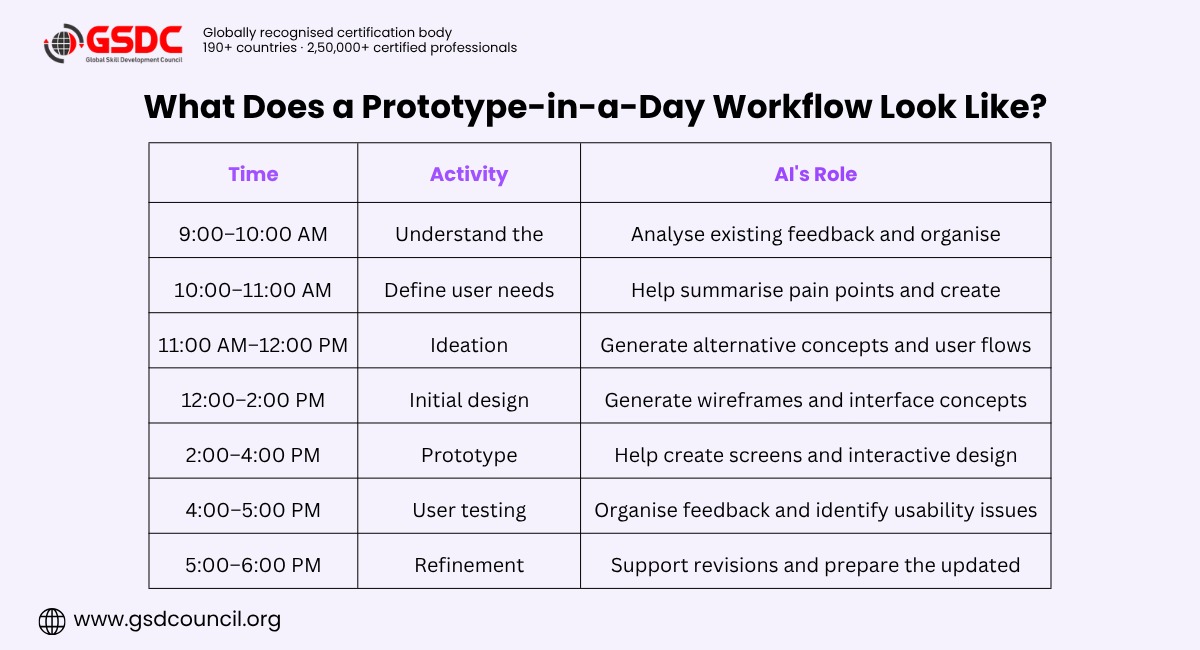
By the end of the day, the team may have a validated direction, an interactive prototype, and a list of improvements for the next development stage.
The outcome will depend on the project's complexity, the availability of user research, and the team's familiarity with the tools. A simple application concept is more suitable for this approach than a complex enterprise platform involving multiple integrations and workflows.
Where Human Designers Still Matter
Despite its capabilities, AI cannot independently guarantee a successful product experience.
A visually attractive interface may still fail to solve the actual user problem. Similarly, an AI-generated design may contain confusing navigation, inaccessible elements, inconsistent branding, or assumptions that do not match user behaviour.
Human designers remain responsible for making important decisions throughout the process.
They must understand the context behind user problems, challenge AI-generated suggestions, evaluate design alternatives, and ensure that the final experience is accessible and useful.
There are also important considerations around data privacy, intellectual property, algorithmic bias, and the accuracy of AI-generated content.
For example, if an AI system analyses feedback from a limited user group, its recommendations may not represent the needs of a wider audience. Designers must recognise these limitations rather than treating every AI-generated suggestion as a reliable conclusion.
Ultimately, AI should support human judgement, not replace it.
Building the Right Skills for AI-Driven Design Thinking
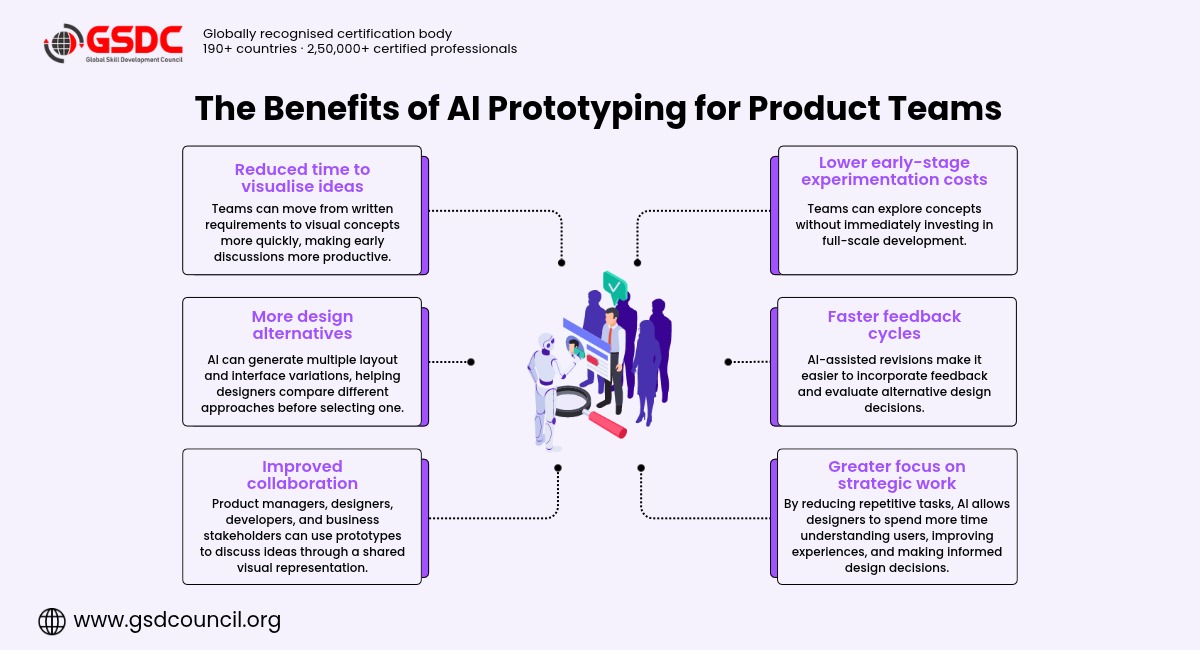
As AI becomes part of product development, professionals need a blend of creative, analytical, and technical skills. Understanding how to use an AI prototype generator is important, but knowing when and why to use it is equally valuable.
Pursuing GSDC's Design Thinking Certification can help professionals develop a structured approach to human-centred problem-solving. It builds an understanding of design thinking principles, including empathising with users, defining problems, generating ideas, creating prototypes, and testing solutions.

The certification can help learners strengthen their ability to approach complex challenges, understand user needs, and apply creative problem-solving techniques in real-world business situations.
Combining design thinking certification with hands-on experience using AI prototyping tools can help professionals contribute more effectively to modern product development teams.
Conclusion
The idea of building a prototype in a day reflects a larger shift in how products are imagined, designed, and evaluated. AI is making it possible to move between research, ideation, interface generation, and testing with greater speed and flexibility.
However, faster prototyping does not automatically mean better products. The quality of the outcome still depends on understanding users, defining the right problem, evaluating ideas, and making thoughtful design decisions.
The real opportunity lies in combining human creativity with AI-powered capabilities. When used effectively, AI can shorten the Design Thinking Cycle, encourage experimentation, and help teams turn promising ideas into testable experiences sooner.
For product professionals, the goal should not simply be to create prototypes faster. It should be to create more meaningful solutions by spending less time on repetitive work and more time understanding what users actually need.

Related Certifications
Stay up-to-date with the latest news, trends, and resources in GSDC
If you like this read then make sure to check out our previous blogs: Cracking Onboarding Challenges: Fresher Success Unveiled
Not sure which certification to pursue? Our advisors will help you decide!