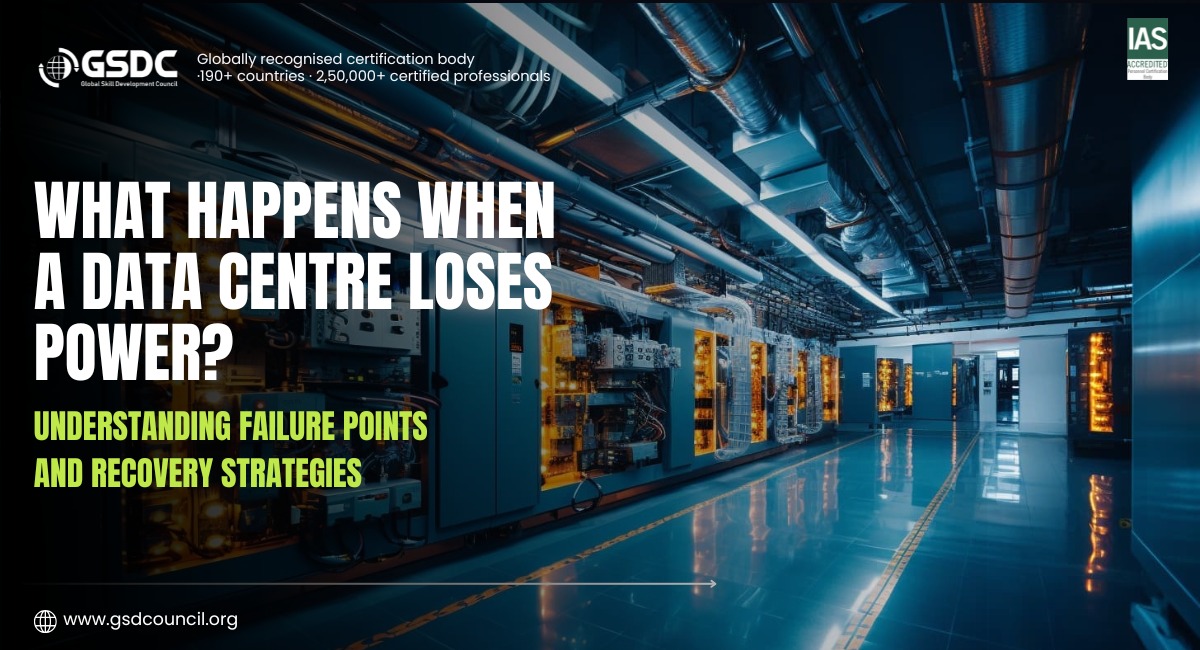
What Happens When a Data Centre Loses Power? Understanding Failure Points and Recovery Strategies
Written by Emily Hilton
- What Happens When a Data Centre Loses Power?
- Common Failure Points in Data Centre Power Systems
- How a Data Centre Power Outage Affects Operations
- How Backup Power Systems Prevent Data Centre Downtime
- Data Centre Recovery: What Happens After a Power Failure?
- Data Centre Disaster Recovery and Business Continuity
- Best Practices to Prevent Data Centre Power Failures
- Build Your Data Centre Infrastructure Knowledge With GSDC
A data centre depends on a continuous power supply to keep its servers, storage systems, networking equipment, and cooling infrastructure running. Even a short interruption can affect applications, disrupt business operations, and make critical services unavailable.
Most data centres have backup power systems designed to handle unexpected interruptions. However, having backup equipment does not automatically prevent downtime. A failure in a UPS, generator, power distribution unit, or electrical connection can affect the entire power supply chain.
Understanding what happens during a data centre power outage is important for preventing failures and restoring operations safely. Data centre teams need to know where problems can occur, how backup systems respond, and what steps are required to recover affected infrastructure.
In this blog, we will explore common data centre power failure points, their impact on operations, and the recovery strategies used to maintain service availability.
What Happens When a Data Centre Loses Power?
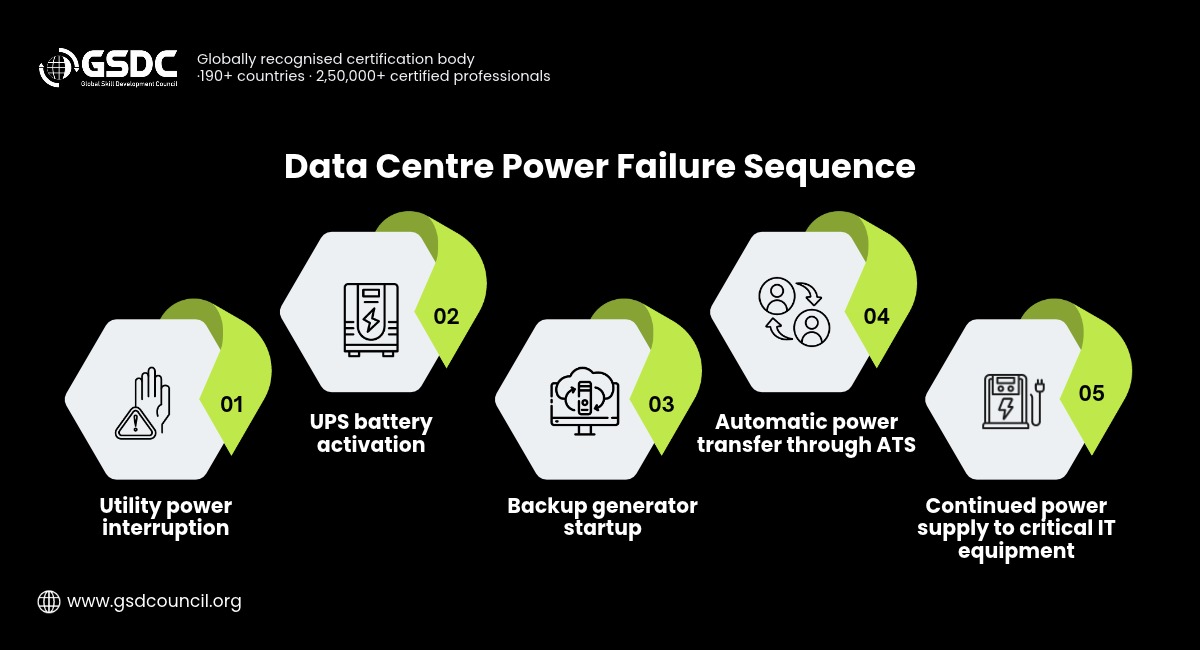
When the main electricity supply is interrupted, a data centre's backup power systems are expected to take over and keep critical equipment running.
The exact response depends on the facility's power design, redundancy configuration, and backup arrangements.
A typical sequence includes:
- Utility power interruption: The incoming electricity supply becomes unavailable or unstable.
- UPS activation: The Uninterruptible Power Supply provides temporary power to connected IT equipment.
- Generator startup: Backup generators start and prepare to supply electricity during an extended outage.
- Power transfer: Automatic transfer equipment switches the facility or relevant electrical systems to generator power.
- Continued operations: IT equipment continues running if the backup power path is functioning correctly.
- Utility restoration: Once the main supply is stable, the facility transfers back according to its operating procedures.
The UPS plays an important role because generators typically need time to start and reach stable operating conditions. It helps bridge this period and prevents an immediate interruption to connected equipment.
However, if the UPS, generator, transfer equipment, or distribution system fails, the data centre may experience downtime.
Common Failure Points in Data Centre Power Systems
A data centre power system contains several connected components. A failure in any critical part of this chain can affect the electricity supplied to IT equipment.
Understanding these failure points helps teams identify risks and plan appropriate protection measures.
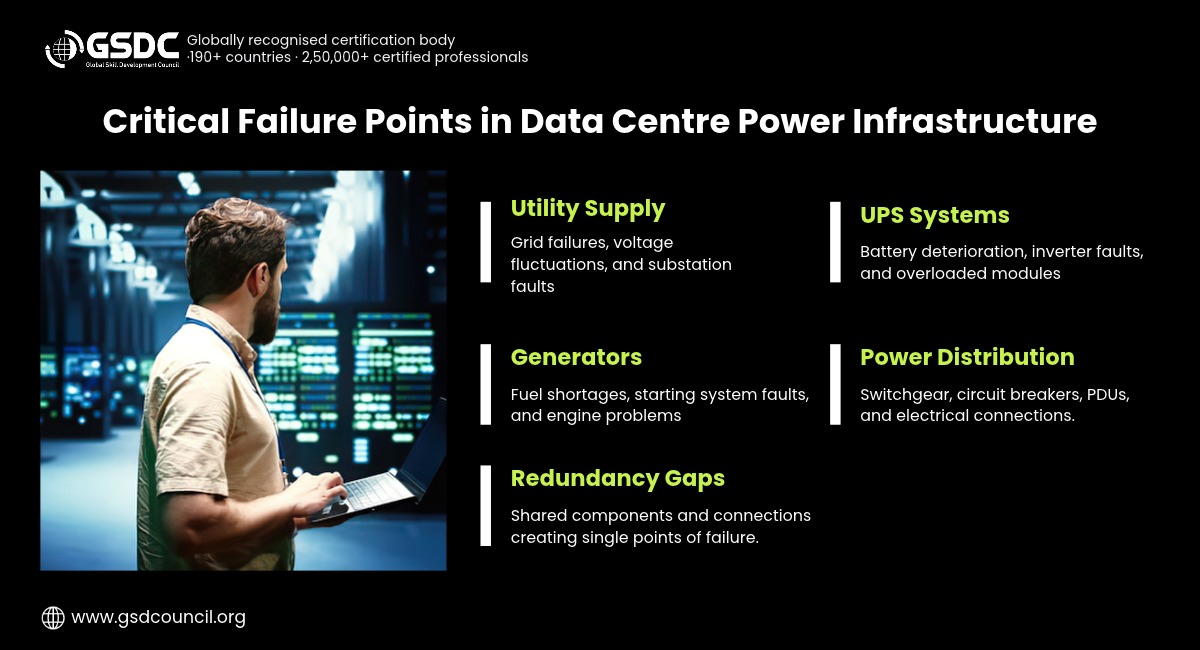
1. Utility Power Supply Failure
The utility supply is the primary source of electricity for most data centres. Problems with the local power grid, transmission lines, substations, or external electrical infrastructure can interrupt the incoming supply.
Common causes include:
- Grid failures and electrical faults.
- Severe weather conditions.
- Problems at substations.
- Planned utility maintenance.
- Voltage fluctuations and unstable supply.
Data centres use UPS systems and generators to reduce their dependence on uninterrupted utility power. However, backup systems must be properly maintained and tested to respond when the main supply fails.
2. UPS System Failure
An Uninterruptible Power Supply protects connected equipment from short power interruptions and provides temporary backup power.
A UPS failure can become a serious problem because it may prevent equipment from receiving power during the transition from utility electricity to generator supply.
Common UPS-related problems include:
- Battery deterioration.
- Inverter or rectifier faults.
- Overloaded UPS modules.
- Cooling problems within the UPS system.
- Poor maintenance and unexpected component failures.
Regular battery testing, load monitoring, equipment inspections, and preventive maintenance help reduce these risks.
3. Generator Failure
Generators provide backup electricity when the main utility supply is unavailable for an extended period.
However, generators may fail to start or operate properly because of mechanical faults, fuel problems, battery issues, or inadequate maintenance.
Common generator failure points include:
- Insufficient fuel availability.
- Battery or starting system failure.
- Engine or alternator problems.
- Cooling system issues.
- Control panel and monitoring faults.
Data centre teams should regularly test generators under appropriate operating conditions and ensure that fuel, maintenance, and support arrangements are in place.
4. Power Distribution Failure
Even when the utility supply, UPS, and generator are functioning correctly, electricity must still reach the IT equipment through the power distribution system.
Transformers, switchgear, busways, power distribution units (PDUs), circuit breakers, and electrical connections are all part of this process.
A failure in one of these components can interrupt power to a server rack, equipment row, or larger section of the facility.
Regular inspections, load balancing, circuit protection, and maintenance are important for reducing distribution-related failures.
5. Static Transfer Switch Failure
A Static Transfer Switch (STS) allows connected equipment to switch between two independent power sources when the primary source becomes unavailable or unsuitable.
It is particularly useful for equipment that needs a continuous power supply and has access to two power feeds. However, an STS failure or an issue with either incoming power source can affect the transfer process.
Data centre teams should monitor transfer switch performance, test switching arrangements, and verify that both power sources are available and suitable for the connected load.
6. Single Point of Failure
A single point of failure is a component or connection whose failure can interrupt a critical system or power path.
For example, a data centre may have two UPS systems but still depend on a single distribution panel or electrical connection. If that shared component fails, both power paths may be affected.
Other possible examples include:
- A single utility connection.
- A common switchgear component.
- A shared power distribution panel.
- A single cooling control system.
- A common monitoring or control dependency.
Identifying single points of failure is an important part of data centre infrastructure assessment. Redundant equipment alone does not guarantee protection if both power paths depend on the same critical component.
How a Data Centre Power Outage Affects Operations
A data center power outage can affect more than the availability of servers. Its impact depends on the duration of the interruption, the systems affected, and how well the facility's backup arrangements perform.
1. Server and Application Downtime
If IT equipment loses power, servers may shut down unexpectedly. Applications hosted on those systems can become unavailable, affecting employees, customers, and business operations.
2. Data Loss and Corruption Risks
Unexpected shutdowns can interrupt active transactions and data-writing processes. Although storage systems and applications may have protection mechanisms, sudden power loss can still create risks of incomplete writes, data corruption, or recovery complications.
3. Network and Connectivity Disruptions
Network switches, routers, firewalls, and other communication equipment also require continuous power. If these systems are affected, users may lose access to applications even when some servers remain operational.
4. Cooling System Interruptions
Data centre cooling systems need electricity to maintain suitable operating temperatures. If cooling is interrupted, temperatures can rise and create risks for servers and other equipment.
5. Business and Service Disruption
Data centre outages can affect online services, financial transactions, healthcare systems, e-commerce platforms, and enterprise applications. Depending on the business, downtime may lead to financial losses, operational delays, and customer dissatisfaction.
How Backup Power Systems Prevent Data Centre Downtime
Backup power systems are designed to keep critical equipment operating when the primary electricity supply is interrupted.
A typical data centre uses multiple components to support power continuity.
Uninterruptible Power Supply (UPS)
The UPS provides immediate backup power when the incoming electricity supply fails. Its batteries or other energy storage systems support connected equipment while the generator starts.
Backup Generators
Generators provide power during extended utility outages. They are designed to support the facility's required electrical load for as long as fuel and operating conditions allow.
Automatic Transfer Switch (ATS)
An Automatic Transfer Switch detects a problem with the primary power supply and transfers the connected electrical load to an alternative source when it is available and suitable.
Static Transfer Switch (STS)
An STS switches connected equipment between two available power sources, generally to maintain continuity for critical loads. It is commonly used where equipment has access to independent power feeds.
Redundant Power Paths
Redundant power paths provide alternative routes for supplying electricity to critical IT equipment. Configurations such as N+1 and 2N help reduce the impact of individual component or power-path failures.
Together, these systems help reduce the risk of power-related downtime. Their effectiveness depends on correct design, compatibility, regular testing, and maintenance.
Data Centre Recovery: What Happens After a Power Failure?
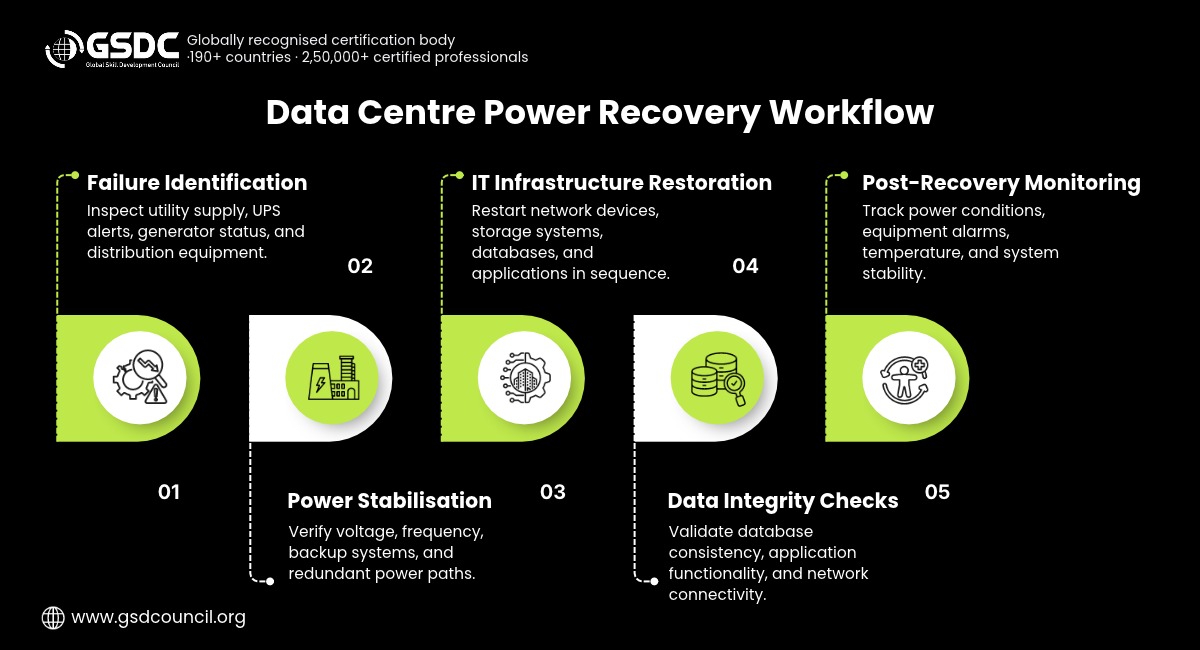
Restoring electricity is only one part of data centre recovery. Teams must also confirm that equipment is operating correctly, applications are available, and data remains consistent.
A structured recovery process helps prevent additional problems during restoration.
Step 1: Identify the Cause of the Failure
The first step is to determine what caused the power interruption.
Teams should inspect utility supply conditions, UPS alerts, generator status, switchgear, transfer switches, and distribution equipment.
Identifying the source helps prevent the same issue from affecting the facility again during recovery.
Step 2: Stabilise the Power Infrastructure
Before restoring normal operations, teams should confirm that the primary or backup power source is stable.
They should verify:
- Incoming voltage and frequency.
- UPS operating status.
- Generator performance.
- Switchgear and circuit conditions.
- Availability of redundant power paths.
Any faulty component should be addressed before the affected systems are returned to normal operation.
Step 3: Restore IT Equipment in the Correct Order
Not every system needs to be restarted at the same time. Data centre teams should follow a planned restoration sequence based on system dependencies.
A typical sequence may include:
- Core network and connectivity infrastructure.
- Storage systems and databases.
- Virtualisation platforms and host systems.
- Critical business applications.
- Supporting services and non-critical workloads.
The actual sequence depends on the facility's architecture and recovery procedures.
Step 4: Verify Data and Application Integrity
After systems restart, teams should check whether data is accessible and applications are functioning correctly.
This may include database consistency checks, storage validation, application testing, network connectivity checks, and review of system logs.
Step 5: Monitor Infrastructure After Recovery
Once services are restored, monitoring should continue to identify unusual power consumption, temperature changes, equipment alarms, or system instability.
Teams should also document the incident, its impact, recovery time, and any improvements required.
Data Centre Disaster Recovery and Business Continuity
Data centre disaster recovery focuses on restoring IT systems, applications, and data after a major disruption. Business continuity planning ensures that essential business activities can continue during the incident and recovery period.
Both are important when planning for serious power failures.
A practical disaster recovery plan should include:
- Recovery Time Objective (RTO): The maximum acceptable time for restoring a system or service.
- Recovery Point Objective (RPO): The maximum acceptable amount of data loss measured in time.
- Backup and replication: Methods for protecting data and maintaining recoverable copies.
- Alternative infrastructure: Secondary facilities or cloud environments that can support critical workloads.
- Recovery procedures: Documented steps for restoring systems and applications.
- Communication plans: Clear responsibilities and communication channels during an incident.
Power backup systems help maintain electricity at the facility, while disaster recovery arrangements help restore services when local infrastructure is unavailable or severely affected.
Best Practices to Prevent Data Centre Power Failures
Preventing every possible power interruption may not be realistic, but data centre teams can reduce risks through regular assessment and maintenance.
- Inspect power infrastructure regularly: Check UPS systems, generators, switchgear, PDUs, and electrical connections.
- Test backup systems: Verify that UPS batteries, generators, ATS, and STS arrangements work as expected.
- Identify single points of failure: Review the complete power chain and check for shared components that could affect redundant systems.
- Monitor power conditions: Track voltage, load, equipment temperature, and system alerts.
- Maintain sufficient backup resources: Review generator fuel availability and UPS battery condition.
- Document recovery procedures: Ensure teams know how to respond to different power failure scenarios.
- Conduct recovery exercises: Test incident response and recovery plans through planned exercises.
- Review incidents: Analyse past failures and use the findings to improve infrastructure and procedures.
These practices help improve power reliability and prepare data centre teams to respond effectively when failures occur.
Build Your Data Centre Infrastructure Knowledge With GSDC
Power failures can affect critical applications, business operations, and service availability. Understanding how backup systems work, where failures can occur, and how recovery is managed is an important part of data centre operations.

The GSDC Certified Data Centre Professional certification is relevant to data centre operators, IT infrastructure professionals, facility teams, and individuals looking to strengthen their knowledge of data centre infrastructure.
Explore the Data Centre Professional certification and develop your understanding of power infrastructure, operational reliability, and data centre management practices.

Related Certifications
Stay up-to-date with the latest news, trends, and resources in GSDC
If you like this read then make sure to check out our previous blogs: Cracking Onboarding Challenges: Fresher Success Unveiled
Not sure which certification to pursue? Our advisors will help you decide!