Create High-Quality Videos from Text Using Google Veo 3.1
Written by Matthew Hale
- What Is Google Veo 3.1?
- Key Google Veo 3.1 Features
- How Google Veo 3.1 Works
- Google Veo 3.1: How to Use It
- Why Text → Image → Video Is the Most Trusted Workflow
- Key Advantages of Google Veo 3.1
- The Future of AI in Video
- Develop Work-Ready AI Skills with GSDC
- Final Thoughts
Video creation used to be complicated, expensive, and slow. But tools like Google Veo 3.1 are changing that completely. With just a text prompt or a single reference image, Veo 3.1 can generate short, cinematic videos in minutes.
Professionals across industries are now learning how to use Google Veo 3.1 through the GSDC Studio: AI Implementation Series, applying it to marketing, training, education, product demos, and enterprise content.
Furthermore, the shift is not slowing down. By 2030, the global market for AI video generators is projected to grow to USD 2.34 billion as companies use more intelligent, future-ready content tools.
This blog explains what Google Veo 3.1 is, how the Google Veo 3.1 flow operates, and the implications of these developments for the rapidly expanding field of future AI tools, as well as the future of AI in video.
What Is Google Veo 3.1?
Google Veo 3.1 is Google’s latest text-to-video model that creates short, eight-second clips from text prompts or reference images. It also includes native audio generation for more realistic results.
Veo 3.1 offers better motion, clarity, and scene stability than earlier versions, which is why it often appears in Google Veo 3.1 news today.
Key Google Veo 3.1 Features
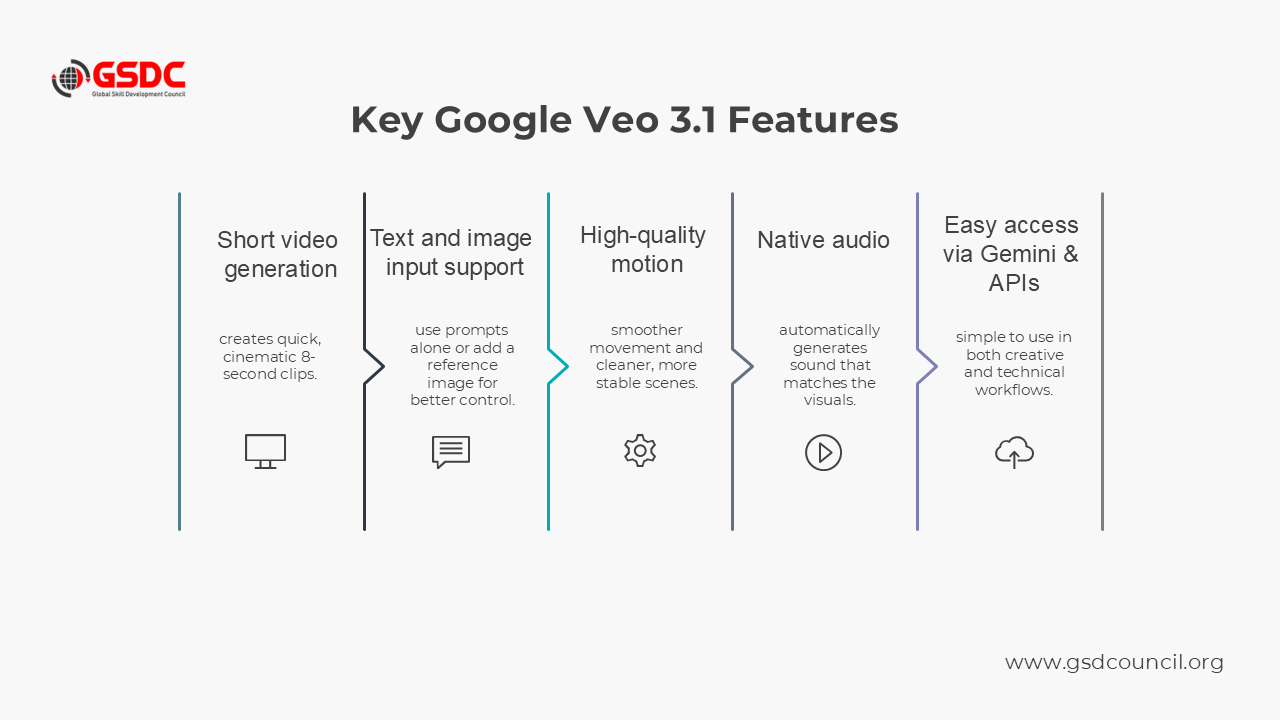
- Short Video Generation (~8 seconds): Quick, cinematic video clips that can be used for fast testing, storytelling, and iteration.
- Support for Text and Image Inputs: Can be given a prompt only or a reference image along with the prompt for better style and consistency control.
- High-Quality Motion and Scene Stability: Compared to the previous versions, it has smoother movement, cleaner environments, and fewer visual distortions.
- Native Audio Generation: Audio that matches the scene is automatically produced; thus, the need for separate sound design is almost eliminated.
- Easy Access Through Gemini and APIs: It is accessible through the Google Gemini interface and developer APIs that make it easy to use in creative and technical workflows.
These upgrades are frequently highlighted in google veo 3.1 news today across technology blogs and creator communities.
How Google Veo 3.1 Works
In short, Google Veo 3.1 is powered by a range of seminal technologies and innovations that allow it to output seamless, stable video clips, but Google has not revealed all the technical details.
To accomplish more reliable outputs, the model employs sophisticated video diffusion techniques, strong visual understanding, and improved stability from one frame to another, all three features being combined in a single model.
Major elements of the Google Veo 3.1 machinery:
- Diffusion processes for sophisticated videos: improve overall resolution and detail by gradually replacing noise with a coherent video.
- Vision-language comprehension significantly broadens the range of creative input handling by the model and makes the interpretation of the text prompt more accurate.
- Temporal attention mechanisms help to alleviate flickering, distortion, and sudden changes in visuals by ensuring that the transition between frames is smooth.
- Better from one frame to another consistency: ensures that characters, colors, and lighting remain the same throughout the video.
- A more natural understanding of movement: The model is able to generate smoother camera movements, subject motions, and scene changes even when a physics engine is not present.
Google Veo 3.1: How to Use It
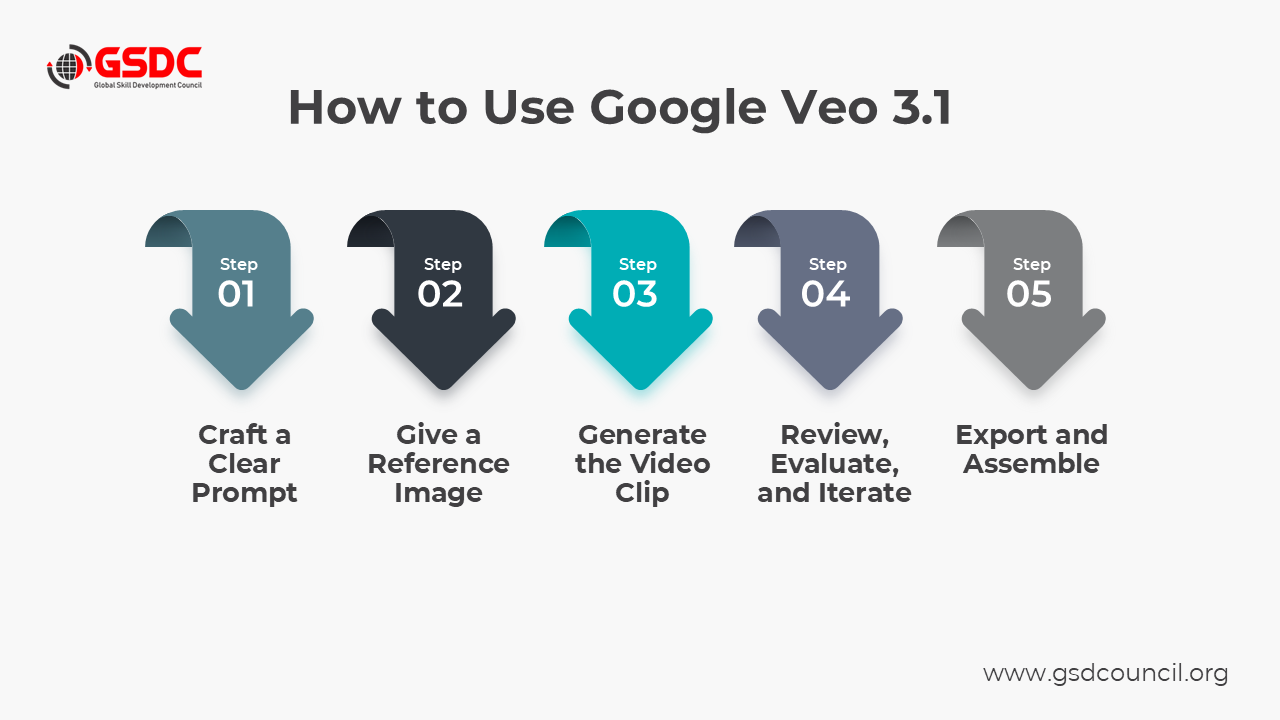
Operating Google Veo 3.1 is simple, and most creators employ the same efficient workflow. This organized method commonly referred to as the Google Veo 3.1 flow leads to more consistent and stable results.
1. Craft a Clear Prompt: The prompt is the basis of the video. The more detailed you are, the better Veo 3.1 will be able to interpret your idea.
An effective prompt contains:
- Subject (who or what is in the scene)
- Environment (location, atmosphere, mood)
- Style (cinematic, documentary, animated, surreal, etc.)
- Motion (camera movement or subject movement)
- Lighting (soft, dramatic, neon, golden hour)
Example: “A cinematic drone shot flying over a coastal cliff at sunset, gentle camera pan, soft golden hour lighting, calm ocean waves below.”
Also, by including sensory details or emotional tone, the final product will be even better.
2. (Optional) Give a Reference Image: Although it is not required, a reference image greatly elevates the quality. It assists Google Veo 3.1 in determining the static elements of the frame before creating the motion.
A reference image facility:
- Composition – the structure and layout of the scene
- Subject consistency – particularly for faces, clothing, or branded objects
- Lighting and color grading – being able to keep the tones consistent
- Style coherence – the level of realism, the stylized looks, or certain aesthetics
Most of the time, creators produce 3–6 images initially, pick the best one, and use that as their reference.
This significantly makes the Google Veo 3.1 transition more anticipatable and steadier.
3. Generate the Video Clip: If you have your prompt and picture ready, Google Veo 3.1 is able to create a brief ~8-second video.
Key notes:
- The model is capable of automatically generating native audio that fits the visual.
- The quality of the results depends on the level of detail and clarity of the prompt.
- It is considered normal to have small differences between the versions as the model is probabilistic.
User experience of this step in the process is greatly improved by platforms such as Gemini and Flow that make it effortless and convenient.
4. Review, Evaluate, and Iterate: Once a clip is created using Google Veo 3.1, do not hesitate to see if the result visually expresses your artistic idea. A brief assessment allows you to locate the problems in the beginning and to polish the final product.
Are there:
- Consistent motion and subject stability
- Smooth lighting and scene continuity
- Clear alignment with your original prompt
In case something is not right, you have an option to improve the prompt, use another reference image, or create the clip again. Minor changes frequently bring a lot of stronger results.
5. Export and Assemble: Since Google Veo 3.1 only creates short clips, creators usually have to extend them by using a basic editing tool like CapCut, DaVinci Resolve, Adobe Premiere Pro, or Final Cut Pro.
Most of the work is done by:
- merging several Veo clips to make one storyline
- transitioning or fading the effect
- using subtitles or text for overlay
- recording voice-overs or narration
- inserting the music or sound effects
- Changing the color grading for the visual aspect to be uniform.
Why Text → Image → Video Is the Most Trusted Workflow
Although Google Veo 3.1 supports direct text-to-video generation, most creators achieve more consistent results by starting with an image first. This structured approach, often referred to as the Google Veo 3.1 flow, offers several advantages.
- Images Provide Visual Anchors: A reference image is instrumental in understanding the composition of the scene, character details, lighting, and even the general style. Given that these things are figured out at the very beginning, the model makes more stable and predictable results.
- Faster Iteration and Lower Cost: In a matter of minutes and for a much smaller amount of money than that which is required for the making of a video, images can be generated. The visual refinements in the image stage are both time and resource-saving.
- More Predictable Motion: By use of the Veo 3.1, when the spatial layout is known, it gets the movement more exact. Consequently, this results in smoother camera paths and less mechanical subject motion.
- Reduced Visual Instability: It is less likely to come across problems like flickering, inconsistent lighting, drifting faces, or sudden changes of the background if one starts with a reference image.
- Greater Creative Control: Creative people have the opportunity to determine the mood, style, and the visual aspects even before the motion is there which, in turn, results in videos being a closer match to their creative intent.
Key Advantages of Google Veo 3.1
- Faster production – make quality videos in a fraction of the time it would typically take.
- Lower costs – the production of videos is free of the need for cameras, locations, and large crews.
- Creative freedom – easily experimenting with various styles and different visual directions.
- Scalable output – the perfect solution for the production of consistent content at a high volume.
- Beginner-friendly – a video can be created without the need for advanced editing skills.
- Human-guided storytelling – AI is responsible for the visuals, and you are the one who directs the story.
These advantages make Google Veo 3.1 one of the best ai tools available for modern creators.
The Future of AI in Video
As models like Veo evolve, the future of AI in video will include:
- Longer Video Generation: Models will gradually transition from 8-second clips to 20-60 seconds and even longer.
- Better Emotional Expression: More coherent facial expressions, gestures, and micro-movements.
- Advanced Scene Control: It may be possible to adjust lighting, camera rigs, and environmental parameters.
- Autonomous AI Agents: Agents that create scripts, produce scenes, edit clips, and put together complete videos.
- Enterprise-Level Integration: Marketing, training, e-commerce, and simulation processes will become largely automated
These innovations are consistent with the general direction of future AI tools in different sectors.
Develop Work-Ready AI Skills with GSDC
To help professionals responsibly use these tools, the Global Skill Development Council (GSDC) has a Certified AI Tool Expert Program that mainly focuses on:
- Practical AI tool usage
- Workflow design
- Ethical implementation
- Real enterprise case studies
When AI video tools such as Google Veo 3.1 keep on getting better, having a well-structured way of learning is indispensable if you want to be competitive in the contemporary workplace.

Final Thoughts
Google Veo 3.1 is more than just a new AI model, it is a major change in how video content is created. With the faster generation, simpler workflows, and premium quality output, creators and teams can now take their focus away from the technical side of the work to storytelling, strategy, and creativity.
As Veo and other AI tools continue to get better, their power will not be to replace human creators but to support them. Such tools, as a result, speed up the production, open up more creative possibilities, and lessen the obstacles for video creation that were there before.
The companies that manage AI automation together with human judgment, narrative understanding, and ethical use will be those that become the next torchbearers of innovation in AI's future in video.

Related Certifications
Stay up-to-date with the latest news, trends, and resources in GSDC
If you like this read then make sure to check out our previous blogs: Cracking Onboarding Challenges: Fresher Success Unveiled
Not sure which certification to pursue? Our advisors will help you decide!