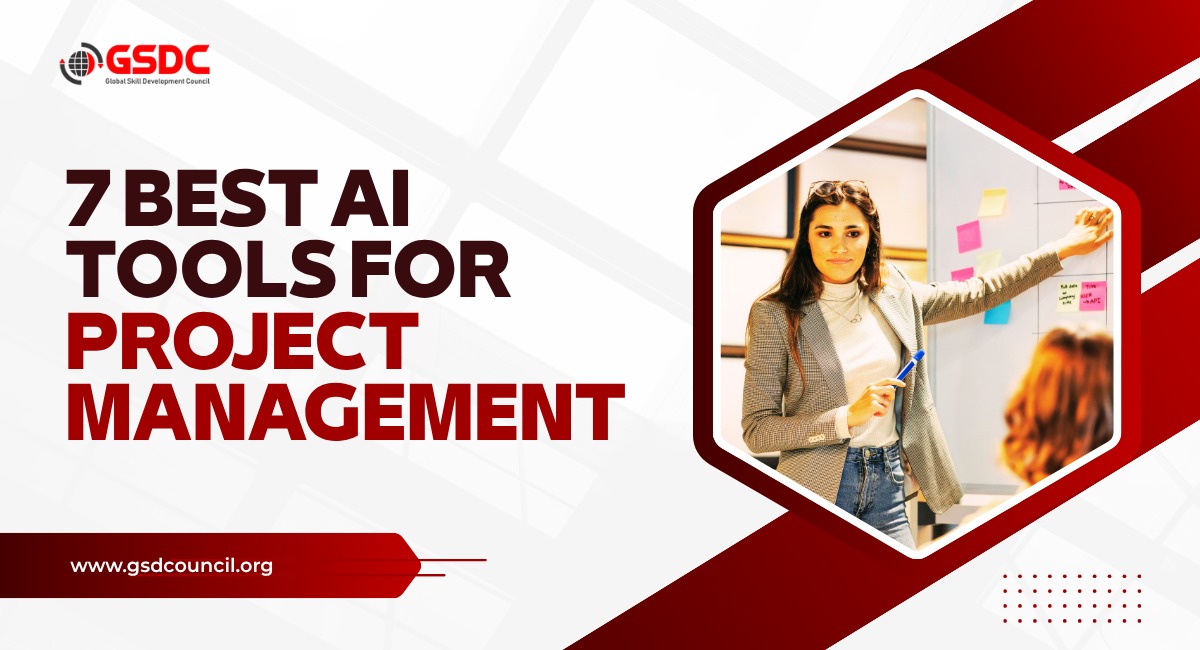
7 Best AI Tools for Project Management
Written by Matthew Hale
Project management has never been just about creating schedules and assigning tasks. A project manager spends a significant part of the day planning projects, updating stakeholders, writing reports, conducting meetings, managing risks, coordinating teams, and ensuring deadlines are met. While these responsibilities are essential, many of them involve repetitive work that consumes valuable time.
Today's AI tools are not replacing project managers. Instead, they are helping them work more efficiently by handling repetitive tasks, organizing information, generating documentation, and providing insights that would otherwise take hours to compile manually. Whether it's creating a project plan, summarizing a meeting, prioritizing tasks, or drafting stakeholder updates, AI allows project managers to spend less time on administrative work and more time leading their teams.
The number of AI-powered project management tools has also grown rapidly over the past few years. Some tools focus on project planning, while others help with documentation, collaboration, scheduling, or Agile project management. With so many options available, choosing the right one can be challenging.
In this blog, we'll explore the seven best AI tools for project management. We'll look at their key features, strengths, pricing, and the type of projects they're best suited for, helping you decide which tool fits your workflow.
Benefits of Using AI in Project Management
AI does more than save time. It helps project managers work smarter by automating routine tasks, improving collaboration, and supporting better decision-making throughout the project lifecycle.
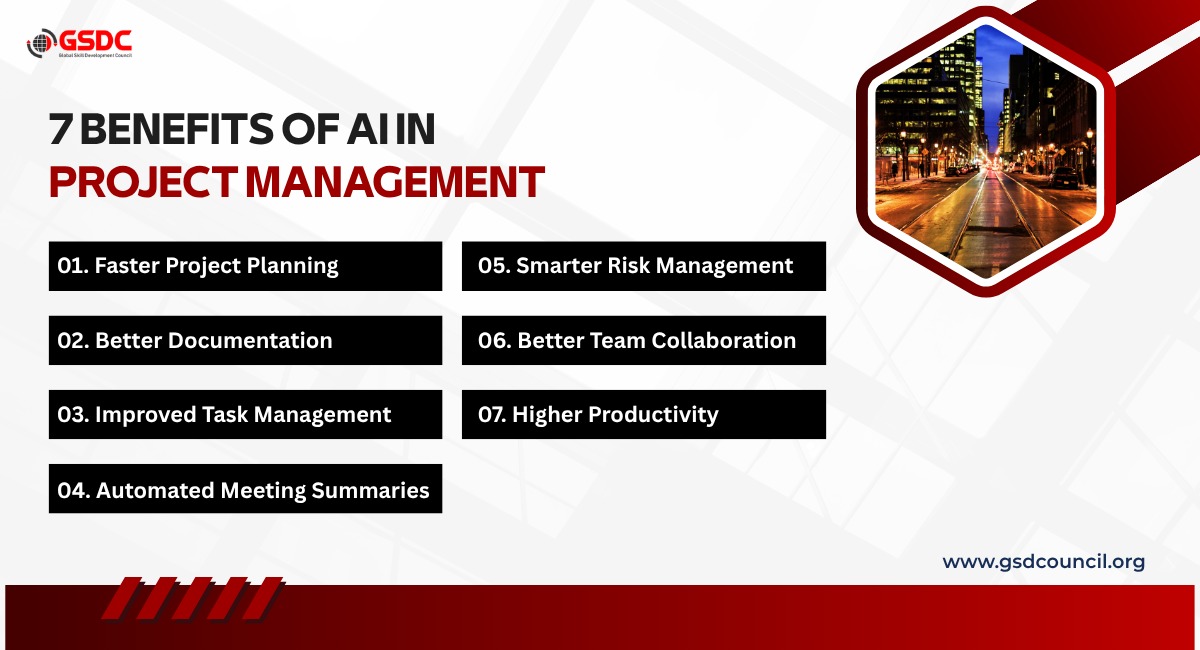
- Faster Project Planning: Generate project plans, timelines, and work breakdown structures in minutes.
- Better Documentation: Create project charters, meeting minutes, risk registers, and status reports with less manual effort.
- Improved Task Management: Organize tasks, prioritize work, and track project progress more efficiently.
- Automated Meeting Summaries: Convert meeting discussions into clear action items and notes instantly.
- Smarter Risk Management: Identify potential risks early and develop mitigation strategies faster.
- Better Team Collaboration: Keep project information organized and improve communication across teams.
Higher Productivity: Spend less time on repetitive administrative work and more time leading successful projects.
AI Tools for Project Management
1. ChatGPT
Best for: Project planning, documentation, communication, brainstorming, and day-to-day project management tasks.
When people think about AI tools for project management, ChatGPT is often the first name that comes to mind. Unlike traditional project management software, ChatGPT isn't designed to manage projects directly. Instead, it acts as an intelligent assistant that helps project managers complete many of their daily responsibilities faster and more efficiently.
One of its biggest strengths is content generation. Project managers spend a surprising amount of time writing project documents, stakeholder emails, meeting minutes, status reports, risk registers, project charters, and communication plans. ChatGPT can create a strong first draft for all of these in just a few minutes.
It also becomes valuable during project planning. Whether you're creating a Work Breakdown Structure (WBS), defining project milestones, identifying project risks, or brainstorming mitigation strategies, ChatGPT can help organize your ideas into a structured format. It doesn't replace the project manager's judgment, but it significantly reduces the time needed to prepare documentation. Another area where ChatGPT stands out is communication. It can rewrite emails for different stakeholders, prepare executive summaries, generate presentation content, create project updates, and even simplify technical information for non-technical audiences.
Key Features
- Generates project charters, project plans, and WBS
- Creates risk registers and mitigation plans
- Writes stakeholder communication and project emails
- Summarizes meeting notes and action items
- Generates status reports and executive summaries
- Assists with Agile user stories and sprint planning
- Brainstorms solutions for project challenges
Pros
- Extremely versatile across different project management tasks
- Saves significant time on documentation
- Supports brainstorming and decision-making
- Works across any industry or project type
- Easy to learn and use
Cons
- Doesn't replace dedicated project management software
- Requires good prompts for the best results
- Doesn't automatically track project progress
Pricing
- Free plan available
- Paid plans available for advanced features and higher usage
Best for: Project managers who want an AI assistant for planning, documentation, communication, and problem-solving.
2. ClickUp AI
Best for: Teams looking for an all-in-one project management platform with built-in AI.
ClickUp has become one of the most popular project management platforms because it combines task management, documentation, collaboration, and reporting in a single workspace. Its AI capabilities make it even more useful by helping teams reduce repetitive work and manage projects more efficiently.
Instead of manually writing task descriptions, meeting summaries, project updates, or documentation, ClickUp AI can generate them automatically. It also helps organize work by summarizing lengthy discussions, identifying action items, and creating structured project documents. For project managers handling multiple projects, ClickUp AI can save hours each week by reducing the amount of manual writing and administrative work required.
Key Features
- AI-generated task descriptions
- Automatic meeting summaries
- Smart project documentation
- Sprint planning assistance
- Workflow automation
- AI writing assistant for reports and updates
- Integrated Docs and Whiteboards
Pros
- Combines AI with complete project management
- Excellent collaboration features
- Highly customizable workflows
- Suitable for teams of all sizes
Cons
- Can feel overwhelming for first-time users
- Some AI features require higher-tier plans
Pricing
- Free plan available
- Paid plans start from approximately $10 per user/month
Best for: Teams that want project management and AI capabilities in one platform.
3. Notion AI
Best for: Project documentation, knowledge management, and team collaboration.
Notion has evolved from a note-taking application into a powerful workspace where teams can manage projects, documentation, company knowledge, and collaboration. With the addition of Notion AI, project managers can create and organize information much more efficiently.
Instead of searching through multiple documents, Notion AI helps summarize pages, generate meeting notes, answer questions from your workspace, and draft project documentation. It's particularly useful for organizations that maintain detailed project documentation and internal knowledge bases. While it doesn't replace specialized project scheduling software, it excels at keeping project information organized and accessible for the entire team.
Key Features
- AI-powered documentation
- Meeting note generation
- Knowledge base search
- Project planning templates
- Content summarization
- Team collaboration workspace
- Smart writing assistance
Pros
- Excellent documentation capabilities
- Simple and clean interface
- Great for knowledge sharing
- Flexible workspace customization
Cons
- Limited advanced scheduling features
- Not ideal for highly complex project portfolios
Pricing
- Free plan available
- AI features available with paid plans
Best for: Teams that rely heavily on documentation, collaboration, and shared project knowledge.
4. Microsoft Copilot
Best for: Enterprise organizations already using Microsoft 365.
Many organizations already work within Microsoft Teams, Outlook, Word, Excel, PowerPoint, and Planner every day. Microsoft Copilot brings AI directly into these applications, allowing project managers to work more efficiently without switching between different tools. Copilot can summarize Teams meetings, draft emails in Outlook, create presentations in PowerPoint, analyze project data in Excel, and generate reports in Word. Because it works within the Microsoft ecosystem, it integrates naturally into existing workflows.
For enterprise project managers, this means less time spent on repetitive administrative work and more time focused on project delivery.
Key Features
- AI meeting summaries in Microsoft Teams
- Drafts emails in Outlook
- Creates reports in Word
- Generates presentations in PowerPoint
- Analyzes project data in Excel
- Works with Microsoft Planner and other Microsoft 365 applications
Pros
- Seamless Microsoft 365 integration
- Excellent productivity features
- Strong enterprise security
- Familiar interface for existing Microsoft users
Cons
- Best suited for Microsoft environments
- Premium licensing can be expensive for smaller teams
Pricing
- Available as an add-on for Microsoft 365 subscriptions
Best for: Large organizations that already use Microsoft 365 as their primary productivity platform.
5. Jira AI (Atlassian Intelligence)
Best for: Agile software development teams using Scrum or Kanban.
Jira has long been one of the most popular project management platforms for software development teams. With the introduction of Atlassian Intelligence, Jira now uses AI to simplify many routine Agile activities, allowing teams to focus more on building products and less on administrative work. One of its most useful capabilities is helping teams manage large backlogs. AI can summarize lengthy issues, suggest ticket descriptions, generate user stories, and recommend improvements for task clarity. This is especially helpful when teams are managing hundreds of issues across multiple sprints.
Jira AI also assists with sprint planning by organizing work items, identifying priorities, and making project information easier to understand for both technical and non-technical stakeholders. Although Jira AI is primarily designed for software projects, organizations following Agile practices in other departments can also benefit from its automation features.
Key Features
- AI-generated issue summaries
- User story creation
- Sprint planning assistance
- Backlog organization
- Smart search across Jira projects
- Automated project insights
- Integration with Confluence and other Atlassian products
Pros
- Excellent for Agile and Scrum teams
- Reduces manual ticket management
- Strong collaboration within the Atlassian ecosystem
- Saves time during sprint planning
Cons
- Better suited for technical teams than general business projects
- Learning curve for new users
Pricing
- Free plan available for small teams
- Paid plans available with advanced AI features
Best for: Software development teams and organizations following Agile methodologies.
6. Asana AI
Best for: Cross-functional teams managing marketing, operations, HR, and business projects.
Asana has built its reputation on making team collaboration simple. Its AI capabilities take this a step further by helping project managers organize work, identify priorities, and reduce manual updates. Instead of spending time creating weekly status reports, Asana AI can summarize project progress automatically. It can also identify tasks that may be at risk, recommend priorities, and help managers understand where projects need attention.
One of Asana AI's strengths is its ability to connect work across different departments. Marketing, HR, Finance, and Operations teams can all collaborate within a single platform while AI helps keep projects moving forward.
For organizations managing multiple business initiatives simultaneously, this can significantly reduce the amount of time spent tracking project progress.
Key Features
- AI-generated project summaries
- Smart task prioritization
- Automated status updates
- Goal tracking
- Workflow recommendations
- Team collaboration tools
- Project reporting
Pros
- Easy to use
- Excellent for cross-functional collaboration
- Strong workflow automation
- Clean and intuitive interface
Cons
- AI capabilities are still expanding
- Less suitable for highly technical software projects compared to Jira
Pricing
- Free plan available
- Paid plans with additional AI capabilities
Best for: Business teams managing collaborative projects across multiple departments.
7. Motion AI
Best for: Personal productivity, scheduling, and workload management.
Unlike most project management tools, Motion focuses on helping individuals manage their time more effectively. It combines task management, calendar scheduling, and AI-powered planning to automatically organize your workday.
Instead of manually deciding when to complete each task, Motion continuously analyzes deadlines, priorities, and available time to create an optimized daily schedule. If meetings change or new work is assigned, the schedule automatically adjusts.
For busy project managers balancing multiple projects, meetings, and deadlines, this automation can remove much of the daily planning effort.
Motion is particularly useful for professionals who often struggle with prioritization or constantly changing schedules.
Key Features
- AI-powered calendar scheduling
- Automatic task prioritization
- Smart deadline management
- Daily work planning
- Meeting scheduling
- Time blocking
- Workload optimization
Pros
- Excellent personal productivity tool
- Automatically reorganizes schedules
- Easy to use
- Helps reduce missed deadlines
Cons
- Focuses on individual productivity rather than team project management
- Premium pricing compared to some competitors
Pricing
- Paid subscription with free trial available
Best for: Project managers, consultants, freelancers, and professionals managing busy schedules.
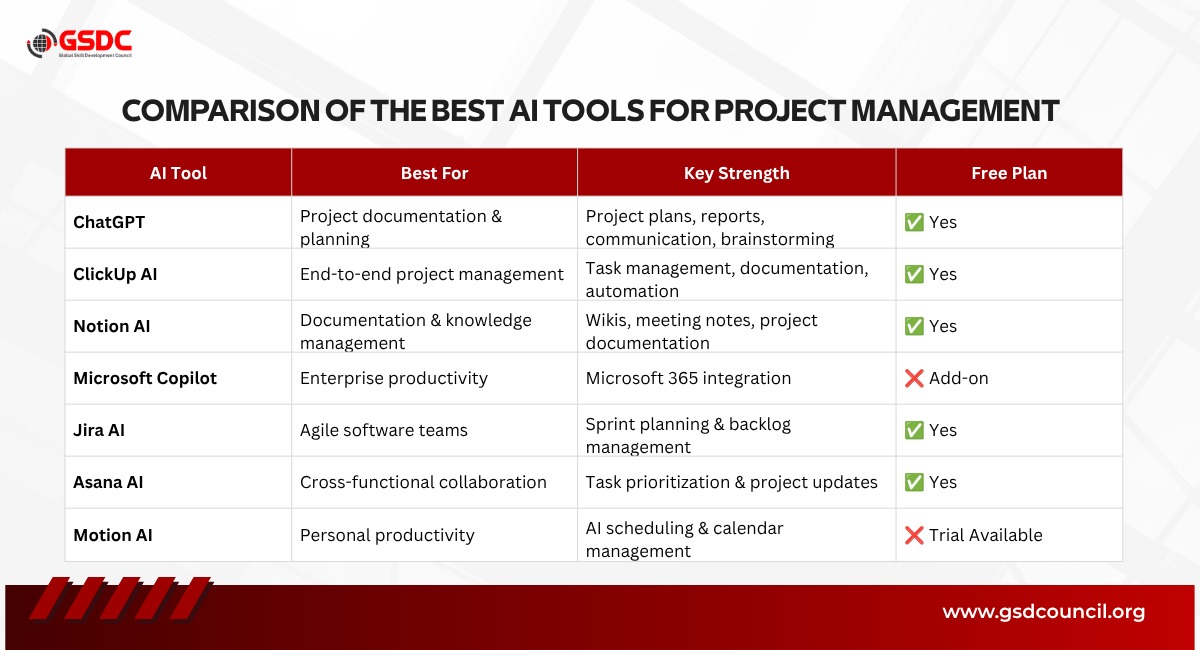
How to Choose the Right AI Tool for Project Management
The best AI tool depends on your team's workflow and the type of projects you manage. Instead of choosing the most popular tool, choose the one that solves your biggest challenge.
- Choose ChatGPT if you need help creating project plans, documentation, stakeholder communication, meeting summaries, and reports.
- Choose ClickUp AI if you're looking for an all-in-one project management platform with AI-powered task management, collaboration, and workflow automation.
- Choose Notion AI if your team relies heavily on documentation, knowledge management, and maintaining a centralized project workspace.
- Choose Microsoft Copilot if your organization already uses Microsoft 365 and wants AI integrated into Outlook, Teams, Word, Excel, and PowerPoint.
- Choose Jira AI if you manage Agile software development projects and need support with sprint planning, backlog management, and issue tracking.
- Choose Asana AI if your teams work across departments like HR, Marketing, Finance, and Operations and need better collaboration and project visibility.
- Choose Motion AI if your primary goal is personal productivity, smart scheduling, calendar management, and prioritizing daily work.
Become an AI-Enabled Project Manager with GSDC
Artificial Intelligence is becoming a valuable skill for project managers across every industry. Organizations are increasingly looking for professionals who can use AI to improve project planning, automate routine tasks, generate documentation, and make better decisions throughout the project lifecycle.
Learning how to use AI tools is only the first step. Understanding where, when, and how to apply them effectively is what creates real business value.
The GSDC Certified Generative AI in Project Management certification is designed to help project professionals build practical AI skills that can be applied to real-world projects. Rather than focusing only on theory, the certification explores how generative AI can support planning, communication, risk management, stakeholder engagement, reporting, and project documentation.
What You'll Learn
- Use Generative AI to create project plans, project charters, and project documentation.
- Automate stakeholder communication, meeting summaries, and status reports.
- Apply AI for project planning, risk identification, and decision-making.
- Write effective AI prompts for common project management tasks.
- Understand responsible and practical AI adoption throughout the project lifecycle.
Who Should Take This Certification?
- Project Managers
- Project Coordinators
- PMO Professionals
- Scrum Masters
- Product Managers
- Program Managers
- Team Leaders
- Business Analysts
- Professionals looking to integrate AI into project management
Whether you're just beginning to explore AI or already using tools like ChatGPT, ClickUp AI, or Microsoft Copilot, this certification helps you use them more effectively in real project environments.
Final Thoughts
Artificial intelligence is changing the way projects are planned, managed, and delivered. Instead of spending hours creating reports, documenting meetings, updating stakeholders, or organizing project information, project managers can now use AI to complete many of these tasks faster and more efficiently.
The tools covered in this blog each solve different challenges. Some focus on documentation, while others improve collaboration, Agile planning, scheduling, or enterprise productivity. The right choice depends on your team's workflow, the type of projects you manage, and the tools you already use.
It's also important to remember that AI is not a replacement for project managers. Successful projects still depend on leadership, communication, problem-solving, and sound decision-making. AI simply acts as a powerful assistant, helping professionals reduce repetitive work and focus on the responsibilities that require human judgment.

Related Certifications
Frequently Asked Questions
The best AI tool depends on your requirements. ChatGPT is excellent for documentation and planning, ClickUp AI works well for end-to-end project management, Jira AI is ideal for Agile teams, and Microsoft Copilot is a strong choice for organizations using Microsoft 365.
No. AI can automate repetitive tasks such as documentation, reporting, scheduling, and meeting summaries, but project managers are still responsible for leadership, stakeholder communication, decision-making, and managing project risks.
Yes. ChatGPT can help create project plans, work breakdown structures, stakeholder communications, risk registers, meeting minutes, status reports, project charters, and many other project documents, making it a valuable productivity tool for project managers.
Jira AI is one of the best choices for Agile teams because it supports sprint planning, backlog management, issue tracking, and AI-powered ticket summaries within the Atlassian ecosystem.
Yes. Several AI tools, including ChatGPT, ClickUp AI, Notion AI, Asana AI, and Jira, offer free plans or trial versions. Advanced AI features are usually available with paid subscriptions.
AI helps project managers automate repetitive work, generate documentation, summarize meetings, prioritize tasks, identify risks, improve communication, and support better decision-making throughout the project lifecycle.
ChatGPT is one of the strongest tools for creating project documentation such as project charters, project plans, meeting minutes, stakeholder communication, business cases, and risk registers.
Yes. AI can generate project schedules, suggest timelines, organize milestones, recommend task priorities, and optimize calendars. However, project managers should always review and adjust AI-generated schedules based on project requirements.
Project managers commonly use AI to write reports, summarize meetings, create project documentation, manage tasks, generate presentations, draft emails, identify risks, and improve team collaboration.
Project managers should understand prompt engineering, AI-assisted project planning, documentation automation, responsible AI usage, data interpretation, and AI-powered collaboration tools to get the most value from modern AI platforms.
Stay up-to-date with the latest news, trends, and resources in GSDC
If you like this read then make sure to check out our previous blogs: Cracking Onboarding Challenges: Fresher Success Unveiled
Not sure which certification to pursue? Our advisors will help you decide!