How to Write Better ChatGPT Prompts: Stop Saying "Make It Better"
Written by Matthew Hale
- The Difference Between a Good Prompt and a Great One
- What You'll Learn
- What Is Instruction Clarity?
- The Five Dimensions of Clear Instructions
- Example: One Prompt, Two Completely Different Results
- When Should You Use Instruction Clarity?
- When Should You Avoid Instruction Clarity?
- Common Mistakes to Avoid
- Try It Yourself
- Master Prompt Engineering with GSDC Certification
The Difference Between a Good Prompt and a Great One
If you've used ChatGPT for more than a few days, you've probably typed something like this:
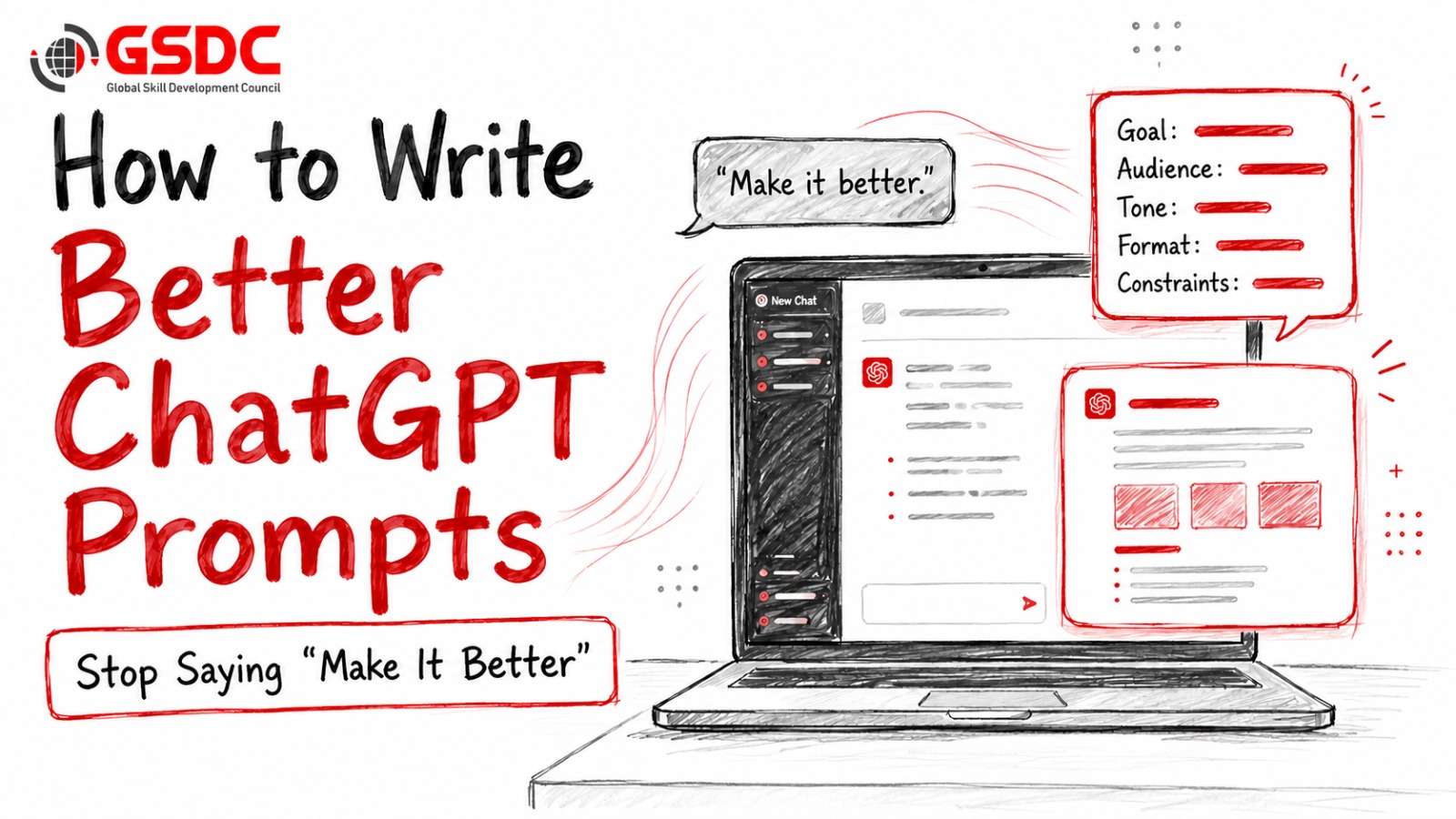
"Make it better."
Maybe it was a LinkedIn post that didn't sound engaging enough. Maybe it was an email that felt too formal. Or perhaps you wanted a training document to be shorter and easier to read. Sometimes ChatGPT improves the response. Sometimes it barely changes anything. And sometimes it makes changes you never asked for.
The reason is simple. The phrase "make it better" means different things to different people.
To you, "better" might mean shorter. Someone else might be more persuasive. Another person might want simpler language, while someone writing for executives might expect a more strategic tone. ChatGPT has exactly the same problem. It doesn't know what "better" means unless you explain it.
This is one of the biggest reasons people feel disappointed with AI-generated content. They assume the model understands their expectations when, in reality, it is trying to guess what success looks like.
You simply need to give clearer instructions.
Small details like defining the length, identifying the audience, choosing the tone, or specifying the structure can completely change the quality of the response. Instead of guessing what you want, ChatGPT can focus on delivering exactly what you asked for.
That is the difference between an average prompt and a great one.
What You'll Learn
By the end of this blog, you'll understand:
- Why vague instructions produce inconsistent AI responses.
- The five elements that make ChatGPT prompts clear and effective.
- How to improve almost any prompt in less than a minute.
- A practical example showing the difference between a vague prompt and a clear one.
- How to combine instruction clarity with the RTCF framework for even better results.
What Is Instruction Clarity?
Instruction clarity is the practice of giving AI clear, specific, and measurable instructions instead of vague requests. Rather than using broad phrases like "make it better" or "sound more professional," you define exactly what you want by specifying details such as the length, audience, tone, structure, and any required constraints. The clearer your instructions, the more accurate, consistent, and useful the AI's response will be.
Imagine asking a designer to create a poster and saying, "Make it look nice."
Most designers wouldn't start working immediately. They would probably ask a few questions first.
- Who is the audience?
- Where will the poster be displayed?
- Should it look modern or traditional?
- What colors should be used?
- How much information should it include?
Without these details, there isn't a single correct answer. The designer has to guess what "nice" means.
ChatGPT works in exactly the same way. When you write prompts like "make it better," "make it professional," or "make it shorter," you're asking the AI to interpret words that can have dozens of different meanings. Since it can't read your mind, it fills in the gaps based on probability. Sometimes those guesses match your expectations, but often they don't.
The Five Dimensions of Clear Instructions
Whenever you write a prompt, try to answer five simple questions before pressing Enter.
These five elements remove ambiguity and help ChatGPT produce responses that are more accurate, consistent, and ready to use.
1. Length
One of the most common mistakes is asking the AI to "make it shorter" or "expand this."
The problem is that those instructions have no clear target. A response that feels short to one person may still feel too long to someone else.
Instead, define the length as clearly as possible.
Vague
“Make this shorter."
Clear
“Reduce this to 120-150 words.”
Or:
“Summarize this in five bullet points.”
When ChatGPT knows the expected length, it spends less time guessing and produces content that needs fewer revisions.
2. Tone
Saying "make it professional" doesn't always produce the same result.
"Professional" can mean formal, conversational, persuasive, executive-level, or even academic depending on the situation.
Instead of using one broad adjective, explain the tone you want.
Vague
“Make it professional.”
Clear
“Write for senior business leaders using a confident, formal, and straightforward tone.”
Or:
“Use a friendly and conversational tone suitable for new employees.”
The more specific the tone, the more natural the response will feel to your audience.
3. Audience
One of the biggest reasons AI responses feel generic is that the audience is never defined.
Imagine asking someone to explain cybersecurity. The explanation would be very different if the audience were school students, software engineers, or company executives. The topic is the same, but the language, examples, and level of detail change completely.
ChatGPT works the same way. If you don't tell it who the content is for, it writes for a general audience. That's why responses often feel broad and lack relevance.
Instead of asking:
Vague
“Explain Generative AI.”
Tell ChatGPT exactly who will read it.
Clear
“Explain generative AI to HR managers with no technical background. Keep the language simple and use workplace examples instead of technical terms.”
Or:
“Write this for senior executives who need a high-level business overview rather than technical details.”
Defining the audience helps ChatGPT choose the right vocabulary, examples, and level of explanation. A small detail like this can completely change the quality of the response.
4. Structure
Sometimes the information ChatGPT provides is correct, but the way it's organized makes it difficult to use.
Think about asking someone to write a report without explaining how it should be presented. One person might write long paragraphs, another might use bullet points, while someone else might divide everything into sections.
The same thing happens with AI.
Instead of leaving the structure open to interpretation, explain exactly how you want the information presented.
Vague
“Write a blog about leadership.”
Clear
Write the blog using this structure:
• Introduction
• Why leadership matters
• Five practical tips
• Real-world example
• Key takeaways
• Conclusion
Or:
“Present the answer as a comparison table with columns for Features, Benefits, Challenges, and Best Use Cases.”
When you define the structure, ChatGPT spends less time deciding how to organize the content and more time improving the quality of the information itself.
5. Constraints
This is probably the most overlooked part of prompt writing.
Constraints tell ChatGPT what it must include and, just as importantly, what it should avoid.
Without constraints, the AI fills in the gaps based on what it believes is appropriate. Sometimes that's exactly what you need. Other times, it introduces information, phrases, or formatting you never wanted.
Instead of writing:
Vague
“Write a LinkedIn post about AI.”
Be more specific.
Clear
Write a LinkedIn post about AI.
- Keep it between 180 and 220 words.
- Avoid technical jargon.
- Do not use emojis.
- Include one practical example.
- End with a question to encourage discussion.
- Do not use phrases like "in today's fast-paced world" or "ever-evolving."
Notice how much clearer the objective becomes.
Constraints don't restrict creativity. They provide direction. Once ChatGPT understands the boundaries, it can focus on producing a response that fits your requirements instead of making assumptions.
If one or more of these elements is missing, there's a good chance ChatGPT will have to guess. The more guessing involved, the more likely you'll need to revise the output.
Most people believe better AI responses come from using advanced prompt engineering techniques. In reality, they often come from writing clearer instructions. Spending an extra 20 seconds defining these five elements can save several rounds of editing later.
Example: One Prompt, Two Completely Different Results
Let's look at a practical example.
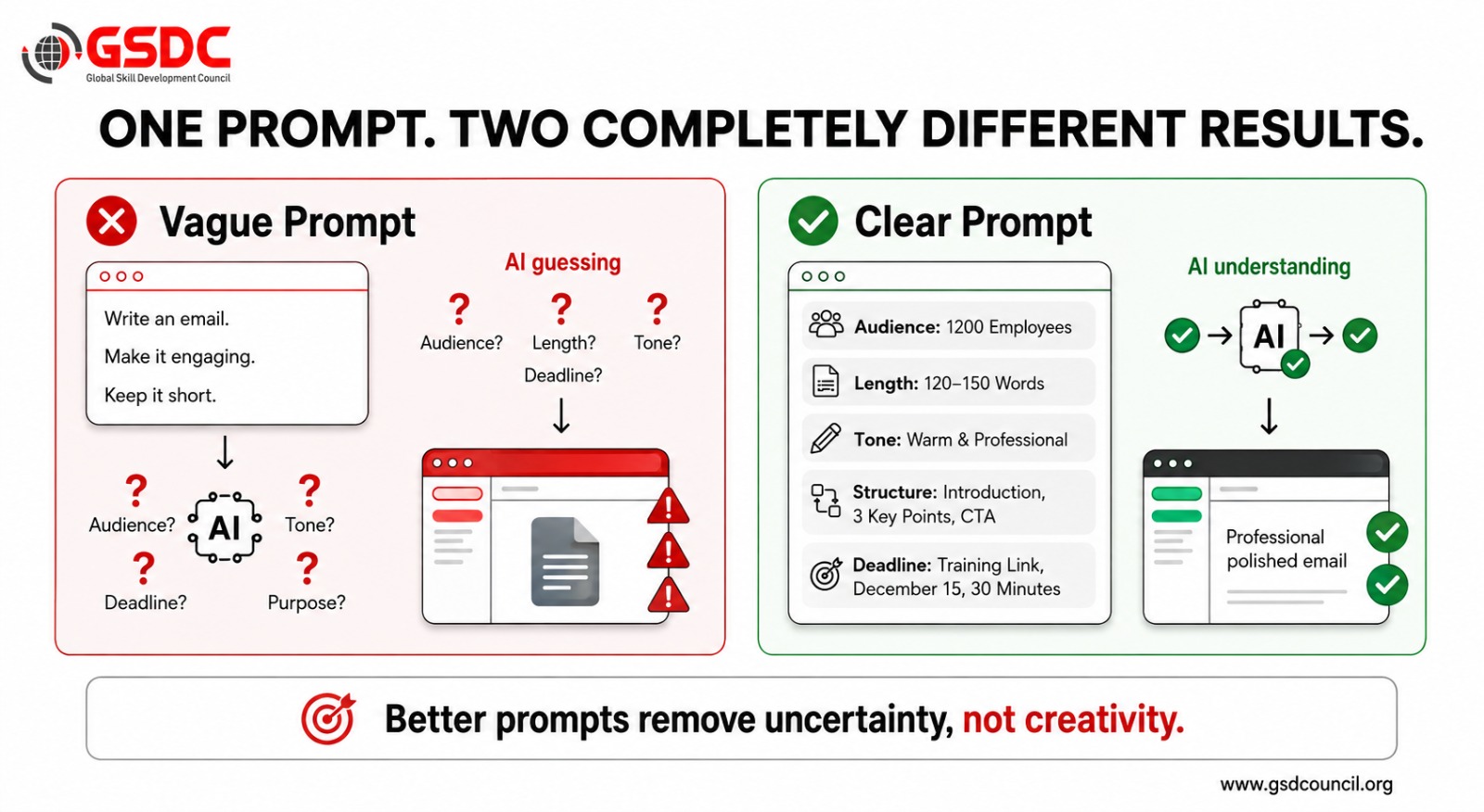
Imagine your HR team needs to announce a mandatory compliance training program to all employees. You open ChatGPT and type:
"Write an email announcing our new compliance training. Make it engaging and not too long."
At first glance, this seems like a reasonable prompt. ChatGPT will probably produce a well-written email with a friendly introduction, a brief explanation of the training, and a closing statement asking employees to complete it.
There's nothing technically wrong with the response.
The problem is that ChatGPT has to make several important decisions on its own.
- How long should the email be?
- Who is the audience?
- Should the tone be formal or conversational?
- What information is mandatory?
- Should the message include bullet points or paragraphs?
Without clear instructions, the AI fills in these gaps using its own assumptions. Sometimes those assumptions match your expectations, but quite often they don't.
Now let's improve the same prompt by adding a few specific instructions.
Write an internal email announcing our mandatory annual compliance training.
Length: 120-150 words
Audience: 1,200 mid-level employees with mixed technical backgrounds
Tone: Warm, encouraging, and professional
Structure:
- One-line introduction
- Why the training matters
- Three action points
- Deadline
- Professional sign-off
Must Include:
- Completion deadline: December 15
- Training duration: 30 minutes
- Training link placeholder: [TRAINING_LINK]
Notice what changed.
You didn't ask ChatGPT to become more creative or intelligent. You simply removed the uncertainty.
Instead of deciding everything on its own, the AI now knows exactly what success looks like. It knows who it's writing for, how long the email should be, what information cannot be missed, and how the final response should be organized. The result is usually much closer to what you actually need. In many cases, it's ready to send after a quick review instead of requiring multiple rounds of editing.
This is exactly why instruction clarity is so powerful. The goal isn't to write longer prompts. The goal is to write prompts that leave less room for guesswork.
What Improved?
When you compare the two prompts, the differences become obvious:
- The length is controlled, so the response stays concise instead of becoming unnecessarily long.
- The audience is clearly defined, which helps ChatGPT choose the right language and level of detail.
- The tone is specified, creating a consistent and appropriate writing style.
- The structure is planned in advance, making the email easier to read.
- Important details are included automatically, reducing the chances of missing key information.
A vague prompt asks ChatGPT to guess. A clear prompt tells ChatGPT exactly where to focus.
That's often the difference between spending fifteen minutes editing an AI response and using it almost immediately.
When Should You Use Instruction Clarity?
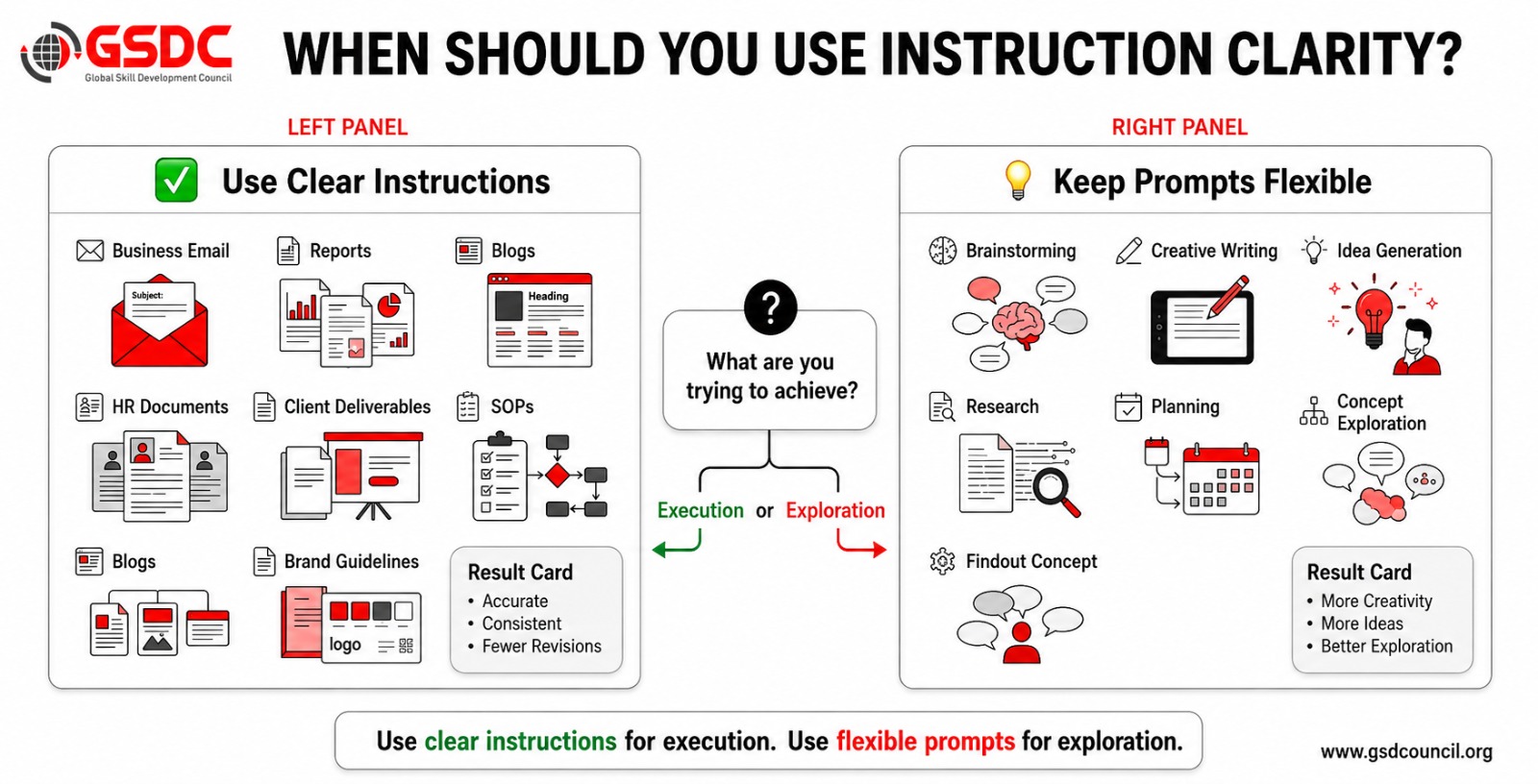
Instruction clarity is useful whenever you want ChatGPT to produce content that is ready to use with little or no editing. The more important the output, the more valuable clear instructions become.
You should use instruction clarity when:
- Creating emails, blogs, reports, proposals, or any content that needs to be shared with others.
- Revising the same AI response multiple times because it isn't meeting your expectations.
- Writing prompts that will be reused by your team or across different projects.
- Creating HR documents, training materials, or business communications where consistency is important.
- Working with specific word limits, formatting requirements, or brand guidelines.
- Preparing content for executives, customers, employees, or any audience that expects a professional standard.
The more clearly you define your expectations, the fewer revisions you'll need later.
When Should You Avoid Instruction Clarity?
Not every task requires detailed instructions. Sometimes it's better to let ChatGPT explore different ideas before narrowing the direction.
You can keep your prompts more open when:
- Brainstorming ideas or exploring different approaches.
- Looking for creative concepts without a fixed direction.
- You're still deciding what the final output should look like.
- Generating multiple options before selecting the best one.
Once you've found the direction you like, you can always add clearer instructions to refine the response.
Common Mistakes to Avoid
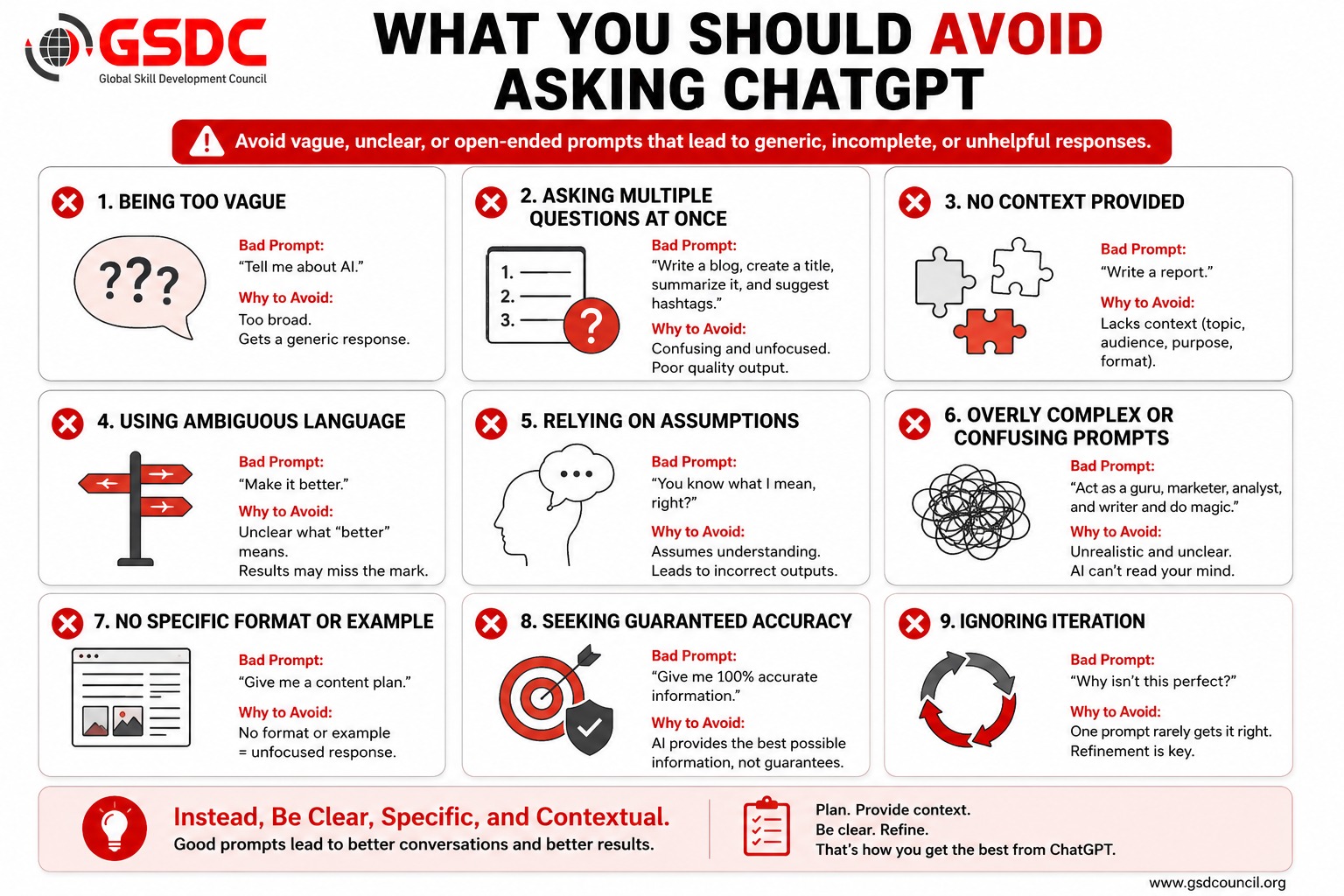
Even small mistakes in your instructions can lead to disappointing results. Here are some of the most common ones.
- Using vague words like "better," "professional," or "engaging" without explaining what those words mean.
- Giving conflicting instructions, such as "keep it short but explain everything in detail."
- Forgetting to mention the audience, forcing ChatGPT to write for a generic reader.
- Leaving the expected structure undefined, which often results in inconsistent formatting.
- Omitting important constraints like word count, deadlines, required information, or formatting requirements.
- Trying to fix a poor response by repeatedly saying "improve it" instead of rewriting the original prompt with clearer instructions.
In most cases, improving the prompt produces far better results than repeatedly editing the AI's response.
Try It Yourself
The easiest way to improve your prompts is to replace vague requests with clear, measurable instructions. Use the template below and customize it for your own task.
Prompt Template
Write {{deliverable}}.
Length:
{{Exact word count or range}}
Audience:
{{Who will read it? Include their background if relevant.}}
Tone:
{{Specific tone, for example: warm, professional, conversational, or authoritative}}
Structure:
{{Explain how the response should be organized.}}
Must Include:
{{Important details, deadlines, links, keywords, or key points}}
Must Avoid:
{{Words, phrases, formatting, or styles you don't want}}
The next time you're tempted to type "make it better," use this template instead. A few extra details at the beginning can save you several rounds of revisions later and help ChatGPT produce a response that's much closer to what you had in mind.
Master Prompt Engineering with GSDC Certification
Learning how to write better prompts is one of the most valuable AI skills you can develop today. Whether you're using ChatGPT for content creation, software development, marketing, customer support, research, or business operations, the quality of your prompts directly affects the quality of your results. While simple techniques like instruction clarity can significantly improve your outputs, professional prompt engineering goes much further by teaching structured frameworks, advanced prompting methods, and real-world AI workflows.
The GSDC Certified Prompt Engineering Professional certification is designed for professionals who want to move beyond basic prompting and learn how to communicate effectively with large language models. The program covers prompt design principles, role prompting, chain-of-thought prompting, few-shot prompting, structured output generation, AI workflow optimization, and best practices for building reliable AI-powered solutions.
Why Choose GSDC Prompt Engineering Certification?
- Learn proven prompt engineering frameworks used across industries.
- Master advanced prompting techniques for ChatGPT and other LLMs.
- Build practical AI workflows for content, coding, research, and business tasks.
- Gain hands-on experience through real-world prompt engineering exercises.
Earn a globally recognized certification that validates your AI skills.


Related Certifications
Frequently Asked Questions
An effective ChatGPT prompt provides clear instructions about what you want the AI to create, who the audience is, the preferred tone, the expected format, and any limitations or requirements. Instead of giving vague directions like “make it better,” a strong prompt defines what “better” actually means. Clear prompts reduce guesswork and help ChatGPT generate more accurate and useful responses.
ChatGPT does not know your personal expectations unless you explain them. Words like “better,” “professional,” or “engaging” can have different meanings depending on the situation. When a prompt lacks details, ChatGPT has to make assumptions about the audience, tone, structure, and purpose, which can result in responses that feel generic or miss the intended goal.
You can improve your prompts by adding five key elements: length, tone, audience, structure, and constraints. Instead of saying “write a blog about AI,” specify the target audience, word count, writing style, sections required, keywords to include, and information to avoid. These details help ChatGPT understand exactly what you need.
A simple prompt usually provides only the task, while a clear prompt provides the task along with important instructions. For example, “Write an email about training” gives ChatGPT limited context. A clearer prompt would specify the audience, purpose, tone, length, deadline, and required information. The clearer prompt gives the AI a defined goal and produces a more targeted response.
No. Longer prompts do not automatically produce better results. The goal is not to write more words but to provide relevant information that removes uncertainty. A short prompt with clear instructions about the audience, format, and expectations can perform better than a long prompt without proper direction.
A strong ChatGPT prompt should usually include:
- The task or expected output
- The target audience
- The desired tone and writing style
- The preferred format or structure
- Length requirements
- Important details that must be included
- Things ChatGPT should avoid
Yes. Instruction clarity improves AI-generated content by helping ChatGPT understand the purpose, context, and requirements of the task. It allows the model to choose appropriate language, examples, formatting, and level of detail. This results in content that requires fewer edits and is more aligned with business or personal needs.
Not always. Detailed prompts are most useful when you need a specific outcome, such as creating reports, emails, marketing content, training materials, or business documents. However, when brainstorming ideas or exploring possibilities, open-ended prompts can be more useful because they allow ChatGPT to generate a wider range of options.
Some common mistakes include using vague instructions, not defining the audience, forgetting to mention the desired format, providing conflicting requirements, and repeatedly asking ChatGPT to “improve” an output instead of improving the original prompt. A better approach is to clarify the goal before generating the response.
Instruction clarity is one of the foundations of effective prompt engineering. While advanced prompt engineering techniques involve frameworks, reasoning methods, and structured approaches, clear instructions remain essential for getting reliable AI outputs. A well-designed prompt starts with a clear understanding of the task, expectations, and desired outcome.
Stay up-to-date with the latest news, trends, and resources in GSDC
If you like this read then make sure to check out our previous blogs: Cracking Onboarding Challenges: Fresher Success Unveiled
Not sure which certification to pursue? Our advisors will help you decide!