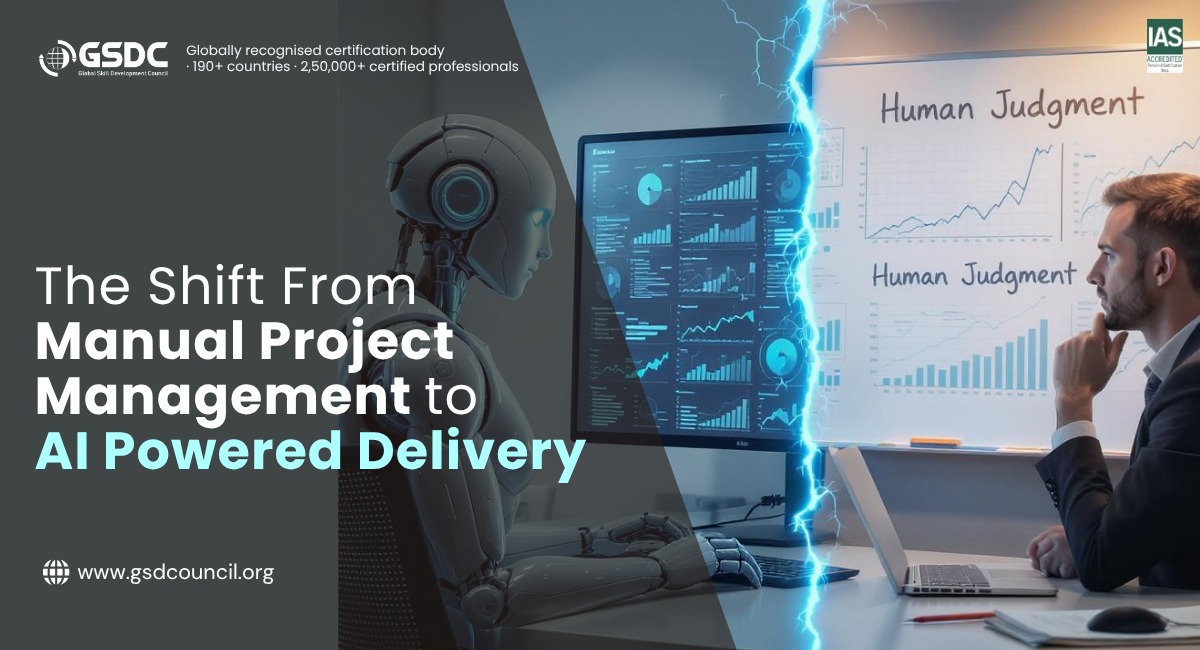
The Shift From Manual Project Management to AI Powered Delivery
Written by Matthew Hale
- What Is AI in Project Management?
- What Is Workflow Automation?
- Benefits of Workflow Automation
- Workflow Automation Examples in Project Delivery
- How Predictive Delivery Actually Works
- Workflow Automation Tools Worth Knowing
- Workflow Automation for Small Business
- How to Use Generative AI in Project Management
- Where AI Should Not Make the Decision
- A Simple Way to Get Started
- Common Mistakes to Avoid
- Building the Skills to Lead This Change
- Final Thoughts
Ask any project manager where their week goes. Most will say status updates, chasing approvals, reformatting reports and updating trackers. That leaves surprisingly little time for the work people actually think of as project management. Gartner predicts that 80 percent of the work of today's project management discipline will be eliminated by 2030 as AI takes over tasks like data collection, tracking and reporting.
Read that carefully. It talks about the routine work inside the job, not 80 percent of project managers disappearing. The role stays. What changes is where the project manager spends their attention.
That is the idea behind this guide. AI in project management does not remove project management. It clears the admin so people can focus on judgement, communication and leadership. Below, we explain how AI workflow automation and predictive delivery work, which tools are worth knowing, where humans must stay in charge, and how to start.
What Is AI in Project Management?
AI in project management means using machine learning and generative AI to handle repetitive work and to spot problems before they grow.
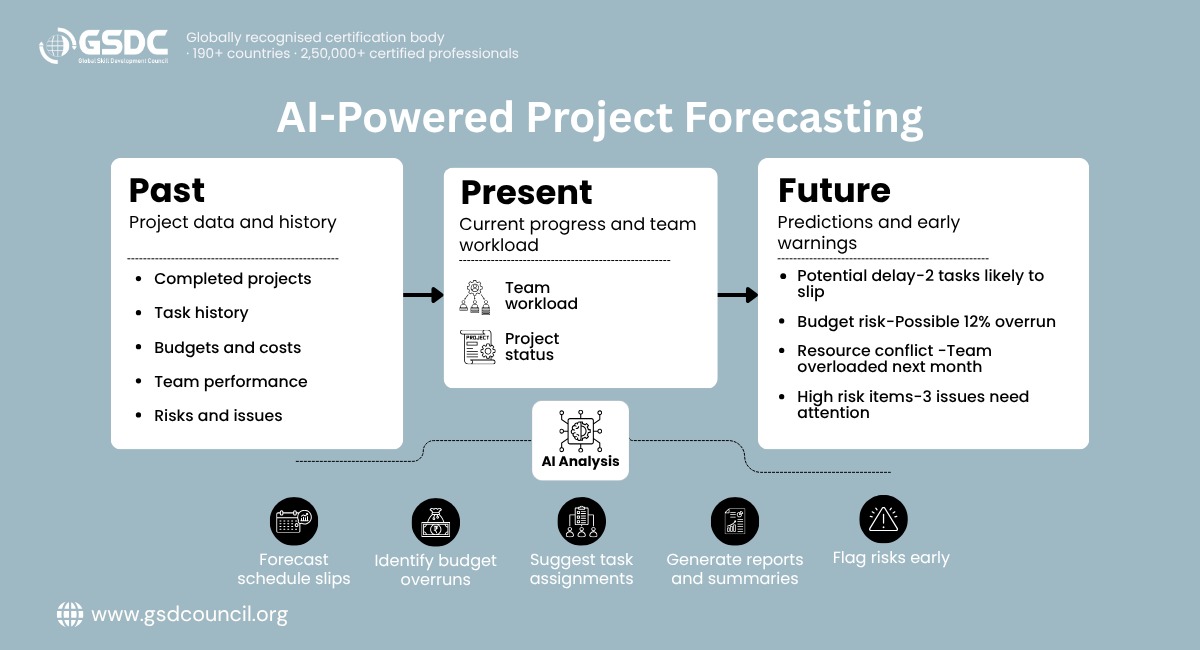
Traditional tools tell you what already happened. A dashboard shows a task is late, but by then the damage is done. AI-based tools look at past projects, current progress and team workload, then estimate what is likely to happen next.
That shift is called predictive delivery. Instead of reacting to delays, you get an early warning about them.
In practice, AI can help you:
- Forecast schedule slips and budget overruns
- Suggest who should take which task based on skills and capacity
- Write status reports and meeting summaries
- Flag risks buried in emails, tickets and project notes
- Answer questions like "Which projects are behind this month?" in plain English
What Is Workflow Automation?
Before AI enters the picture, it helps to understand the layer it sits on. So, what is workflow automation? It means setting up software so a repeatable set of steps runs on its own, with no one pushing each step forward by hand.
Here is a simple example. A team member marks a task as done. The system notifies the reviewer, updates the timeline, logs the hours and pings the client contact. Nobody typed a single message.
The terms around this idea can blur together, so here is how they relate:
- Business process automation is the widest idea: automating any company process, such as invoicing, hiring or onboarding.
- Business workflow automation is narrower. It covers the chain of tasks and approvals inside one of those processes.
- Workflow automation software is the tool that builds and runs those chains. You set a trigger (a form is submitted), add actions (assign a task, send an email, update a sheet) and switch it on.
Basic automation follows fixed rules: "if X happens, do Y." AI workflow automation adds judgement on top. It can read a message, decide how urgent it is, and route it to the right person without a rule written for every case. Many modern platforms now let you describe the workflow you want in a sentence.
Benefits of Workflow Automation
The benefits of workflow automation are easy to see once you track where your team's hours actually go.
- Time back: Less manual data entry and fewer status meetings
- Fewer errors: Software does not forget a step or mistype a number
- Faster approvals: Work moves the moment a task is ready
- Clear visibility: Everyone sees the same live status
- Better morale: People spend more time on work that needs thinking
- Easier scaling: You can take on more projects without adding admin staff
These gains do not come from the software alone. They depend on people who know which tasks to automate, how to write good prompts and where to keep a human in the loop. That is why many project professionals now pair hands-on practice with a certification in generative AI in project management, which gives them a structured way to build those skills.
Workflow Automation Examples in Project Delivery
Here are practical workflow automation examples you can picture in your own team.
Area | What gets automated | What AI adds |
Task management | Assigning tasks when a project starts | Suggests owners based on workload and skills |
Reporting | Weekly status reports sent to stakeholders | Writes the summary in plain language |
Risk tracking | Alerts when a deadline or budget threshold is crossed | Predicts which tasks are likely to slip |
Approvals | Routing documents to the right reviewer | Flags missing details before sending |
Meetings | Sending notes and action items afterward | Turns a transcript into a task list |
Client updates | Scheduled progress emails | Adjusts tone and detail for each audience |
Setting up examples like these well takes more than picking a tool. Someone has to decide which steps to automate and where a person still reviews the result. Training bodies such as the Global Skill Development Council (GSDC) offer certifications that cover this kind of practical workflow thinking for project professionals.
How Predictive Delivery Actually Works
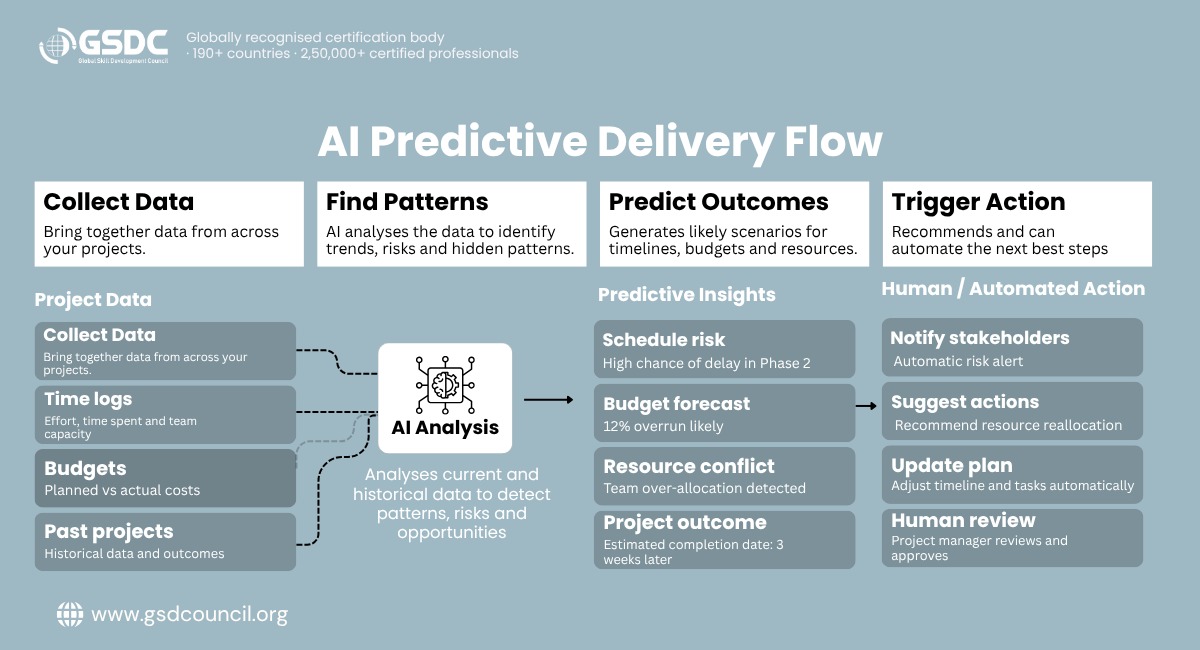
It sounds complicated, but the idea is simple. Here is the flow in four steps.
- Collect data: The system pulls information from your task tools, time logs, budgets and past projects.
- Find patterns: It learns from history. For example, it may notice that a certain type of task usually runs longer than planned.
- Predict outcomes: It estimates the chance of a delay, an overspend or a resource clash.
- Trigger action: It alerts the right person or, where the workflow has been designed for it, triggers an automated response such as reassigning work.
The quality of the prediction depends on the quality of your data. If your team logs tasks inconsistently, the forecast will be shaky. Clean, regular data is the real fuel here.
Workflow Automation Tools Worth Knowing
There are hundreds of workflow automation tools, so it helps to think in categories.
Type of tool | Best for | Examples |
Project management platforms with built-in automation | Teams who want everything in one place | Asana, Monday.com, ClickUp, Jira |
No-code automation connectors | Linking apps that do not talk to each other | Zapier, Make |
Enterprise process platforms | Large companies with complex approvals | Microsoft Power Automate, ServiceNow |
AI assistants | Drafting reports, summarising, answering questions | ChatGPT, Claude, Microsoft Copilot |
The right choice depends less on how many AI features a tool has and more on where your team's work currently gets stuck. If tasks pile up inside one platform, start with its built-in automation. If information gets lost between apps, a connector may solve more than a new platform would. If the pain is writing and summarising, an AI assistant is the quickest win.
Before you buy anything, check three things: does it connect with the tools you already use, is it easy enough for non-technical staff, and can you control who sees what data?
Workflow Automation for Small Business
You do not need a big budget or a big team. Workflow automation for small business is often where the quickest wins happen, because owners feel the pain of manual work directly.
A few good starting points:
- Automatic reminders for unpaid invoices
- Onboarding checklists that trigger when a new client signs
- Weekly project summaries sent to clients without anyone writing them
- Lead forms that create tasks and notify the right person instantly
Start with one process that annoys you every week. Automate it, measure the time saved, then move to the next. Small, steady steps beat a big rollout that nobody uses.
How to Use Generative AI in Project Management
Generative AI in project management is the easiest entry point because you can try it today with no setup. If you are wondering how to use generative AI in project management, start with these everyday jobs:
- Draft project charters and plans from a short brief, then edit them
- Summarise long email threads and meeting recordings into action items
- Write status reports from raw task data
- Brainstorm risks you may have missed at the planning stage
- Create user stories or task breakdowns for a new feature
- Prepare stakeholder updates in different tones for different readers
A few habits keep this safe and useful:
- Always review the output. AI can sound confident and still be wrong.
- Never paste confidential client data into a public tool without checking your company policy.
- Give clear context in your prompt: the project goal, the audience and the format you want.
Where AI Should Not Make the Decision
Automation can run the workflow. It should not automatically own the outcome. Some decisions carry too much weight, context or human impact to hand over.
Keep a person accountable for:
- Hiring, firing and performance decisions
- Major budget changes
- Client escalations, where tone and relationship matter
- Contract and compliance decisions
- Changes that significantly affect a team's workload
- Accepting a high-impact risk
A good rule of thumb: let AI prepare the information, and let a person make the call. The system can flag a risk, draft the options and show the numbers. A human weighs the trade-offs and signs off.
A Simple Way to Get Started
- List your time drains: Ask your team what repetitive tasks eat their week.
- Pick one process: Choose something frequent, rule-based and low risk.
- Choose a tool: Use what you already have before buying something new.
- Run a small pilot: Try it with one team for a few weeks.
- Measure and adjust: Track hours saved, errors avoided and team feedback.
- Scale gradually: Expand only after the pilot proves its value.
Common Mistakes to Avoid
AI adoption is high, but adoption alone does not guarantee business value: only 37 percent of respondents in McKinsey's latest global survey say AI has contributed to their organisation's earnings. The mistakes below explain why.
- Automating a broken process: Fix the process first, or you will just make mistakes faster.
- Ignoring change management: People need to understand that AI supports them, not replaces them.
- Poor data: Messy inputs lead to unreliable predictions.
- No human oversight: Keep a person responsible for every important decision.
- Doing too much at once: Pilots beat big-bang launches.
Building the Skills to Lead This Change
As these tools become part of everyday project work, project professionals need more than curiosity. They need to understand prompting, AI risk, responsible use and workflow design. Structured learning can help, particularly for people moving from casual experimentation to real workplace use. Programmes such as GSDC's Certification In Generative AI In Project Management are built around exactly that shift.
Final Thoughts
AI does not remove project management. It changes where the project manager spends their attention: less time on tracking and reporting, more on leading teams, negotiating with stakeholders and making the calls that machines should not make.
Start small, keep your data clean, pick one process and keep humans in charge of the decisions that matter. Do that, and predictive delivery and workflow automation will stop feeling like buzzwords and start showing up in your delivery numbers.

Related Certifications
Frequently Asked Questions
It is using software to run a set of repeated steps automatically, so people do not have to move each task forward by hand.
Business process automation covers whole company processes. Workflow automation focuses on the sequence of tasks and approvals inside a process. In everyday use, the terms often overlap.
AI can automate parts of project management, including reporting, tracking and scheduling, but leadership, negotiation and ethical judgement still require human accountability.
Yes. Many platforms offer free or low-cost plans, and you can begin with one simple automation before spending more.
Start with low-risk tasks like summarising meetings or drafting status reports. A structured programme, such as GSDC's Generative AI in Project Management certification, can then help you build confidence and good practice.
Stay up-to-date with the latest news, trends, and resources in GSDC
If you like this read then make sure to check out our previous blogs: Cracking Onboarding Challenges: Fresher Success Unveiled
Not sure which certification to pursue? Our advisors will help you decide!