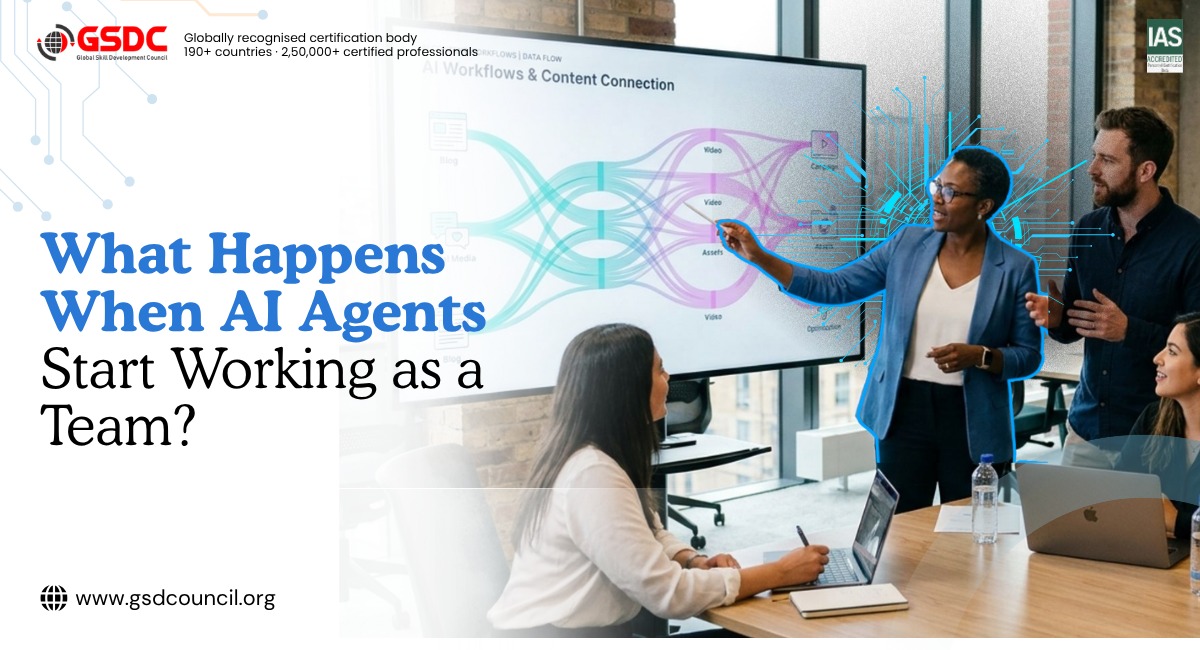
What Happens When AI Agents Start Working as a Team?
Written by Matthew Hale
- What Are Multi Agent Systems in AI?
- Why Specialized AI Agents Can Outperform a Single Agent
- When Should You Use One? (And When Not To)
- Single Agent vs Multi Agent AI Systems
- 4 Common Ways to Organize AI Agent Teams
- How Agentic Workflows Actually Run
- AI Agent Frameworks: Which One Should You Explore?
- How to Build Your First Multi Agent LLM Team
- Common Mistakes to Avoid
- Building the Skills to Work With AI Agents
- Final Thoughts
Think about how a good project team works. One person plans, another researches, a third writes, and someone else checks the work. Nobody does everything. That is the idea behind multi agent systems, and it is quickly changing how businesses use AI.
The shift is happening fast. Gartner predicts that 40% of enterprise applications will include task-specific AI agents by the end of 2026, up from less than 5% in 2025. Once companies have single agents running, the next question is obvious: how do we get them to work together?
Here is the honest answer up front. Teams of agents are powerful when a problem naturally splits into specialized tasks. They also add cost, complexity, and coordination work. This guide covers both sides, so you can decide when the approach is worth it.
What Are Multi Agent Systems in AI?
A multi agent system is a setup where several AI agents work toward one goal. Each agent has its own role, its own tools, and its own instructions. A lead agent, often called the orchestrator, splits the job, hands out tasks, and checks the results.
Compare it with a single chatbot. A single chatbot is like one employee handling sales, support, legal review, and reporting all at once. In a multi agent setup, each agent focuses on one thing.
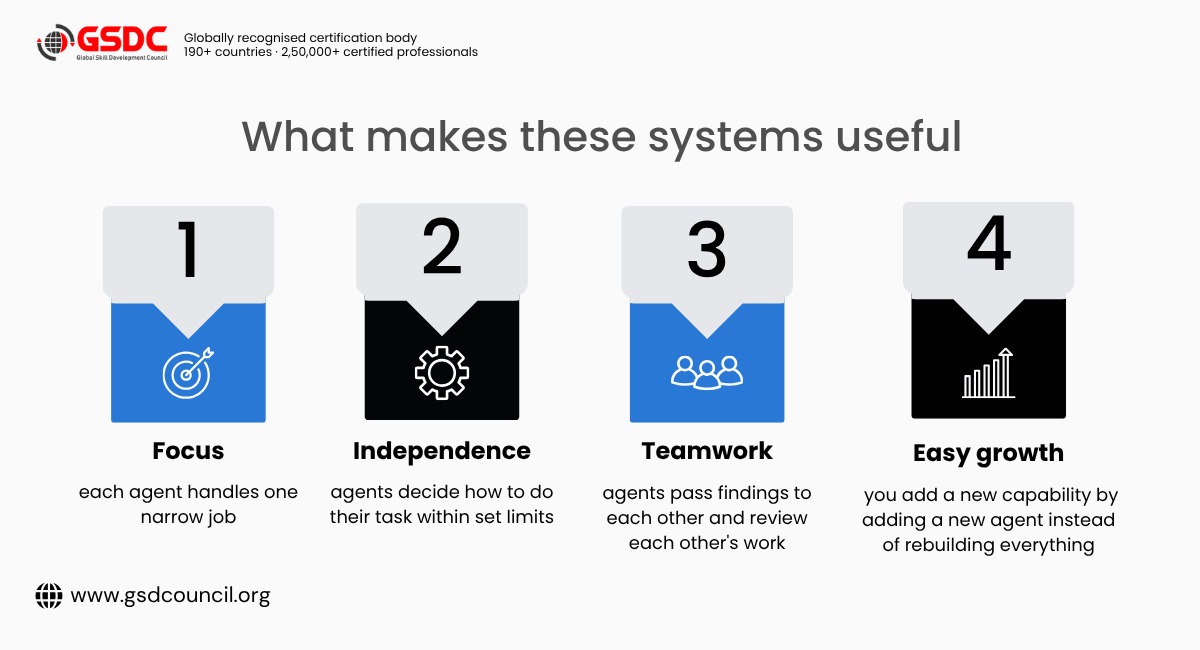
- Focus: each agent handles one narrow job
- Independence: agents decide how to do their task within set limits
- Teamwork: agents pass findings to each other and review each other's work
- Easy growth: you add a new capability by adding a new agent instead of rebuilding everything
Why Specialized AI Agents Can Outperform a Single Agent
Long, multi-step tasks are hard for one model. It can lose focus, forget earlier details, and fill its memory window quickly. Specialized AI agents help because each one works on a small slice with its own clean, focused memory.
There is real evidence for this, with an important limit. In Anthropic's own testing, a system with Claude Opus 4 as the lead and Claude Sonnet 4 as helper agents beat a single Claude Opus 4 by 90.2%. That result comes from Anthropic's internal research evaluation, and it was strongest on broad questions that could be split into many independent searches. It does not mean multi agent AI is 90% better at everything.
The cost side matters too. Here are the key numbers:
- 40%: the share of enterprise apps Gartner predicts will have task-specific agents by the end of 2026
- 90.2%: the gain over a single agent on Anthropic's internal research test, which focused on breadth-first tasks
About 15x: the extra tokens a multi-agent system uses compared with a normal chat, according to Anthropic
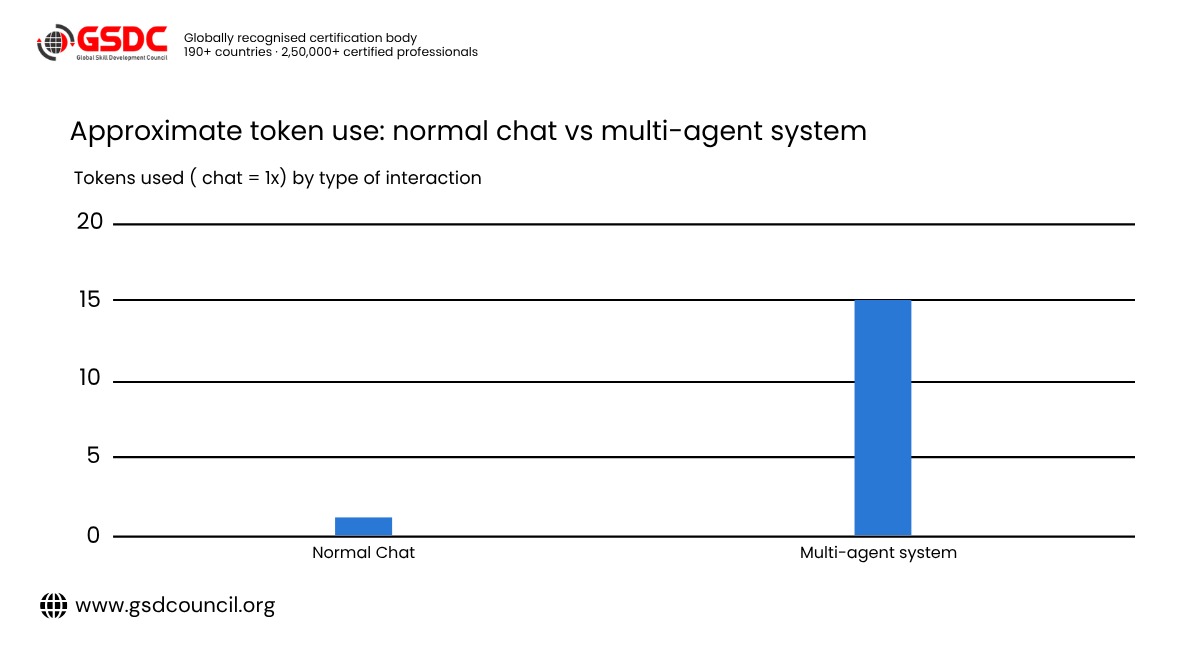
Approximate figures. Source: Anthropic Engineering.
That 15x figure is why multi agent setups make the most sense when the task is valuable enough to justify the cost.
When Should You Use One? (And When Not To)
This is the question most guides skip. Before you build anything, run your idea through the checks below.
A multi agent setup is usually a good fit when:
- The task can be split into independent parts.
For example, researching 20 competitors at once. Each agent takes one competitor and works in parallel. This kind of broad, multi-direction research is where teams of agents tend to shine.
- The task needs several specialist skills.
A contract review might need one agent to extract key clauses, another to check them against company policy, and a third to flag risks.
- The information is too large for one memory window.
If a single agent would run out of space holding all the documents, splitting the load across agents helps.
- The output needs a second pair of eyes.
A reviewer agent can check a drafting agent's work before anything reaches a customer.
- The task is valuable enough to justify the cost.
Extra model calls only make sense when the result is worth it, such as a detailed market report or a high-volume support process.
Judging these situations is a skill in itself. It means breaking a process into roles, spotting where hand-offs could fail, and knowing when a single agent is enough. Learning paths such as the Agentic AI Foundation Certification cover these fundamentals, which can help when you are deciding where agents fit in your own workflows.
A single agent is usually the better choice when:
- The task is short or simple.
Summarizing one email or answering a quick question does not need a team.
- The steps depend heavily on each other.
If every step needs the full context of the one before it, splitting the work can cause information to get lost in hand-offs.
- The budget is tight and the value is low.
More agents means more model calls, which means higher cost.
- You need a fast, simple setup.
A single agent with good instructions can be running in an afternoon. A multi agent system needs design, testing, and monitoring.
- The process is not clear yet.
If you cannot describe the workflow step by step, fix that first. Adding agents to a messy process usually makes it messier.
Knowing when not to add agents is just as important as knowing when to add them. Organizations such as the Global Skill Development Council (GSDC) stress this kind of practical judgment in their AI learning programs, because good results often come from choosing the simplest setup that works, not the most complex one.
A quick 4-question test:
- Can I split this task into clear, separate parts?
- Would each part benefit from its own specialist instructions or tools?
- Is the outcome valuable enough to justify higher running costs?
- Do I have a way to test the results and step in if something goes wrong?
If you answered yes to most of these, a multi agent setup is worth exploring. If you answered no to most, start with a single agent and add more only when you hit a real limit.
Single Agent vs Multi Agent AI Systems
Here is a side-by-side look at how the two approaches differ in day-to-day use.
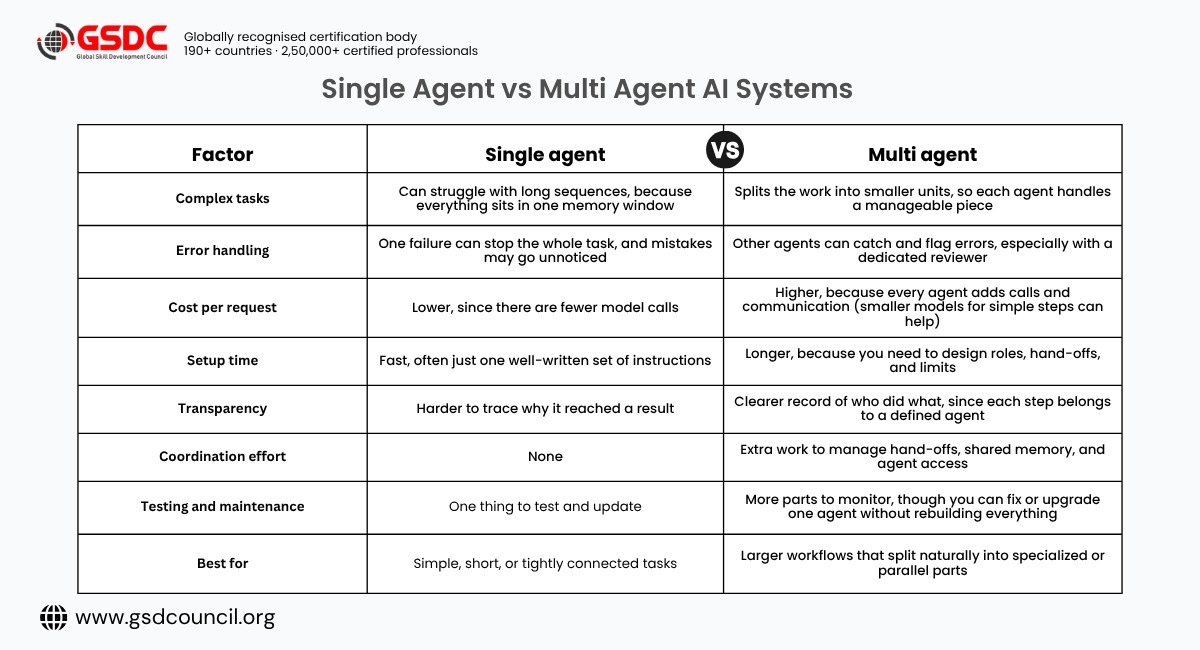
The takeaway: neither approach is better in every case. The right choice depends on the task, the budget, and how much complexity your team can manage.
4 Common Ways to Organize AI Agent Teams
How you connect your agents matters as much as which agents you pick. Here are four common ways to organize AI agent teams.
1. Centralized (one manager)
One lead agent plans everything and assigns work. It is predictable and easy to control. Good for reports and structured tasks.
2. Sequential (a pipeline)
Agent A finishes, then passes the result to agent B, and so on. A content workflow is a good example: research, then draft, then edit.
3. Hierarchical (managers of managers)
Senior agents oversee smaller groups. Picture a project manager agent guiding a coder, a reviewer, and a tester. This suits bigger projects.
4. Decentralized (peer to peer)
There is no boss. Agents share a common memory and pick up work based on their skills. It can hold up well when conditions change quickly, like fraud detection, though it is harder to control.
How Agentic Workflows Actually Run
Agentic workflows are the step-by-step processes agents follow to finish a goal. Here is a simple customer support example:
- Triage agent reads the ticket and labels it
- Retrieval agent searches your help documents
- Drafting agent writes a reply in your brand voice
- Compliance agent checks that no private data slips out
- A human approves anything sensitive before it is sent
Notice the last step. Good multi agent collaboration keeps a person in the loop for important decisions.
AI Agent Frameworks: Which One Should You Explore?
You do not need to build from scratch. Several AI agent frameworks handle the hard parts. Here is a quick look at popular ones.
- LangGraph: builds workflows as connected graphs with saved state. Suited to production apps that need tight control.
- CrewAI: organizes agents around human-like roles. Suited to fast prototypes and simple team setups.
- AutoGen / AG2: lets agents talk and debate. Suited to tasks that benefit from discussion between agents.
- OpenAI Agents SDK: uses tool-first agent loops. Suited to teams already working with OpenAI.
- Claude Agent SDK: also tool-first, with strong handling of long tasks. Suited to teams building on Claude.
- Microsoft Agent Framework: enterprise-ready for Python and .NET. Suited to Azure and large company setups.
A quick note: AutoGen and AG2 are related but separate projects, so do not treat them as the same thing.
For beginners, CrewAI can be approachable. For production workflows where you need more control over state and orchestration, LangGraph is worth exploring.
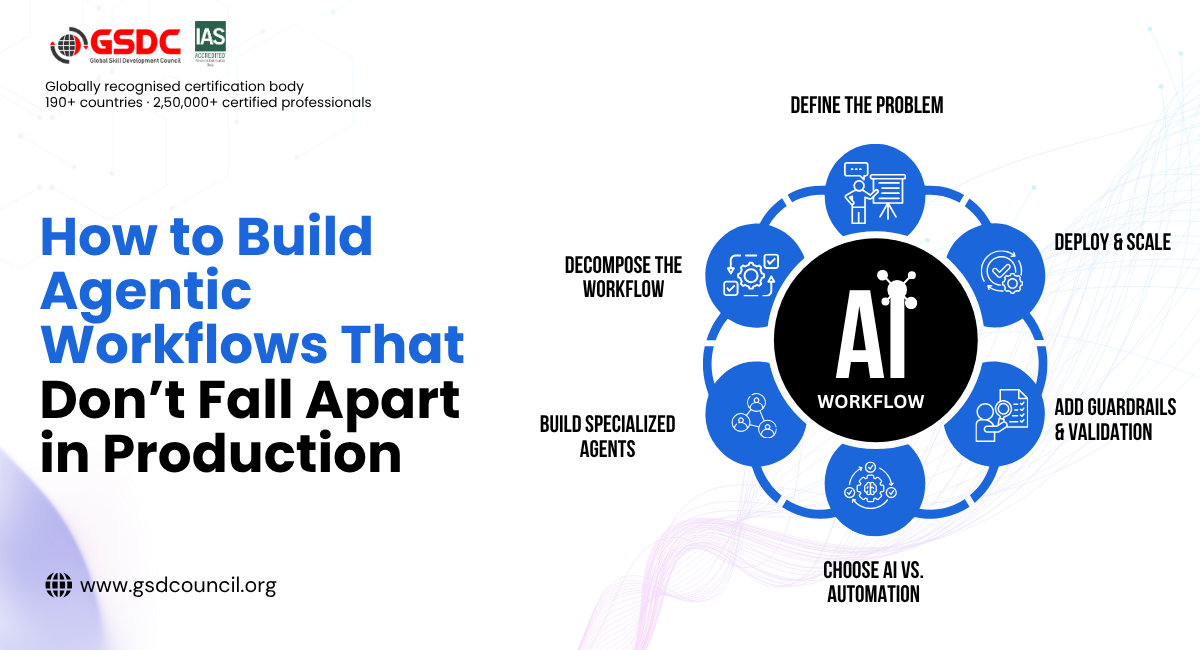
How to Build Your First Multi Agent LLM Team
Follow these five steps to avoid the most common beginner mistakes.
Step 1: Pick one repeatable task.
Choose something valuable but narrow. Invoice checking and ticket sorting are good starters.
Step 2: Give each agent one clear role.
Write down what it does, what tools it can use, and what it must never do.
Step 3: Decide how agents talk.
Will they share a memory or pass structured data? Clear hand-offs stop information getting lost between agents.
Step 4: Connect the tools.
Link your CRM, documents, or chat apps. The Model Context Protocol (MCP) is now a common way to do this, so you build a connection once and reuse it.
Step 5: Add guardrails and limits.
Set a maximum number of loops so agents do not run forever, and add human approval for risky actions.
Common Mistakes to Avoid
- Too many agents: Start with two or three. More is not better.
- Vague instructions: If a role is unclear, the agent will guess.
- Ignoring cost: Use smaller, cheaper models for simple worker tasks and save the larger model for the manager.
- No testing: Run real examples and watch where hand-offs break.
- Using it for the wrong job: Tasks that need one shared context, or have many steps that depend on each other, are a weaker fit than work that can be split into parallel parts.
Building the Skills to Work With AI Agents
Understanding multi agent systems is one thing. Designing, testing, and managing them at work is another. The skills involved go beyond prompts. They include mapping a workflow into clear roles, setting sensible access limits, deciding where a human should step in, and judging when a single agent is enough.
Structured learning can help build that foundation. The Global Skill Development Council (GSDC) offers the Agentic AI Foundation Certification for professionals who want a clear, organized introduction to how agentic AI works and how it is applied in real workflows. It suits people who are new to the field, as well as those who already use AI tools and want a more formal understanding of the concepts behind them.
Whether you learn through a certification, hands-on projects, or a mix of both, the aim is the same: to move from knowing what agents are to using them with confidence and good judgment.
Final Thoughts
Multi agent systems turn AI from a single helper into a coordinated team. They work best when the problem naturally breaks into specialized, parallel, or sequential tasks. They also bring more cost, more complexity, and more coordination to manage. Start small, measure the results, and add agents only when they earn their place.
A good next step is to pick one small workflow and map out which agents it would need, what each one can access, and where a human should approve the result. Once that works, you can decide whether adding more agents is worth the extra effort.

Related Certifications
Frequently Asked Questions
A single agent tries to do everything alone. Multi agent AI splits the job among several agents with different skills, plus a coordinator.
They usually cost more per task because they make more model calls. Many teams manage this by using smaller models for simple steps and reserving larger ones for planning and review.
Not always. Some tools let you describe agent roles in plain English. Coding helps for custom, production-grade builds.
It can be, but safety is not automatic. It depends on how you set things up: which permissions each agent has, what data it can reach, which tools it can call, how agents are isolated from each other, and whether actions are logged and reviewable. Your platform or provider's data-handling terms also matter. Give each agent the minimum access it needs, keep a human approval step for sensitive actions, and involve your security team before going live.
No. They tend to help most on tasks that split naturally into specialized or parallel parts. For simple or tightly connected tasks, a single agent is often cheaper and easier to manage.
Stay up-to-date with the latest news, trends, and resources in GSDC
If you like this read then make sure to check out our previous blogs: Cracking Onboarding Challenges: Fresher Success Unveiled
Not sure which certification to pursue? Our advisors will help you decide!