Design Multi-Agent Systems That Collaborate to Solve Real Problems with AutoGen (Microsoft)
Written by Matthew Hale
- The Growth of AI Systems with Multiple Agents
- Introducing Microsoft AutoGen: A Way for Agents to Work Together
- Important Features of Microsoft Autogen
- Use Cases: What Multi-Agent Systems Can Fix
- How AutoGen Helps Today Professionals
- Why Multi-Agent Skills Matter
- What will happen with AutoGen and Multi-Agent AI in the future?
- The Importance of AI Certification for Building Future-Ready Talent
- Conclusion: The future looks good for AI that works together.
- Frequently Asked Questions (FAQs)
Not long ago, AI meant interacting with a single assistant. Today, it means working with entire teams of AI agents that research, plan, navigate interfaces, and solve problems together-almost like a digital workforce.
The GSDC 100-Day AI Tool Challenge has made this change even more clear. In this challenge, professionals use real tools to see how collaborative AI can change the way they work every day. Microsoft AutoGen is one of the most powerful frameworks to come out of these tasks. It lets multiple agents think, talk, and do things as a coordinated system.
In this blog, we’ll explore how multi-agent systems work, why they’re becoming essential for modern automation, and how AutoGen helps teams solve complex, real-world problems with intelligent collaboration.
The Growth of AI Systems with Multiple Agents
Conventional automation tools adhere to inflexible, rule-based frameworks. They have a hard time with things that are unclear, changeable, need reasoning, or making decisions in more than one step.
Modern agentic AI systems get around those limits by using large language models (LLMs) and frameworks for making decisions on their own. These systems can do:
- Multi-step planning
- Collaboration with other agents
- Navigating UIs
- Tool execution
- Contextual reasoning
- Human-in-the-loop interactions
Instead of handling one narrow instruction at a time, agents can work as part of a team, with each agent specializing in a role-research, reasoning, navigation, analysis, or execution.
This makes collaborative AI ideal for industries dealing with:
- Documentation-heavy tasks
- UI-driven processes
- Repetitive workflows
- Multi-source research
- Operational analysis
Introducing Microsoft AutoGen: A Way for Agents to Work Together
Microsoft AutoGen is a strong framework for making multi-agent systems that can do hard tasks in the real world. It is made for advanced reasoning, easy integration, and smooth working together between agents and people.
Some of its most important features are:
- Multi-agent orchestration: AutoGen allows several agents to work together, communicate, and divide tasks just like a coordinated team.
- Large language model integration: It can connect with different LLMs so agents can think, plan, and understand instructions more effectively.
- Local or cloud model flexibility: Teams can choose between cloud-based models or fully local models depending on security, privacy, or performance needs.
- Vision-based interaction: Agents can "see" screens, recognize elements, and interact with interfaces in a way that is similar to how people do it.
- Integration of tools and browsers: AutoGen can open browsers, click buttons, fill out forms, and use tools from other programs. This makes it useful for automating user interfaces and end-to-end workflows.
- Seamless interaction with people: Agents can ask for clarification, involve a person when needed, or wait for approval before moving on to the next task.
These features make AutoGen perfect for places that need flexible, smart automation instead of systems that are based on rules.
Important Features of Microsoft Autogen
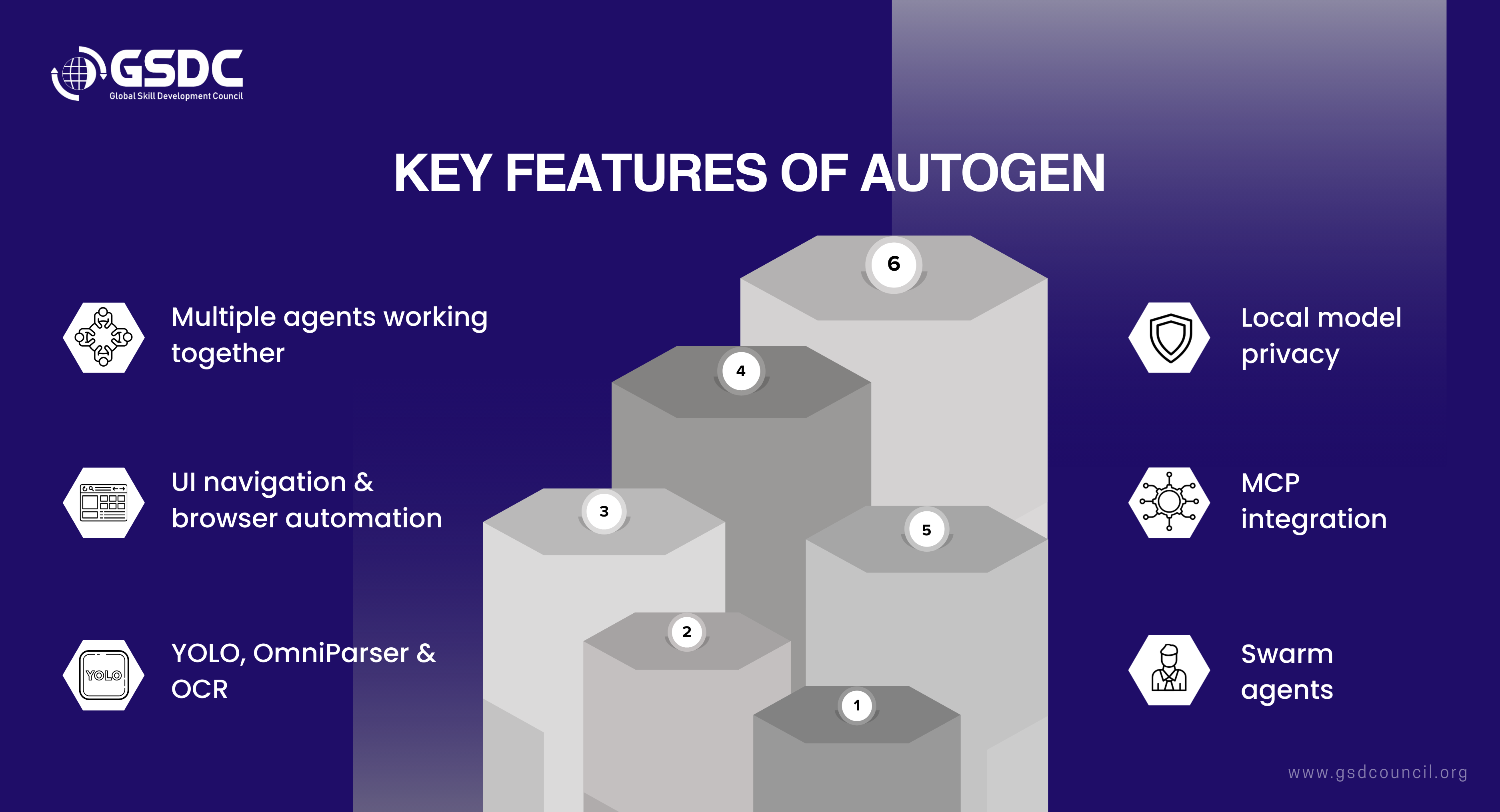
1. Working with more than one agent at a time
Agents can talk to each other, let each other know how things are going, and split the work up with AutoGen.
For instance, one agent might collect data, another might look at it, and a third might show it. This kind of cooperation makes automation more adaptable and more like a person.
2. How to use the UI and find your way around the browser
Without your help, AutoGen can open a browser, change the page by clicking or scrolling, and fill out a form with the information it needs. It can deal with pop-up windows and changes to the layout at the same time.
It is much better and faster at doing real-world tasks like registrations, data extraction, and UI testing than traditional automation tools because it uses vision models to "see" the screen.
3. Computer Vision Models: YOLO, OmniParser, and OCR
AutoGen is equipped with internal vision engines that help it identify objects on the screen just like a human would.
- YOLO searches the UI for the target objects
- OmniParser can determine the layout of the page
- OCR takes the words from the screen
This visual understanding allows agents to be more flexible with new or changing scenarios.
4. Using a Local Model to Protect Privacy
AutoGen is capable of handling offline models such as Minstral 7B, Llama, and LM Studio. If you run agents on your own servers, it will save the confidential data within your network and enable businesses to comply with privacy and security standards.
5. The Model Context Protocol (MCP)
MCP makes it possible for agents to interact with tools, browsers, APIs, and system functions as if they were their own capabilities.
A straightforward instruction like "open this webpage and finish the registration" is what ignites the whole chain of events; hence, the operation is done automatically with all the cooperating apps.
6. Swarm agents for tough tasks
AutoGen is capable of launching multiple agents, each of which can be responsible for a different aspect of a larger task simultaneously.
For instance, one agent might analyze the competitors, another might study the reviews, and the third might examine the submissions.
These agents compile their findings to produce a single, comprehensive, and coordinated output.
Use Cases: What Multi-Agent Systems Can Fix
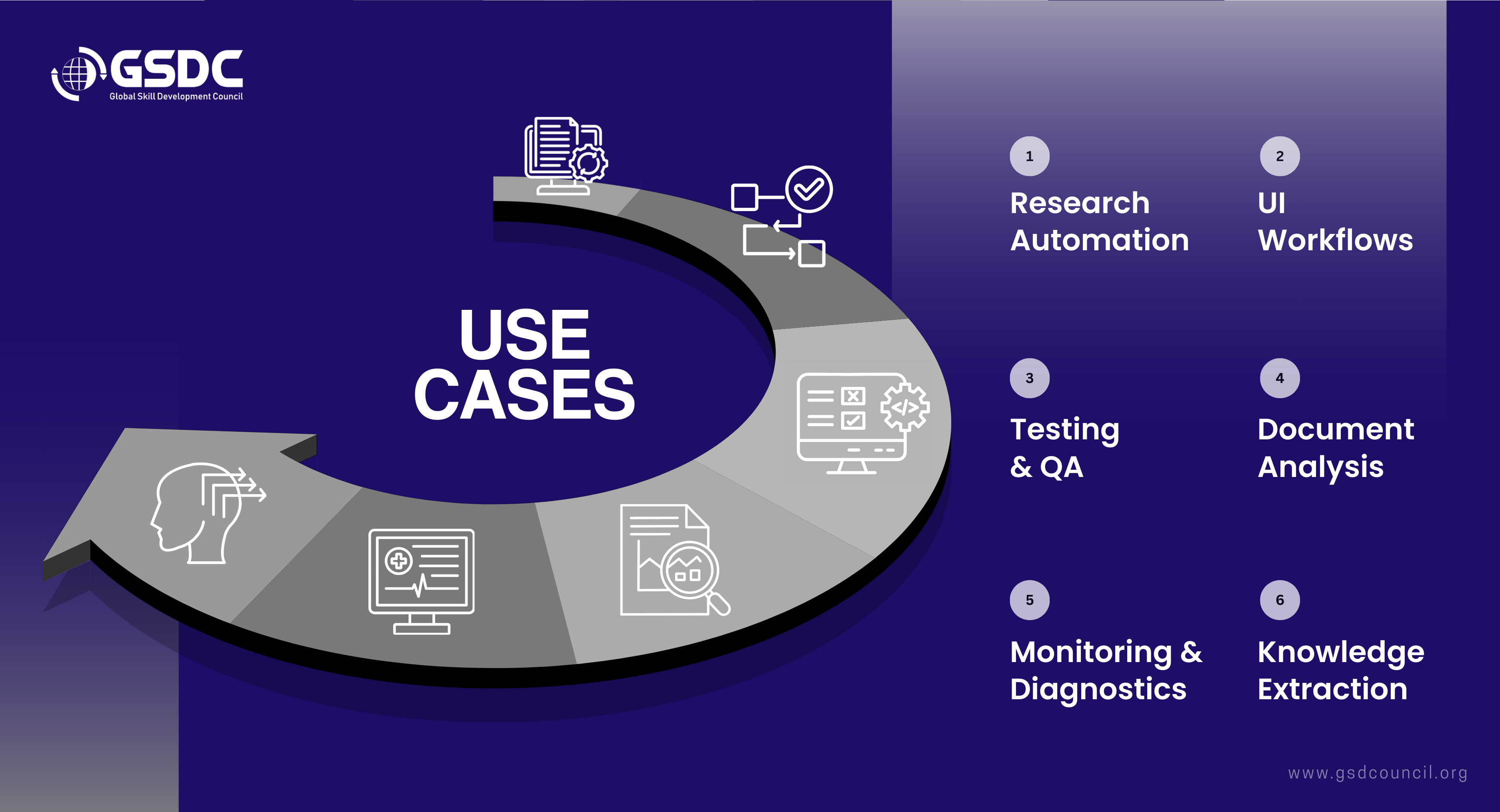
1. Research Automation: Agents can automatically search the web, gather information, compare sources, and pull out important insights. This speeds up and makes research more accurate, especially when there is a lot of data to work with.
2. UI-Driven Workflows: Agents use dynamic interfaces to move around websites, click buttons, scroll pages, and fill out forms. They can change their layout, which makes them great for things like data entry, registrations, and interacting with dashboards.
3. Testing and Quality Assurance: Agents act like real users, check UI flows, find problems, and deal with pop-ups that come up out of nowhere. This makes testing more flexible and smart than traditional scripted automation.
4. Document Analysis: Agents can read documents, pull out requirements, summarize long texts, and sort information into groups. This helps work with manuals, reports, and technical documents.
5. Monitoring and Diagnostics: Agents look at logs, keep an eye on how the system works, and flag possible problems as they happen. This makes it less necessary to check things by hand and speeds up fixing problems.
6. Knowledge Extraction: Agents get structured data from platforms like Confluence or internal portals. They put this information into summaries, datasets, or actionable insights.
These examples show why multi-agent systems are becoming necessary for business automation: they add flexibility, intelligence, and the ability to change to tasks that traditional automation tools have trouble with.
How AutoGen Helps Today Professionals
AutoGen has a lot of great features that professionals can use to move up in their careers in an AI-driven workplace. People learn useful skills that will help them in the future by working with multi-agent systems. These skills have a direct impact on real jobs.
Some of the main benefits are: gaining hands-on experience with smart automation that goes beyond basic scripting.
- Learning how to coordinate several AI agents to complete difficult, multi-step tasks.
- Getting better at UI automation and tool integration, which is becoming more and more important in modern workflows.
- Using AI that uses reasoning to help people solve problems better.
- Smartly automating boring or repetitive tasks to boost productivity.
- Becoming more useful to businesses that are using AI for digital transformation.
- Getting ready for future leadership roles in AI strategy, automation, and process improvement.
AutoGen is a great skill set for anyone who wants to stay competitive and relevant as AI changes the way we work.
Why Multi-Agent Skills Matter
The GSDC 100-Day AI Tool Challenge is built to help professionals master AI through daily, practical exercises. Multi-agent system design plays a major role because it:
- Encourages experimentation with advanced automation
- Develops real-world reasoning-based problem solving
- Helps participants build hands-on experience with agent frameworks
- Strengthens understanding of UI automation and tool integration
Professionals who understand how to build or orchestrate AI agents gain a major edge in the workforce.
What will happen with AutoGen and Multi-Agent AI in the future?
The next step in AutoGen development is to make agent ecosystems that are even smarter and more independent. Some important improvements that are coming up are:
- More effective collaboration: agents working together like full digital teams instead of as separate bots.
- Deeper tool integration: tools that work well with enterprise systems, APIs, and workflows.
- Better vision skills: Better understanding of UI across screens that are complicated and always changing.
- Better performance when not connected to the internet: Local models are getting faster, lighter, and safer.
- Automation from start to finish: agents take care of all business processes with little help from people.
All of these improvements will make AutoGen a key technology for smart automation in businesses.
The Importance of AI Certification for Building Future-Ready Talent
Companies need people who know how to design smart workflows, add advanced models to real systems, and confidently manage multi-agent automation as AI technology gets better. As tools like Microsoft AutoGen change the way modern workplaces work, these skills are becoming more and more important.
The Global Skill Development Council (GSDC) offers the Certified AI Tools Expert to help professionals prove that they have these skills. Getting this certification shows that students can use real AI tools, agent frameworks, and automation workflows. This is a useful credential for keeping up with the fast-changing AI landscape of today.

Conclusion: The future looks good for AI that works together.
Older tools can't do what multi-agent systems do, which is combine reasoning, action, and collaboration in new ways. Microsoft AutoGen and other frameworks can help businesses build AI teams that can work together to finish hard tasks, adjust to new interfaces, and work with people.
As more and more companies use these tools, it will be important to know how to make and run collaborative agents. In the future, AI systems will work together like smart coworkers to think, plan, and solve real problems.
Frequently Asked Questions (FAQs)
1. Are there any other agent frameworks or applications that work like Microsoft AutoGen?
Yes. There are several alternatives to AutoGen, including the Microsoft Agent Framework, AI Foundry, Amazon Bedrock with Nova agents, Google Gemini agents, Claude's Computer Use, and tools like LangGraph and Pinokio. Each one has its own pros and cons when it comes to usability, extensibility, and working offline. For most users, AutoGen is still a flexible and developer-friendly place to start.
2. What makes AI agents different from other automation tools like Make or Zapier?
Traditional automation tools have trouble with uncertainty and stick to set workflows. AI agents, on the other hand, can think, adapt, understand visual interfaces, and make decisions while they are running, which lets them solve problems instead of just running scripts.
3. Is it possible for multi-agent systems to work without being connected to the internet?
Yes. Users can run agents completely offline, behind firewalls, or in secure on-prem environments by combining AutoGen with local models like Minstral, Llama, or Gemini Nano. This is great for industries that are heavily regulated.
4. How should you start making a multi-agent system?
Start with simple tasks like having two agents talk to each other or automating simple UI tasks. Once you're comfortable, you can move on to more complicated tasks like vision-based navigation, tool integration, and coordinating multiple agents.
5. What kinds of businesses get the most out of multi-agent AI?
Agentic automation is most helpful for industries with digital workflows that are complicated, repetitive, or have many steps. This includes testing software, finance, government, human resources, healthcare, retail, customer service, and IT service management.

Related Certifications
Stay up-to-date with the latest news, trends, and resources in GSDC
If you like this read then make sure to check out our previous blogs: Cracking Onboarding Challenges: Fresher Success Unveiled
Not sure which certification to pursue? Our advisors will help you decide!