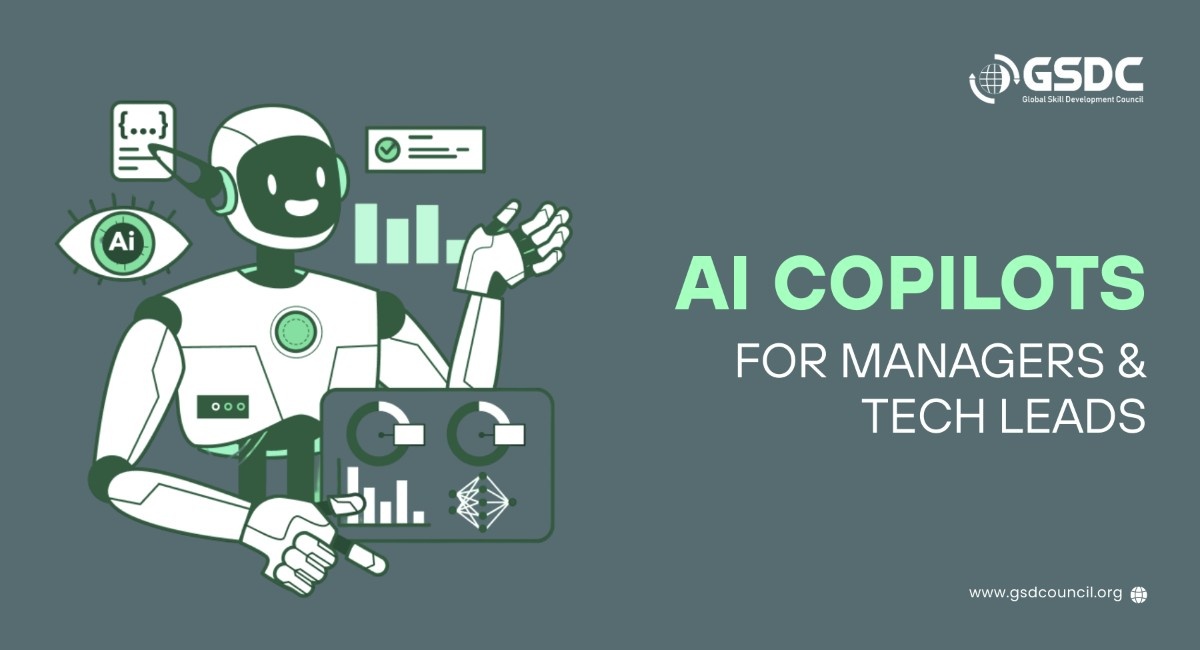
AI Copilots for Managers & Tech Leads
Written by Ziggy Rafiq
- Why AI Copilots Matter for 2026
- Common Challenges for Managers and Tech Teams
- How AI Copilots Bridge Business and Technology
- How Microsoft Copilot Supports Managers and Leaders
- How GitHub Copilot Supports Tech Leads and Developers
- Practical Benefits in Daily Work
- Using AI Copilots Responsibly
- How to Prepare Your Skills for an AI-Driven Workplace
- Final Thoughts: Work Smarter in 2026 and Beyond
- FAQs
As organizations move toward 2026, AI copilots are quickly becoming essential AI-powered tools for business to improve productivity, decision-making, and software delivery. Tools such as Microsoft Copilot and GitHub Copilot are among the best AI tools for productivity, helping managers, leaders, and tech leads reduce routine work and spend more time on higher-value responsibilities.
Rather than replacing people, AI copilots act as intelligent assistants that take care of everyday tasks, improve efficiency, and help teams work smarter, not longer.
In this blog, you’ll learn how AI copilots support different roles, how AI in project management is evolving, and how you can build the right AI skills to learn to stay effective and relevant in the AI-powered workplace of the future.
Why AI Copilots Matter for 2026
Workloads are getting heavier; at the same time, there are demands for fast, high-quality, and responsive services. Managers and technical teams have to get things done faster, handle even more information, and make better decisions within a shorter time.
AI copilots and other AI project management tools deliver help through automating routine work and providing quick, smart assistance for both business and technical tasks. Professionals can thus waste less time on the daily grind and have more time for strategy, leadership, and solving complicated problems.
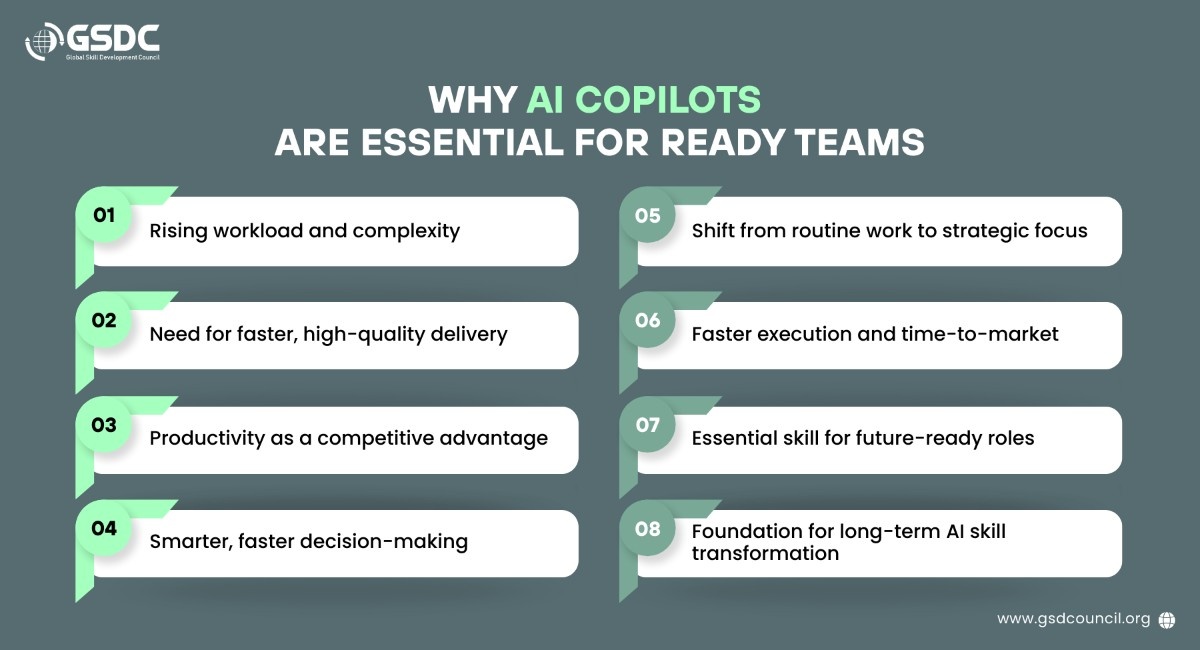
As 2026 approaches, the ability to operate with AI powered copilots will be a must-have skill for those professionals who are focusing on the AI skill transformation that is going to last over the years.
Common Challenges for Managers and Tech Teams
Leader and technical teams in modern work environments continue to face increasing pressures that make it difficult to concentrate and maintain high performance.
- The growing number of meetings and reports entails less time for strategy, coaching, and the actual value creation activities.
- An excessive amount of information undermines one's capability to focus, determine priorities, and make decisions.
- Short project timelines put more pressure on a team to deliver fast but with quality.
- Engaging in repetitive administrative and technical work drains one's time and attention from value, generating tasks.
- Such pressures lead to loss of focus, elevated stress levels, and eventually burnout.
- AI copilots, by taking over the handling of routine tasks and enabling quicker execution, help to reduce this burden.
These pressures reduce focus, increase stress, and raise the risk of burnout.
AI copilots play a major role in lightening the workload by automating mundane tasks, thus resuming the work faster, and allowing teams to work on higher-value problem-solving and innovation.
The Global Skill Development Council (GSDC) supported programs and learning pathways that help leaders and tech professionals to cultivate the necessary skills for the responsible and efficient adoption of these tools at scale.
How AI Copilots Bridge Business and Technology
One of the biggest Copilot benefits is the ability to connect business and technical work. Instead of using separate tools that do not communicate well, AI tools for business, like Microsoft Copilot and GitHub Copilot, help align teams by making information easier to understand and share.
This improves collaboration between managers, business leaders, and technical teams, helping everyone work toward shared goals.
How Microsoft Copilot Supports Managers and Leaders
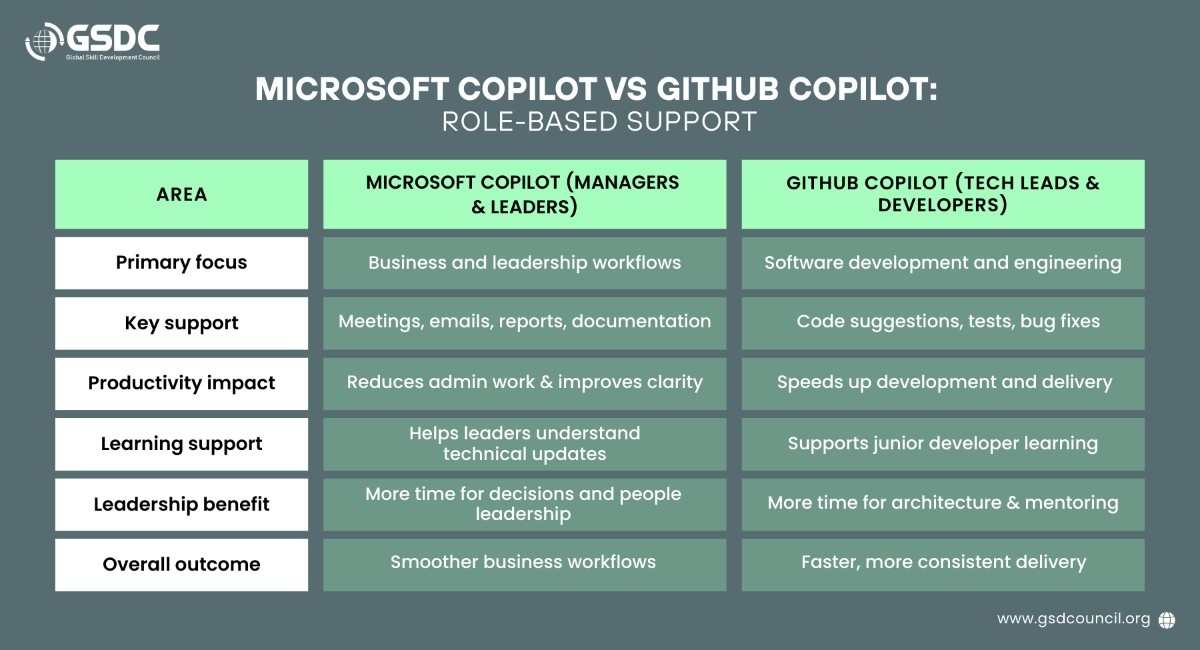
Microsoft Copilot aids managers and leaders in decreasing the administrative burden and enhancing transparency in various everyday business and leadership tasks.
-
Meeting and email summaries
Using Microsoft Copilot Teams leaders can get a gist of the long email threads and meeting discussions, thus cutting down the time spent on reviewing communications.
-
Reports and presentations
Leaders who learn Microsoft Copilot can unleash its power to quickly create reports and presentation drafts, making raw data into easy-to-understand updates.
-
Document and strategy drafts
Copilot provides strong starting drafts for documents and strategy materials, helping leaders plan and communicate more efficiently.
-
Documentation and standards support
Copilot helps write documentation, standards, and best practices, which leads to improved consistency within teams and processes.
-
Business-friendly technical insights
Copilot supports converting technical data into simple, business-friendly language, thus non-technical leaders can easily grasp progress and risks.
-
More time for leadership and direction
Reduction in writing and formatting effort makes it possible for people leaders to dedicate more time to their teams, the decision-making process, and strategic direction.
Microsoft Copilot is great at helping run leadership and business workflows more smoothly, but at the same time, engineering teams also require AI to help them speed up technical delivery and enhance the efficiency of software development.
How GitHub Copilot Supports Tech Leads and Developers
GitHub Copilot is an AI pair programmer that helps developers write code faster and with less work, which leads to overall higher productivity.
-
Code Suggestions and Creation
With the help of the assistance, Copilot can provide code suggestions as well as write code for the developer, thus giving the developer more time to come up with creative solutions, as well as less time spent on boilerplate.
-
Test case creation
Copilot offers test creation functionality, which can help developers increase their test coverage and thus retain high code quality.
-
Faster bug fixes
By proposing corrections and enhancements, Copilot makes it easier for teams to get the hang of the most congenial way to deal with the issues.
-
Support for junior developers
Copilot can serve as an educational tool by first explaining the code snippets, then showing and helping junior developers to understand and recognize code patterns as well as to accelerate their development.
-
More time for technical leadership
By automating repetitive coding, technical leads can divert their focus to the architecture, mentoring, and improving overall code quality.
-
Better delivery and consistency
As a result of this, more rapid delivery and a more uniform development process between teams are achieved.
If both leadership and engineering teams use AI copilots together, the benefits will spread beyond individual productivity and start to change the entire organization's way of working.
Utilizing business-focused and development-focused copilots simultaneously brings about a more deeply aligned planning and execution within the whole organization. The merger of these approaches is a great internal strength that enables the teams to speed up, get closer, and have less friction between business and technology.
|
Area |
How Combined Copilots Support Teams |
|
Strategy to deliver |
Facilitates the transition from planning to execution that is both faster and smoother. |
|
Business and tech alignment |
Helps to close the distance between leaders and developers by means of common understanding and openness. |
|
Communication |
Facilitates information to be summarized, shared, and acted upon between the teams. |
|
Productivity |
Frees the teams from any kind of friction and repetitive work so that they can focus on more valuable tasks. |
|
2026 readiness |
Builds a strong foundation for faster, AI-enabled ways of working. |
In short, such an alignment enables companies to run faster, clearer, and more coordinated as they look forward to 2026 and beyond.
Practical Benefits in Daily Work
AI powered copilots can be an enormous help for completing routine tasks quickly and with less manual efforts.
- Project tickets and documentation can be created faster, with clearer structure and acceptance criteria.
- Reports and summaries can be generated quickly, helping teams share updates and insights with less manual effort.
- Simple application features can be built faster, reducing time spent on boilerplate code and setup.
- Validation and testing can be added more easily, improving software quality while reducing repetitive manual work.
- Routine fixes and small changes can be completed faster, allowing teams to keep work moving without delays.
These everyday gains explain why teams are increasingly adopting AI tools for business and AI in project management to improve delivery speed, consistency, and productivity. Programs like Certified AI Tool Expert help professionals build hands-on capability to use these copilots effectively in real project environments moving from experimentation to dependable, scalable impact.
Using AI Copilots Responsibly
AI copilots are great assistants; however, it is necessary to use them thoughtfully to get safe, accurate, and reliable results.
-
Review AI-generated content
The outputs of AI should be double-checked by humans to verify the correctness, suitability, and consistency with the business objectives. This will be efficient in avoiding errors, misunderstandings, and the use of outdated or incomplete information.
-
Protect sensitive data and intellectual property
Companies are recommended to tightly secure their data through data protection practices and access controls so as to prevent the leak of sensitive or proprietary information. Besides, team members should be aware of what kind of data is safe to share with AI tools.
-
Set clear usage policies
Clear guidelines help teams understand when and how AI copilots should be used. This reduces misuse, supports consistency, and ensures AI is applied in ways that align with organizational goals and compliance requirements.
-
Use AI as an assistant, not a replacement
AI copilots are a tool to facilitate the human decision-making process and help carry out decisions, not a vehicle to override human judgment or take away accountability. People should always have the final say and carry the responsibility.
-
Maintain trust, security, and quality
Using AI tools responsibly helps to establish trust in these tools, safeguards the organization, and guarantees that the quality of the outputs is maintained over time.
When organizations act thoughtfully and responsibly with AI copilots, they can leverage them for value creation, keep the risk at the minimum, and preserve trust over time.
How to Prepare Your Skills for an AI-Driven Workplace
As AI copilots become part of everyday work, professionals need to develop new skills to use these tools effectively and responsibly.
- Learning how to use Microsoft Copilot and GitHub Copilot in daily work
- Improve prompt and validation skills to get accurate and useful results.
- Integrate AI into daily workflows to drive consistent productivity gains.
- Developing future-ready AI skills to learn
- Build long-term relevance as AI tools continue to evolve.
These skills will become increasingly important as AI becomes a standard part of modern work.
Developing Practical AI Copilot Skills with GSDC
As AI copilots become the norm, the actual impact depends on the effective utilization of these technologies. Global Skill Development Council (GSDC) supports the cause through certifications like Certified AI Tool Expert, which helps professionals responsibly develop practical AI tool skills to deliver actual business outcomes.
Final Thoughts: Work Smarter in 2026 and Beyond
AI copilots are transforming the way work is accomplished at all levels of leadership and delivery teams. By automating rote tasks, these AI-based business tools empower managers and tech leads to concentrate on people, decisions, and innovation.
The understanding of what is Copilot Microsoft, how to use Microsoft Copilot, and how to apply GitHub Copilot in real workflows will be those who will be more prepared for the future of work.
Preparing now builds the foundation for smarter delivery, stronger leadership, and sustained performance in an increasingly AI-driven workplace.
FAQs
1. Will AI copilots replace managers or developers?
AI copilots and other AI powered tools are meant to support business professionals rather than replace them. AI for managers and technical teams enables the automation of repetitive tasks so that people are free to concentrate on strategy, leadership, and problem-solving.
2. How do we handle data security and IP risks with AI copilots?
Companies using AI copilots need to set clear governance for tools such as Microsoft Copilot and GitHub Copilot, which should also define data, sharing protocols, security measures, and the requirement for human checking of AI-generated outputs.
3. What skills do leaders need to work with AI copilots effectively?
Leaders should focus on developing core AI skills such as effective prompting, output validation, and workflow integration to pave the way for a continuous AI skill transformation in leadership and delivery roles.
4. How can organizations determine the ROI of AI copilots?
The ROI of AI copilots, AI project management tools, etc., can be evaluated by the time saved, quicker delivery, increased productivity, and more transparent evidence of the benefits obtained from the use of copilots by different teams.
5. What is a reasonable way to engage AI copilots?
A small pilot using AI copilots like Microsoft Copilot or GitHub Copilot can be started for one task only, e. g., documentation or meeting summaries. This allows the teams to learn how to use Copilot in real workflows with minimal disruption.

Related Certifications
Stay up-to-date with the latest news, trends, and resources in GSDC
If you like this read then make sure to check out our previous blogs: Cracking Onboarding Challenges: Fresher Success Unveiled
Not sure which certification to pursue? Our advisors will help you decide!